4.7 Setting Parameters
4-33
4.7.8 Setting channel, frequency or level
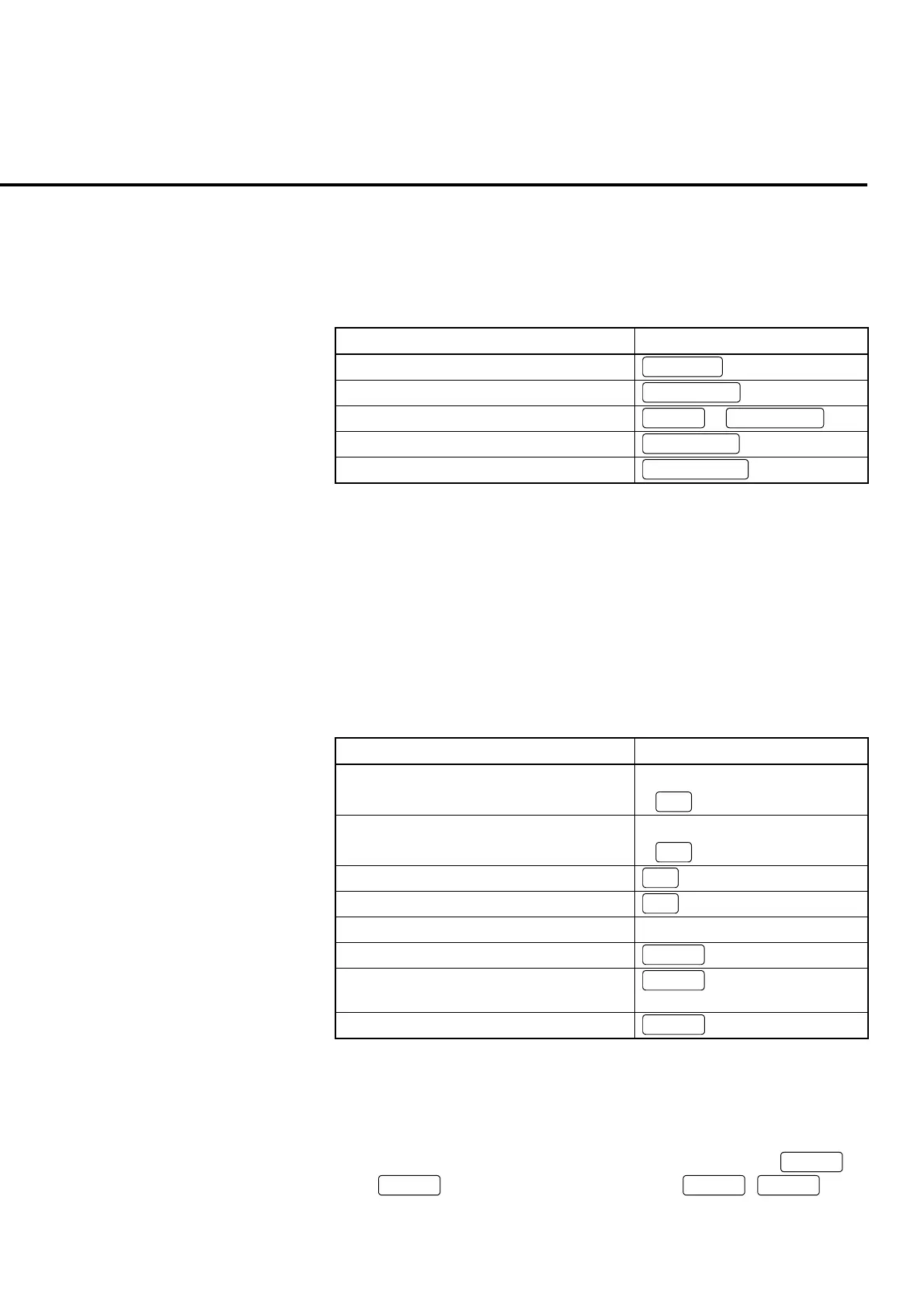
Pressing the channel level key of the panel key ease the operation to set the in-
put/output channel, frequency and level on the measurement screen.
Table 4-7-8-1 Parameter and channel level key
Parameter Channel level key
Channel
Channel
Input frequency
Input Freq.
Output frequency Output Freq.
Shift
+
Input Freq.
Input level
Input Level
Output level
Output Level
Note:
Concrete parameter types and qualities vary depending on the measurement
software.
[Procedure]
1. Press a channel level key corresponding to the parameter to be set.
2. Enter numeric values in the entry area by the operations described in Table 4-7-
8-2.
Table 4-7-8-2 Operations in the entry area
Entry area Panel key
Increase the value for cursor by 1*1 • Turn the encoder to the right
•
∧
Reduce the value for cursor by 1*1 • Turn the encoder to the left
•
∨
Move the cursor to the left*2
<
Move the cursor to the right*2
>
Enter the numeric value Numeric keypad
Deleting the value for cursor
+/
−
Determine the numeric value and entry end
/moving to the next entry item*3
BS
Determine the numeric value and entry end
Cancel
*1:
When the value is changed, the display value is set (frequency or level
changes).
*2:
This operation is invalid after pressing the numeric keypad,
+/
−
, or
BS
. It is validated again by pressing
Set
,
Enter
or the
encoder.













 To Next Page