Section 3 Getting Started
3-6
3.4 Viewing a screen
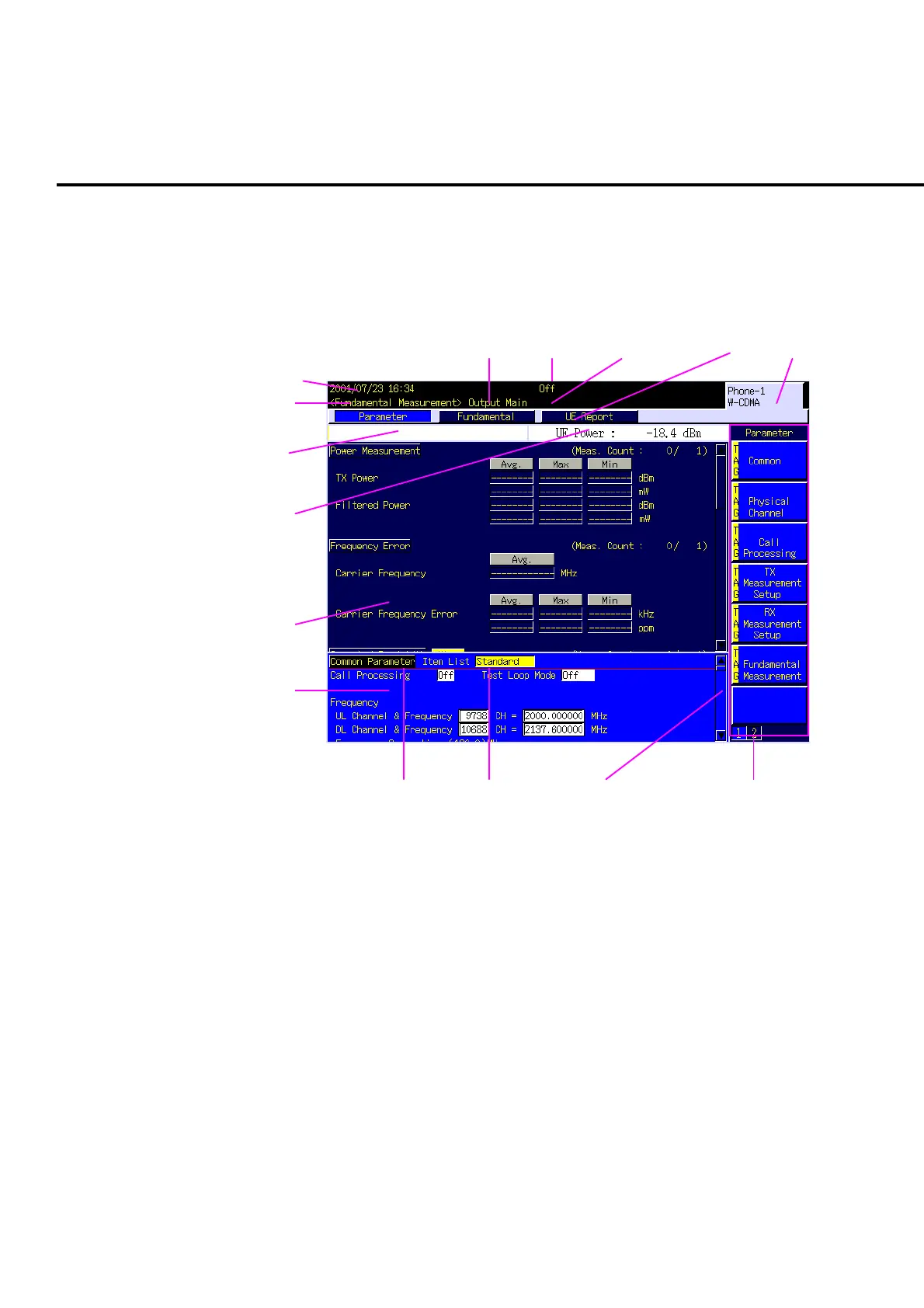
This section explains how to view a screen using the Fundamental Measurement
screen of W-CDMA measurement software as an example. For details, refer to “4.1
display Area.”
1
2
3 4 5 6 7
8
9
10
11
12
13 14 15
Fig. 3-4-1 W-CDMA•Fundamental Measurement screen
1. Date and time
Shows date and time, or user-defined character string.
2. Screen type
Shows the name of the currently selected screen.
3. RF signal output connector
Shows message on currently selected RF connector or UNCAL status.
4. Call processing status
Shows current call processing status.
5. Measurement mode
Shows measurement mode under execution. This is displayed only during
measurement.
6. Window list bar
Lists windows that are currently opened or active.













 To Next Page