6.2 Displaying System Information
6-17
6.2 Displaying System Information
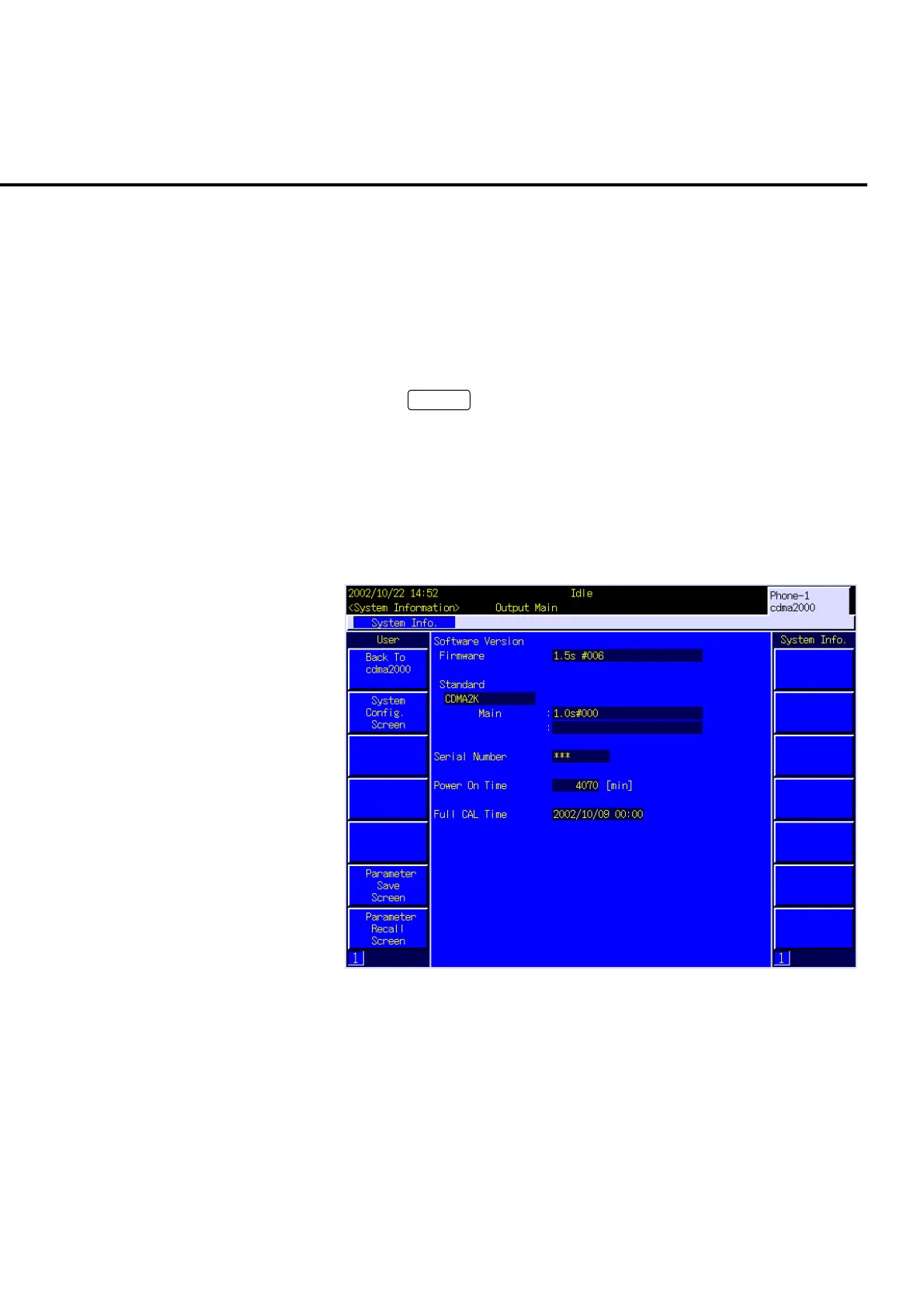
Version information and serial numbers about software that composes MT8820A can
be displayed on the screen. All the system information is displayed on the System
Information screen.
6.2.1 Opening the System Information screen
[Procedure]
1. Press
Screen
to open the Select Screen popup window.
2. Turn the encoder to move the cursor onto “System Information”.
3. Press the encoder to open the System Information screen.
The System Information screen can also be opened by the screen switching function
of user menu.
6.2.2 Viewing the System Information screen
Fig. 6-2-2-1 System Information screen
(1) Software Version
Software version installed in MT8820A.
(2) Serial Number
The serial number specific to MT8820A.
(3) Power On Time
Accumulated time (total power-On time) of MT8820A.













 To Next Page