Section 2 Setup
2-24
2.3.4 Connecting to a phone
Methods for connecting MT8820A to a phone to be measured differ according to AF
of a phone, RF connector type or assignment. This section explains the basic connec-
tion method.
Note:
To perform RF signal measurement, check that output connector of MT8820A
is in conformance with the RF Output setting (Refer to “6.1.10 Setting the
signal output connector”).
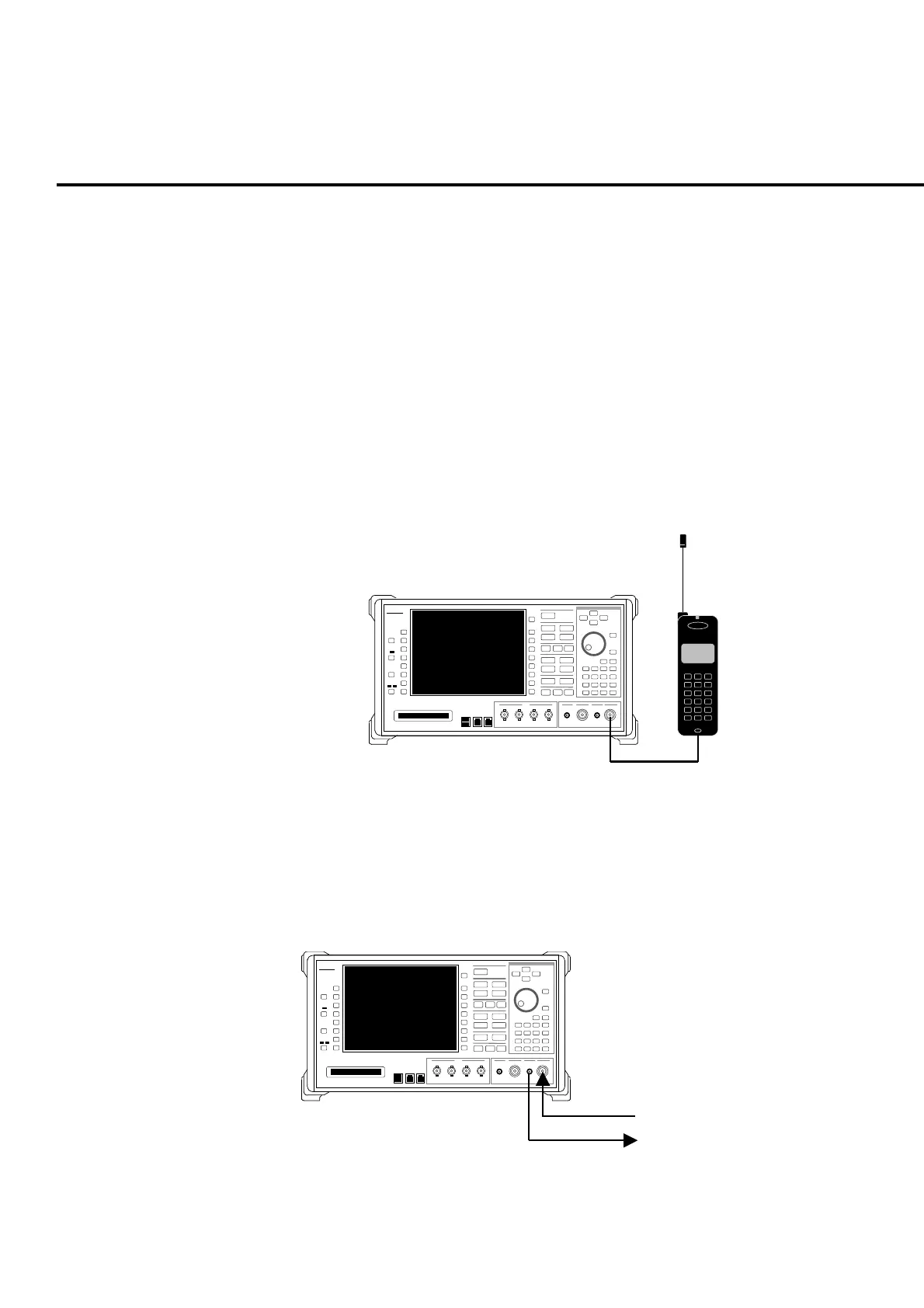
(Ex. 1) Connecting “Main1” main input/output connector with phone
Use an RF cable to connect the
Main1 Main Input/Output
connector on the
front panel of MT8820A to the RF signal input/output connector of a phone.
When direct connection is not allowed, use an adapter separately.
Anritsu
MT8820A
321
654
987
#0
*
Fig. 2-3-4-1 Example of connection to a phone (1)
(Ex. 2) Outputting from “AUX1” auxiliary output connector and inputting from
“Main1” main input/output connector.
Use an RF cable to connect
AUX1 Output
connector to the input connector
of a phone and
Main Input/Output
connector and RF output connector of a
phone. When direct connection is not allowed, use an adapter separately.
Anrit su
MT8820A
Output from a phone
Input to a phone
Fig. 2-3-4-2 Example of connection to a phone (2)













 To Next Page