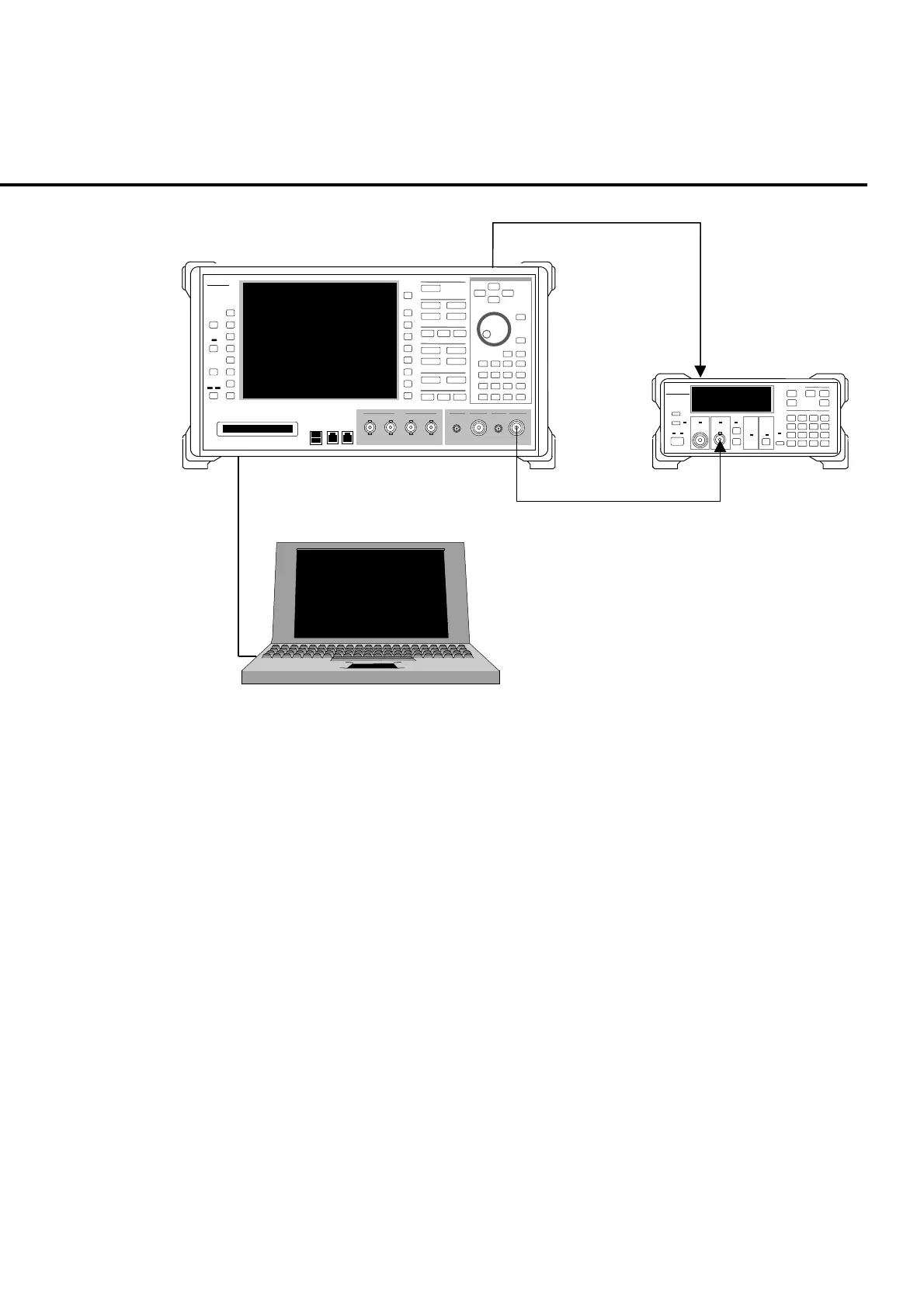
9.1 Performance Test
9-11
nritsu
MF2412A
nritsu
MT8820A
MT8820A
MF2412B Frequency counter
PC
10 MHz
Ref Input
10 MHz
Buf Output
Fig. 9-1-7-1 Setting up for the output frequency test
(3) Test method
[Procedure]
1. Connect 10 MHz Buff Out of MT8820A to Ref Input of frequency coun-
ter.
2. Set the measurement resolution of frequency counter to 100 MHz.
3. Transmit GPIB command from PC to set the MT8820A output level to -10
dBm (refer to the operation manual of the measurement software for
command), non-modulation CW output (command: MOD OFF).
4. Set MT8820A output frequency to 30 MHz.
5. Measure the MT8820A output frequency using the frequency counter and
check if the result is 30 MHz.
6. In the same operation with the steps 4. and 5., set the output frequency at
any value within the setting range. Then repeat the measurement. Refer
to the Example of the performance test result record sheet for the frequen-
cy to be set.













 To Next Page