Section 3 Getting Started
3-10
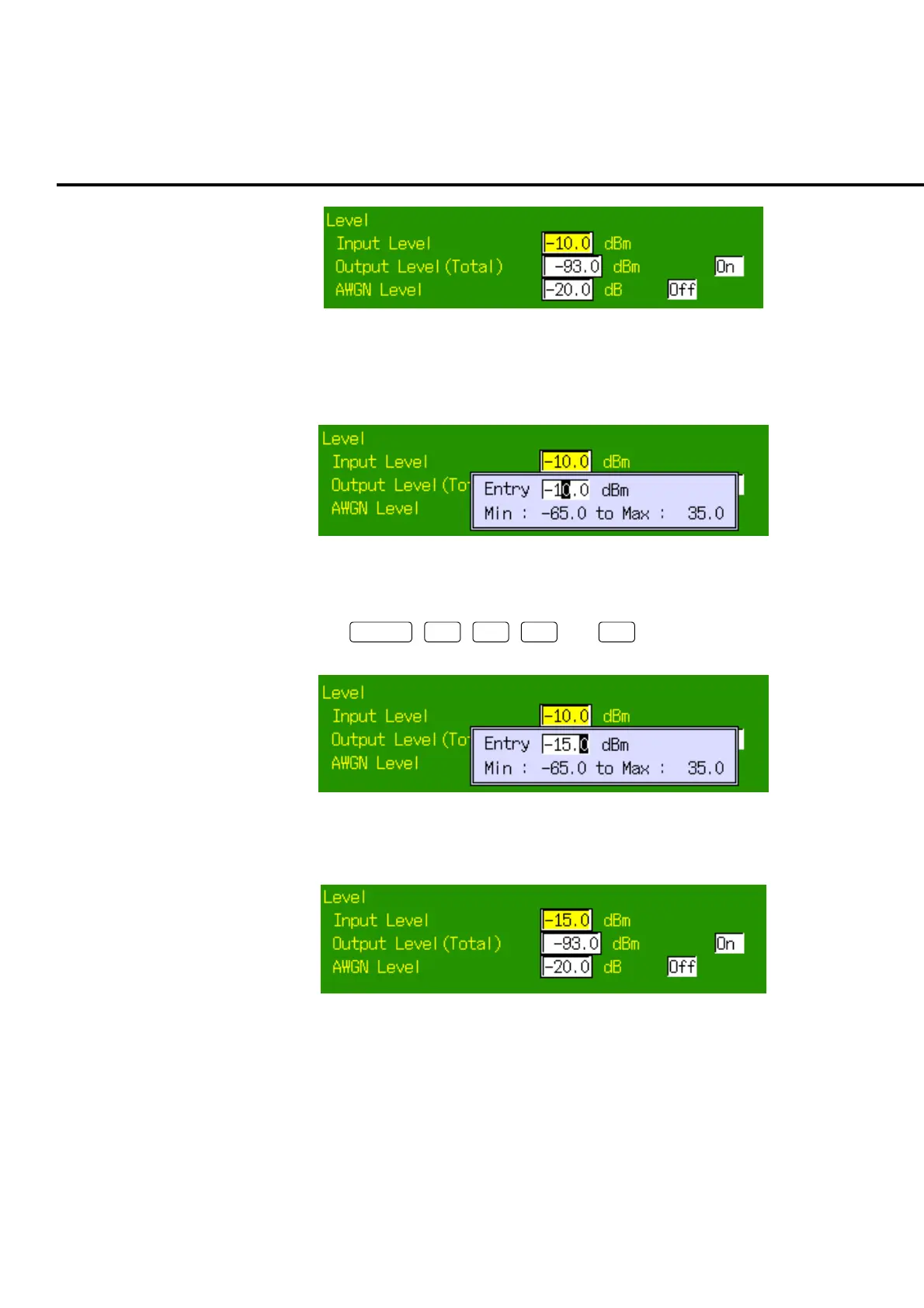
Fig. 3-6-3 Input Level selection
5. Press the encoder to open the pop up window and start entry of values. The
upper and lower limits for input values are displayed.
Fig. 3-6-4 Starting to enter
6. Use the numeric keypad to enter a value to be changed. To enter −15.0 dBm,
press
+/
−
,
1
,
5
,
.
, and
0
of the numeric keypad in
this order.
Fig. 3-6-5 Entering numeric values
7. After inputting, press the encoder to determine the value.
Fig. 3-6-6 Determining the value













 To Next Page