DRAFT
September 1, 2004 11:39 am, CH_Maintenance.fm
Adding Custom Dyes to the Pure Dye Set
Applied Biosystems 7900HT Fast Real-Time PCR System and SDS Enterprise Database User Guide 7-29
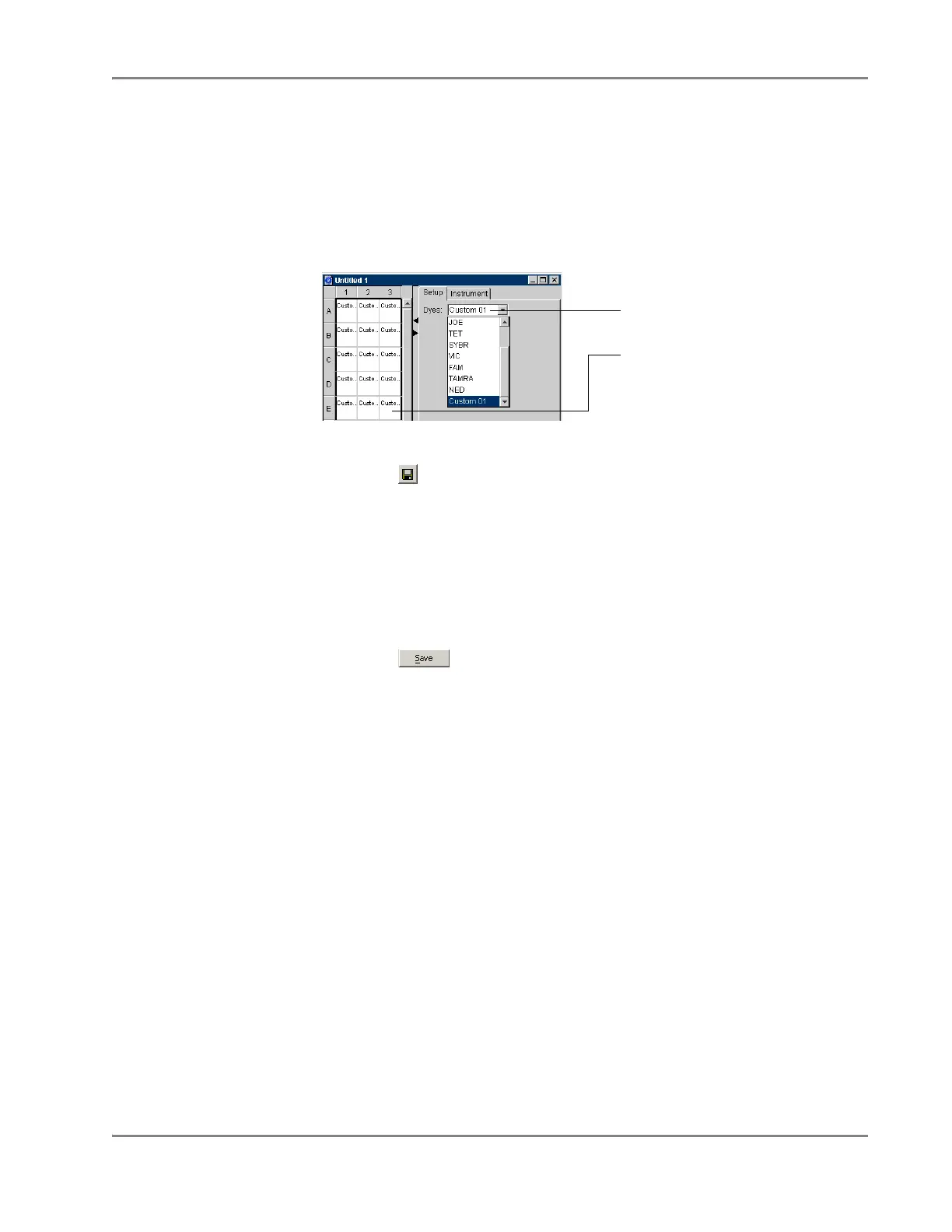
4. Apply pure dyes to the custom plate document:
a. Select the wells containing the custom dye.
b. In the Dyes drop-down list in the Setup tab, select the appropriate dye.
The software applies the dye to the selected wells.
c. Repeat steps a and b to configure the plate document with any additional
custom dyes.
5. Save the custom Pure Dye plate document as a plate document template:
a. Click (or select File > Save).
b. In the Save dialog box, navigate to Program Files > Applied
Biosystems > SDS 2.2.1 > Tem plate s.
The Templates directory appears inside the Look in field. By saving the
plate document template to the Templates directory, it becomes available
from the Templ ate drop-down list in the New Document dialog box.
c. Select Files of type > SDS 7900HT Template Document (*.sdt).
d. In the File name field, and enter a name for the plate document template.
e. Click . The software saves the plate document as a plate document
template.
6. Run the custom Pure Dye plate as explained in “Preparing the Pure Dye Plates”
on page 7-22.
Custom dye added to selected
wells of the plate document
Dyes drop-down list












 To Next Page