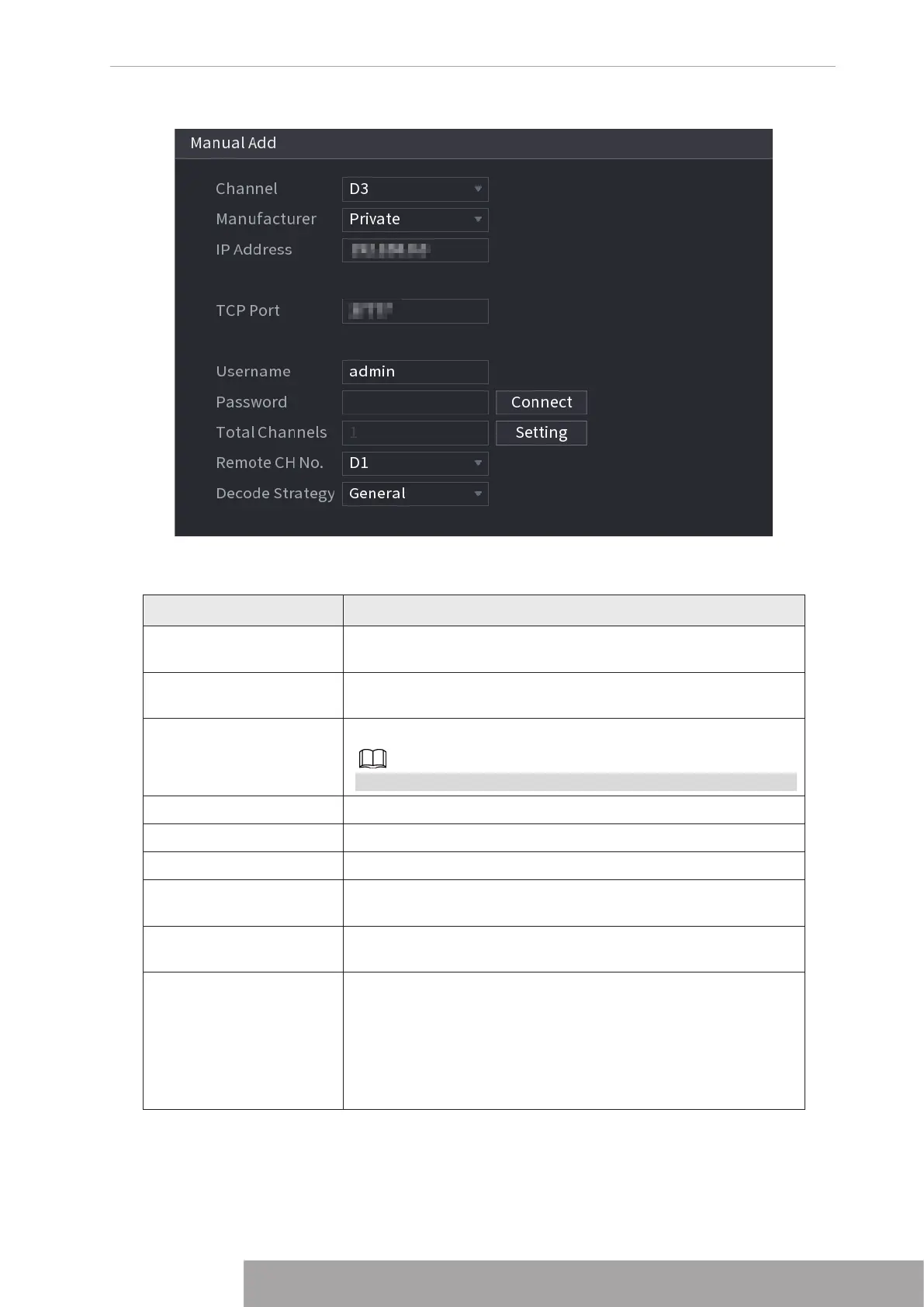
Figure 4-30
2. Configure parameters. See Table 4-8.
Table 4-8
Parameter Description
Channel
In the
Channel
list, select the channel that you want use on the
Device to connect the remote device.
Manufacturer
In the
Manufacturer
list, select the manufacturer of the remote
device.
IP Address
In the
IP Address
box, enter the IP address of remote device.
The default is 192.168.0.0 which the system cannot connect to.
TCP Port The default value is 37777. You can enter the value as needed.
User Name Enter the user name of the remote device.
Password Enter the password of the user for the remote device.
Remote CH No.
Enter the remote channel number of the remote device that you
want to add.
Decoder Strategy
In the
Decoder Strategy
list, select
Default
,
Realtime
, or
Fluent
.
Protocol Type
● If the remote device is added through private protocol, the
default type is
TCP
.
● If the remote device is added through ONVIF protocol, the
system supports
Auto
,
TCP
,
UDP
, or
MULTICAST
.
● If the remote device is added through other manufacturers,
the system supports
TCP
and
UDP
.
Copyright © NSS Sp. z o.o.
29 User‘s Manual



 To Next Page