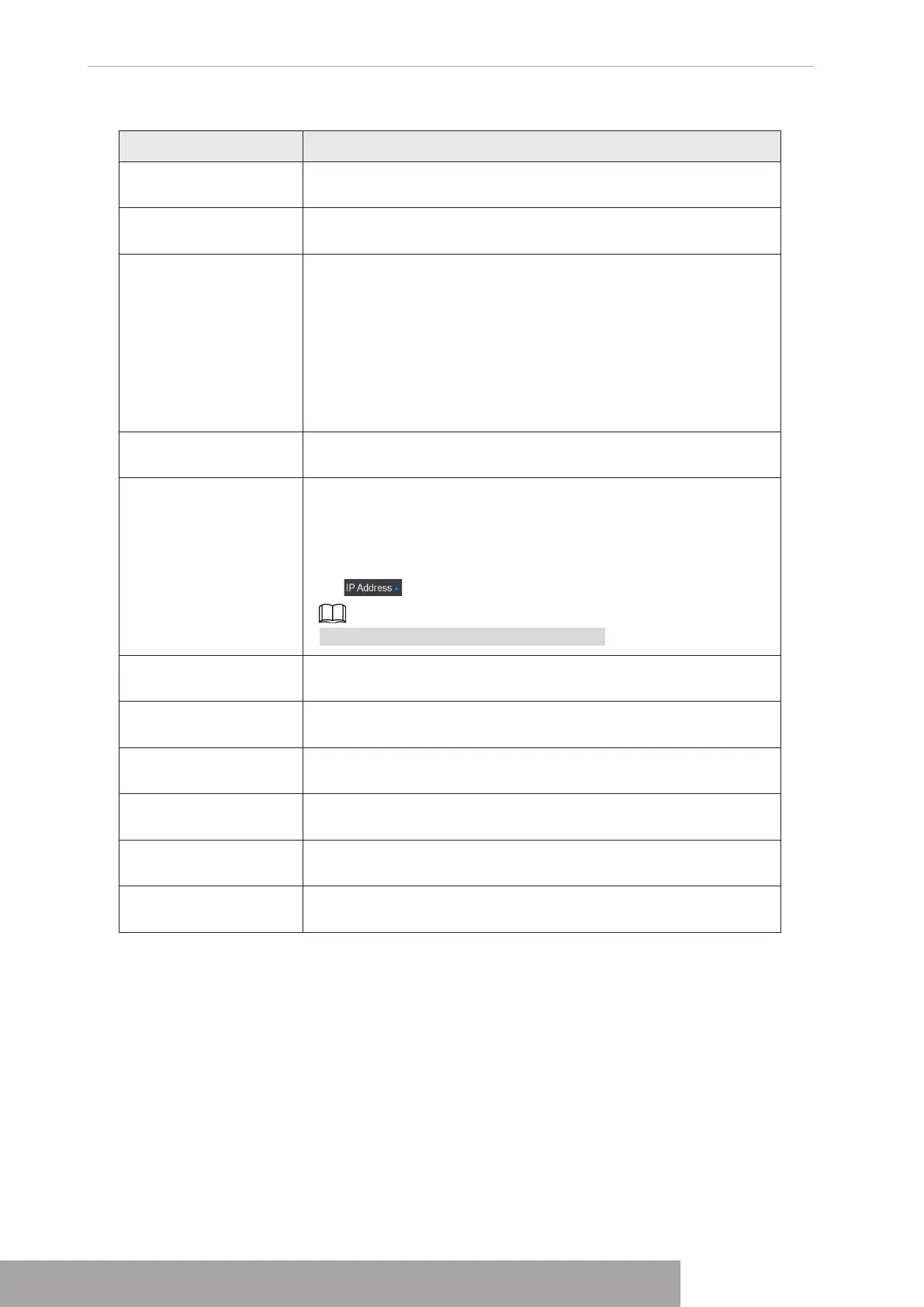
Table 4-7
Parameter Description
Uninitialized
Enable the
Uninitialized
function, the uninitialized devices out of
the searched devices are displayed in the searched device list.
Initialize
Select the uninitialized device from the uninitialized device list,
and the click
Initialize
to start initializing device.
Filter
In the
Show Filter
list, select the remote device type that you
want to display in the searched device list.
● None: Display all types of devices.
● IPC: Display the front-end devices.
● DVR: Display all storage devices such as NVR, DVR and
HCVR.
● OTHER: Display the devices that do not belong to IPC or
DVR type.
Searched Device List
Displays the searched devices. You can view the device
information such as status, IP address.
Search
Click
Search
, the searched devices display in the searched
device list.
To adjust the display sequence, in the title line, you can click the
IP address, Manufacturer, Type, MAC Address, Port, or Device
Name text. For example, click the IP address text, the sequence
icon is displayed.
"*" is displayed next to the added device.
Add
In the Searched Device List area, select the device that you want
to add.
Manual Add
Add the device by manually configuring settings such as IP
address, channel selection.
Added Device List
Displays the added devices. You can edit and delete the device,
and view the device information.
Delete
Select the check box of the added device, and then click
Delete
to delete the added device.
Import
Select the searched devices and then click
Import
to import the
devices in batches.
Export
Select the added devices and then click
Export
. The exported
devices information is saved into the USB storage device.
● Manual Add
1. Click
Manual Add
.
The
Manual Add
interface is displayed. See Figure 4-30.
Copyright © NSS Sp. z o.o.
User‘s Manual 28



 To Next Page