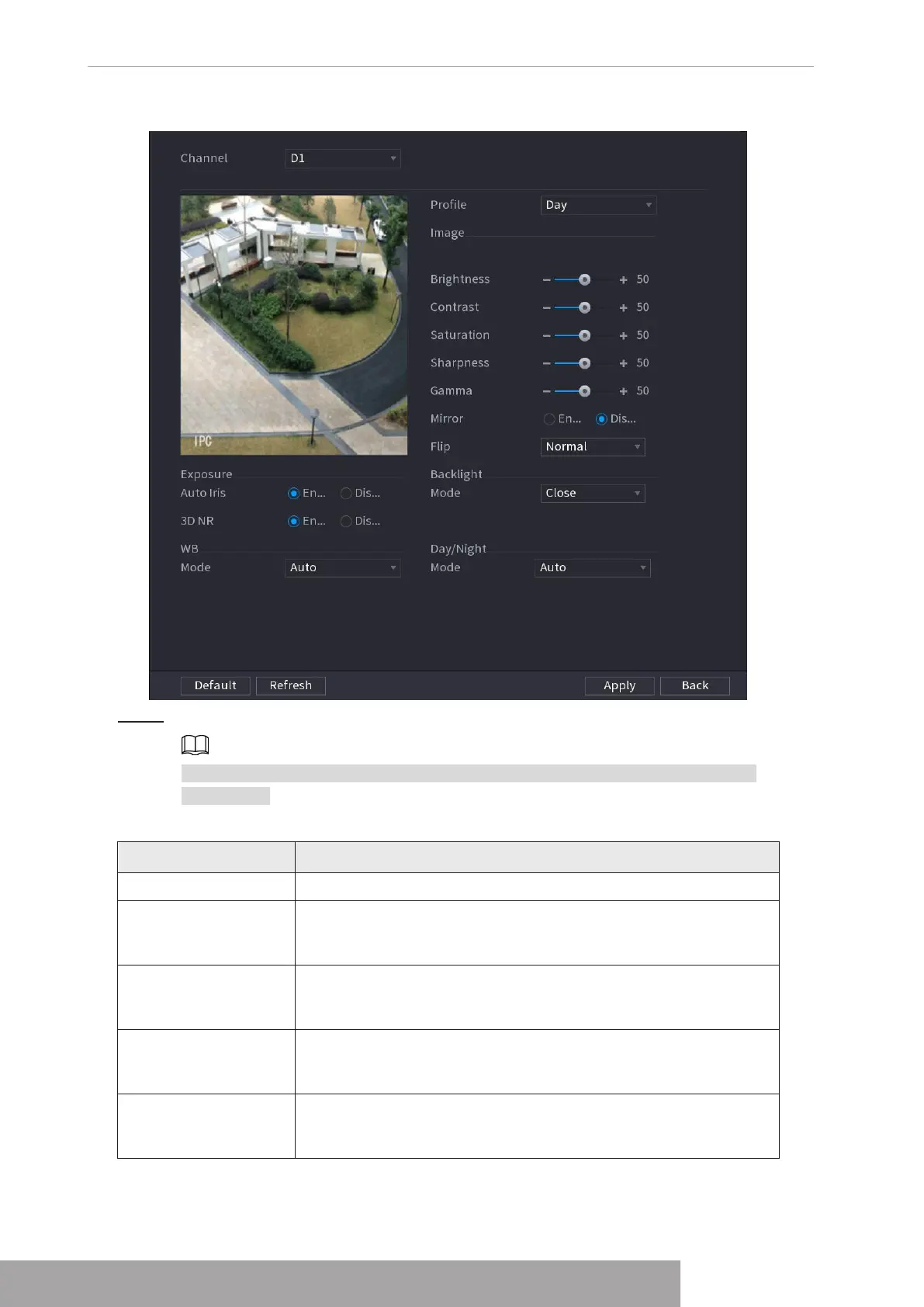
Figure 4-55
Step 2 Configure parameters. See Table 4-13.
Different series network camera displays different parameters. The actual product
shall prevail.
Table 4-13
Parameter Description
Channel In the Channel list, select the channel that you want to configure.
Profile
There are three config files for you. System has configured the
corresponding parameters for each file, you can select according
to your actual situation.
Brightness
Adjusts the image brightness. The bigger the value is, the brighter
the image will become. Adjusts the brightness according to actual
environment.
Contrast
Adjusts the image contrast. The bigger the value is, the more
obvious the contrast between the light area and dark area will
become. Adjusts the contrast according to actual environment.
Saturation
Adjusts the color shades. The bigger the value, the lighter the
color will become. Adjusts the saturation according to actual
environment.
Copyright © NSS Sp. z o.o.
User‘s Manual 50



 To Next Page