Controls C 1
ekrPro Com
60
web guide controller EDV-No.: MD.191.00.05/1.6.x Chapter: C 1
with analog sensors Date: 23.11.2007 Page: 5/6
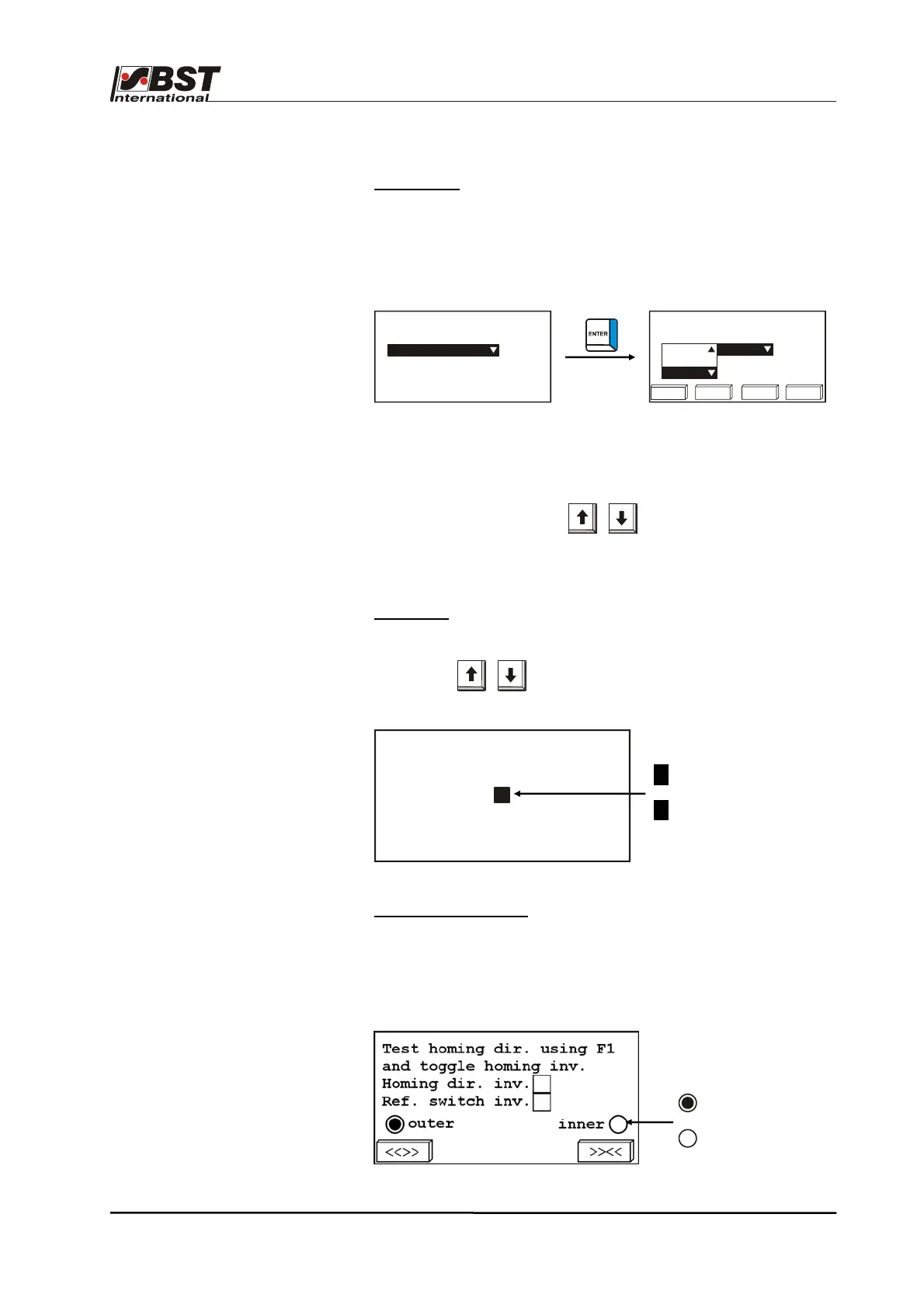
Option lists
An entry from a default list can be selected from an option list. This
is realised by pressing the ENTER button to open the selected
option list.
Example:
The “▼“ or “▲“ symbols displayed on the right of the option list
indicate that there are more entries in list than are displayed on the
screen.
Use the vertical arrow keys to mark the position in the
list.
Confirm the selection by pressing ENTER.
Checkbox
Use the vertical arrow keys
Arrow keys option using the checkbox control element.
Example:
Read-only Checkbox
Read-only checkboxes only have a display function.
These give the operator reports about the current status of the
components (e.g. stop switch statuses).
Example:
= actuated
= not actuated
Select an actuator type
EMS 17
Select an actuator type
123 456 789 0
EMS 10
EMS 16
EMS 17
X = Option active
= Option inactive
(de)activate speed control
active
X



 To Next Page