Installation B 1
ekrPro Com
60
web guide controller EDV No.: MD.191.01.05/1.6.x Chapter: B 1
with analog sensors Date: 23.11.2007 Page: 3/7
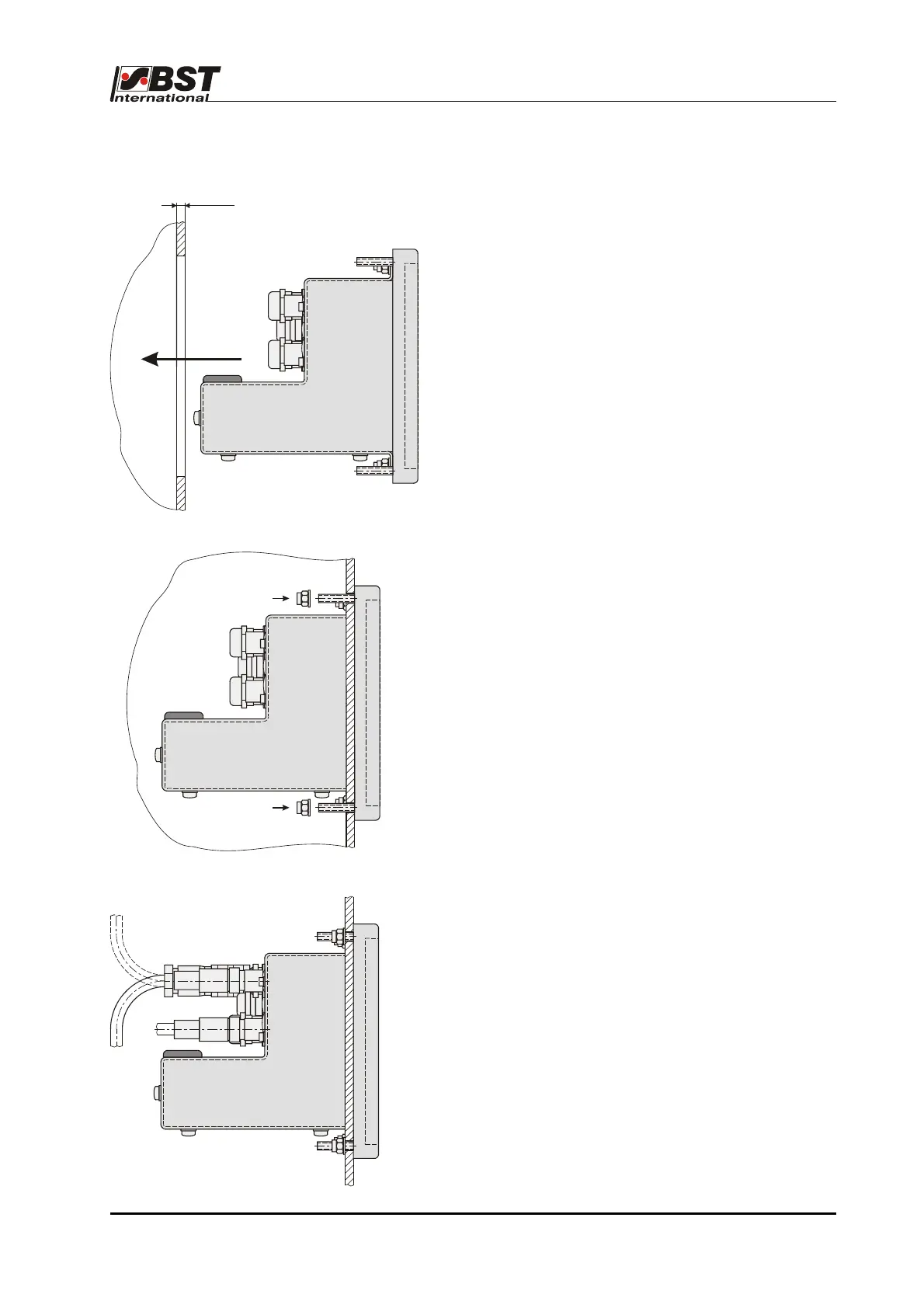
B 1.3.3 Installation
1. Cut out the insertion hole and drill four
mounting holes
(installation dimensions see chapter B 1.3.1).
2. Slide the ekrPro Com
60
Desk into the recess.
3. Use the four securing screws to secure the
controller ekrPro Com
60
Desk in place.
4. Wire in the electric cables or plug in the
necessary cable connections.
Attention!
A free area of at least 300 mm in front of the
housing must be guaranteed so that it can be
opened.
max. 10



 To Next Page