Commissioning B 3
ekrPro Com
60
web guide controller EDV No.: MD.191.01.05/1.6.x Chapter: B 3
with analog sensors Date: 23.11.2007 Page: 57/73
4. If necessary, set parameters for further guiding modes
(see points 2 and 3).
5. Press the ESC button to exit the window.
B 3.7.5.8.2 Oscillation
This special function enables the position of the web of material to
be displaced within the sensor´s visual range using adjustable
amplitude (size of the lateral displacement) and frequencies
(displacement speed).
The format of the web displacement when the controller is operated
without a sensor positioning device follows a delta curve ( ).
When operated with a sensor positioning device, a sine-wave ( )
web displacement takes place. See also chapter A1, Point A 1.4.4‚
Oscillation types and curves’.
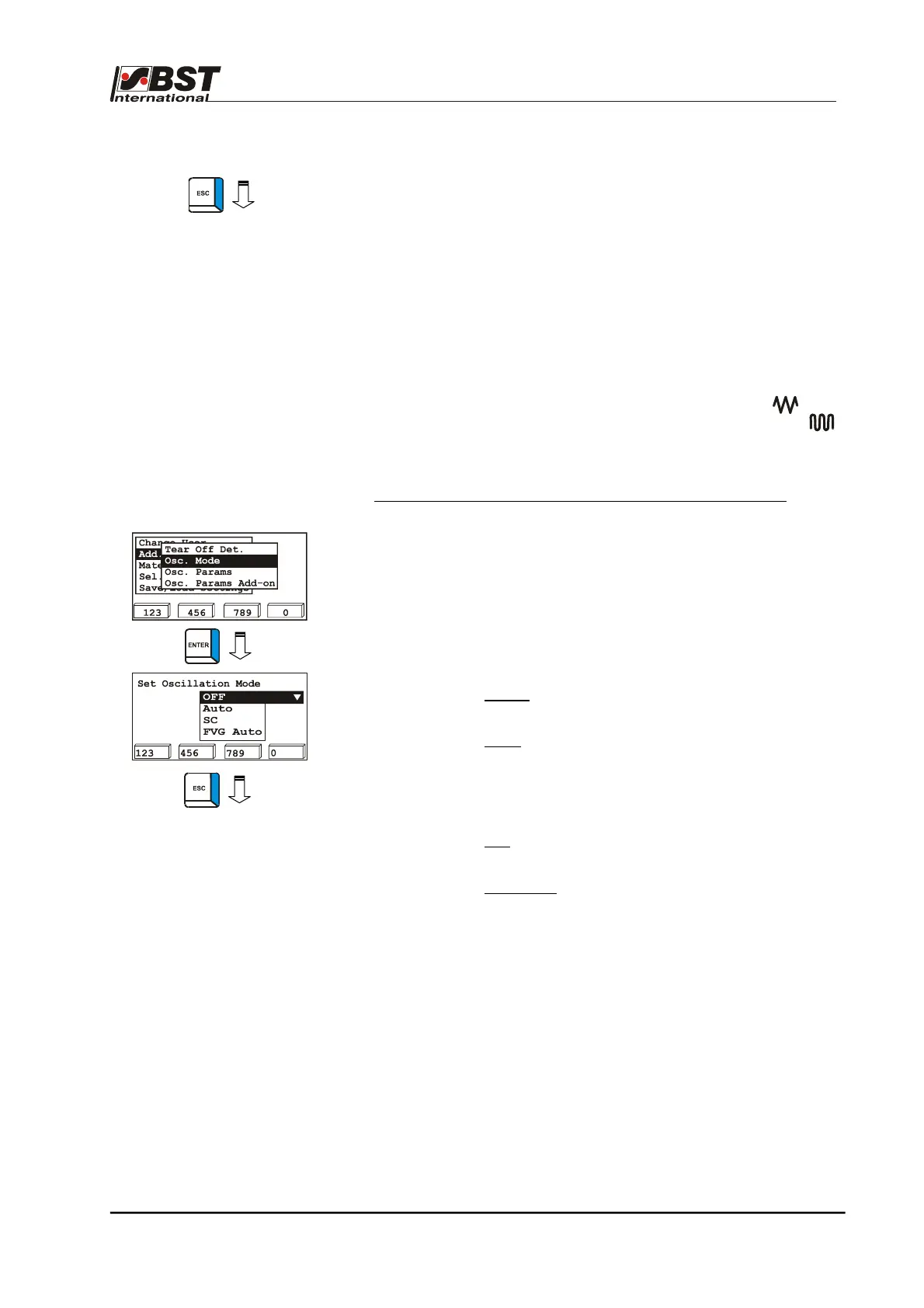
Osc. Mode – determine operating mode for oscillation mode
1. Select Add. Functions in General Setup and then select the
„Osc. Mode“ sub-directory afterwards.
Confirm the respective selection by pressing ENTER.
2. The set value for the web width (Nominal Width) is entered in
this window. Activation then takes place in the operating
status display using the F1 key.
The following settings are possible:
• • OFF:
Oscillation is deactivated
(factory setting)
• Auto:
Activation in operating mode
Automatic
Repositioning of material web is
carried out within the sensor visual
area with adjustable amplitude.
• SC:
Activation in operating mode SC
using the servo-center component.
• FVG Auto:
Oscillation with connected FVG
An FVG oscillation with sine-shaped
web repositioning.
3. Press the ESC button to exit the window.



 To Next Page