Commissioning B 3
ekrPro Com
60
web guide controller EDV No.: MD.191.01.05/1.6.x Chapter: B 3
with analog sensors Date: 23.11.2007 Page: 58/73
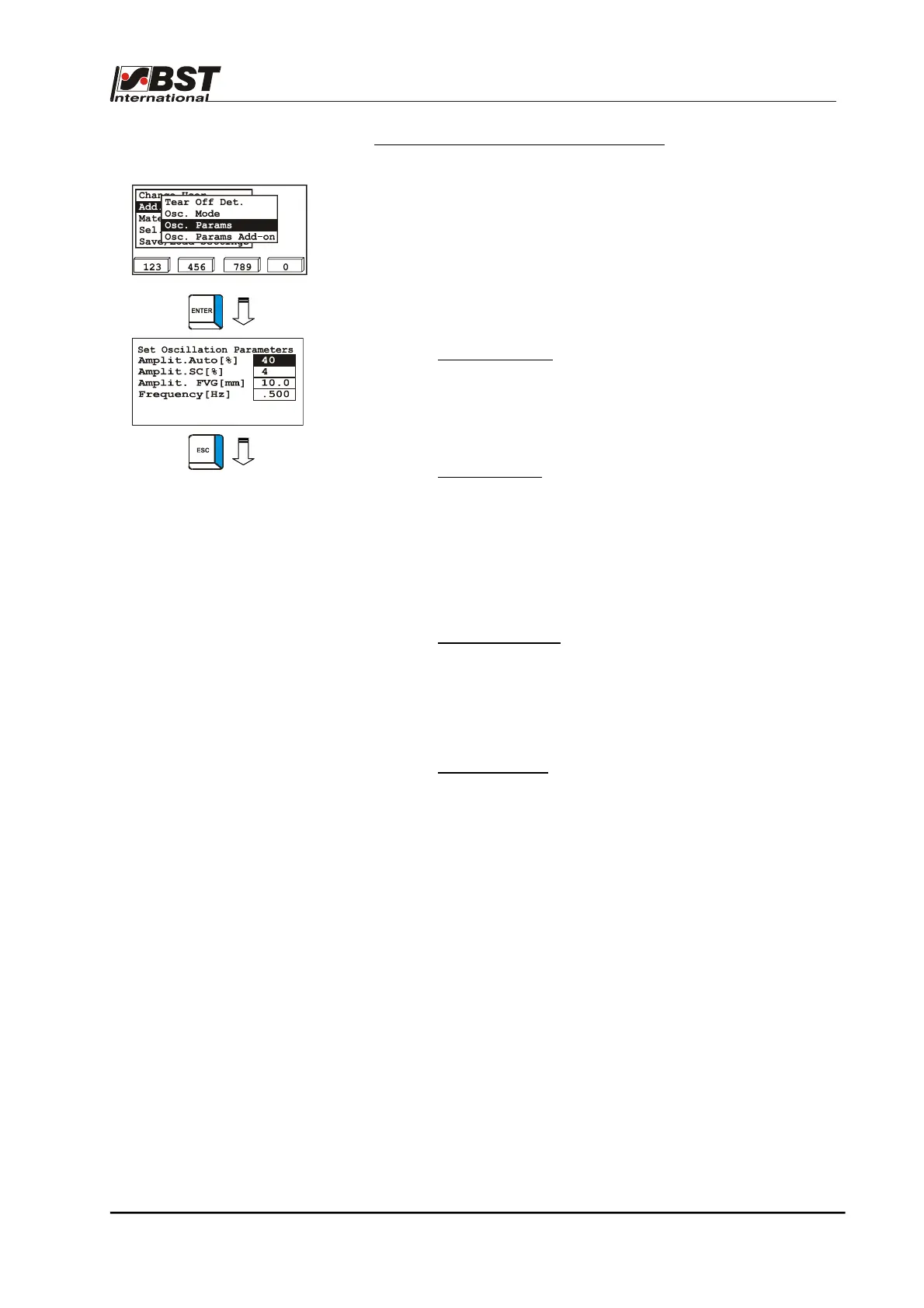
Osc. Params. – Set oscillation parameters
The oscillation parameters, i.e. amplitude and frequency, are
set in this submenu.
1. The Osc. Params submenu Select Sensor 1 and confirm by
pressing ENTER.
2. The parameters have the following meanings:
► Amplit. Auto [%]:
Amplitude of the oscillation in operating
mode Automatic.
The percentage value relates to the size
of the sensor scanning area.
Setting range: 1 % to 99 %
► Amplit. SC [%]:
Setting up the amplitude for the SC
operating mode
The percentage wise input of the
amplitude relates to the distance
between the software limit switches.
One limit switch represents 0 % and the
other 100 %.
Setting range: 1 % to 99 %
► Amplit. FVG [mm]
Amplitude of oscillation when using a
sensor positioning device.
The sample value shown here of
10 mm results in repositioning of the
web by ± 5 mm.
Setting range: 0 to 999.9 mm
► Frequency [Hz]:
Oscillation frequency.
Setting range: 0.016 … 1.000 Hz
3. Press the ESC button to exit the window.



 To Next Page