Advanced Guide
Troubleshooting
Contents
> Printing from Your Computer
> Starting Various Software Applications
C055
Starting Various Software Applications
This section describes Solution Menu EX, which is used to start the software applications supplied with
the machine. The information on Easy-WebPrint EX, a software application for printing web pages, is
also included.
Solution Menu EX
Solution Menu EX is a software application that provides quick access to other software applications
supplied with the machine, manuals, and online product information.
Note
Install Solution Menu EX, the on-screen manual, or other supplied software applications you want to
use from the
Setup CD-ROM
when they have not been installed or have been uninstalled. To install
them, select them in Custom Install.
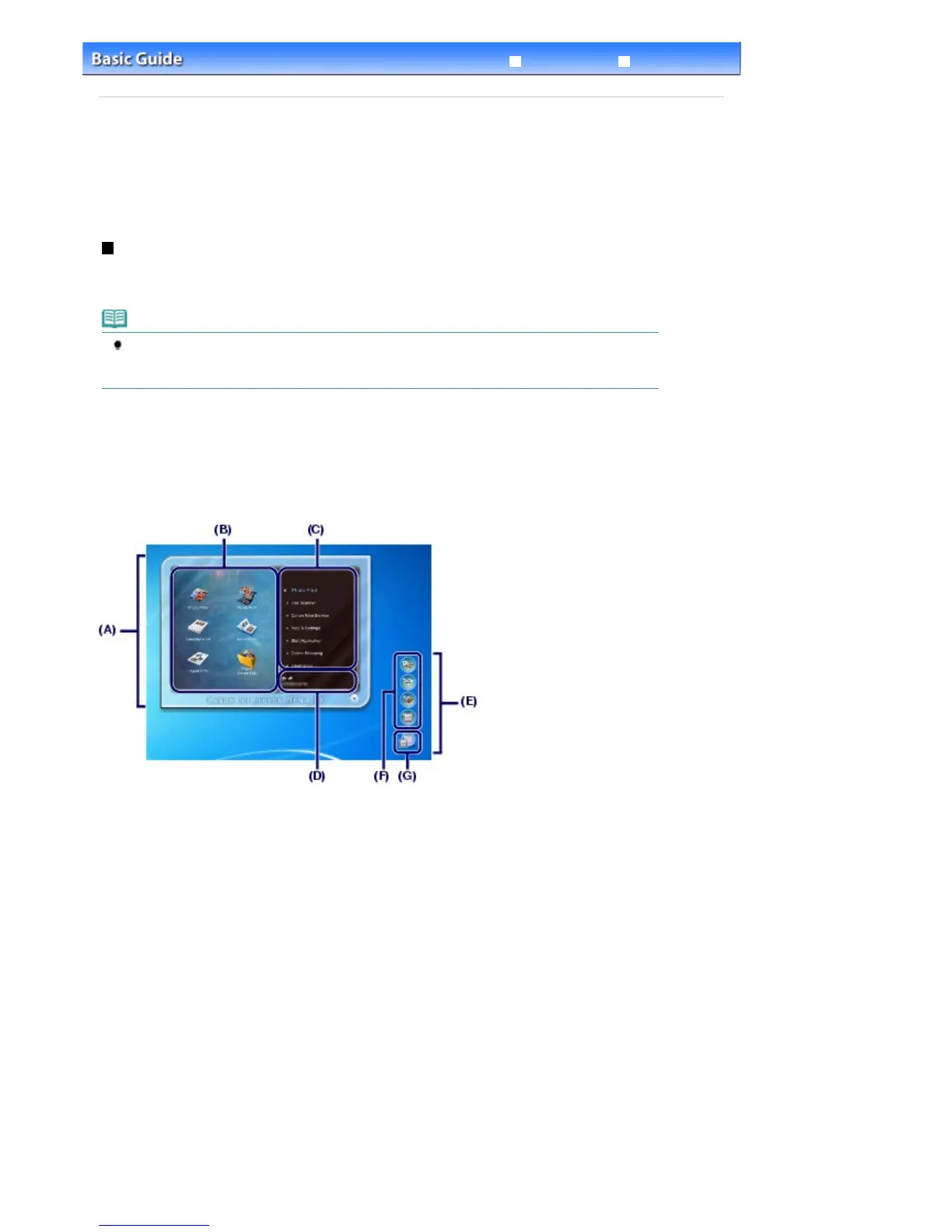
Menus are displayed in Category Menu Area of Solution Menu EX Main Screen. Click a menu in Category
Menu Area to display icons for functions available in that menu, in Function Icon Area of Main Screen.
The number and types of icons or menus displayed in Main Screen may vary depending on your
machine and region.
* The screen below is for Windows 7.
(A) Main Screen
(B) Function Icon Area
(C) Category Menu Area
(D) Registered Model Name Area
(E) Desktop Accessory
(F) Shortcut menu to which you can add the icons of frequently used functions
(G) Accessory Icon that lets you display Main Screen, show or hide Shortcut menu, etc.
Photo Print
Print photos taken with a digital camera.
Use Scanner
Scan photos or documents.
Canon Web Service
Download content or materials from the website for printing.
Help & Settings
View the Solution Menu EX online help or the on-screen manual of the machine. Set up Solution Menu
EX or the machine.
Start Application
Start the supplied software applications such as Easy-PhotoPrint EX and My Printer.
With My Printer, you can display the printer driver setup window, and get information on what action to
Seite 67 von 922 SeitenStarting Various Software Applications















 To Next Page