343
c HELP Mode Function and Operation Procedures
chap.7
H-42
(1) Adjustment / specification settingHELP mode
1. Functions
(1) Setting of paper selection specification
2. Operation procedures
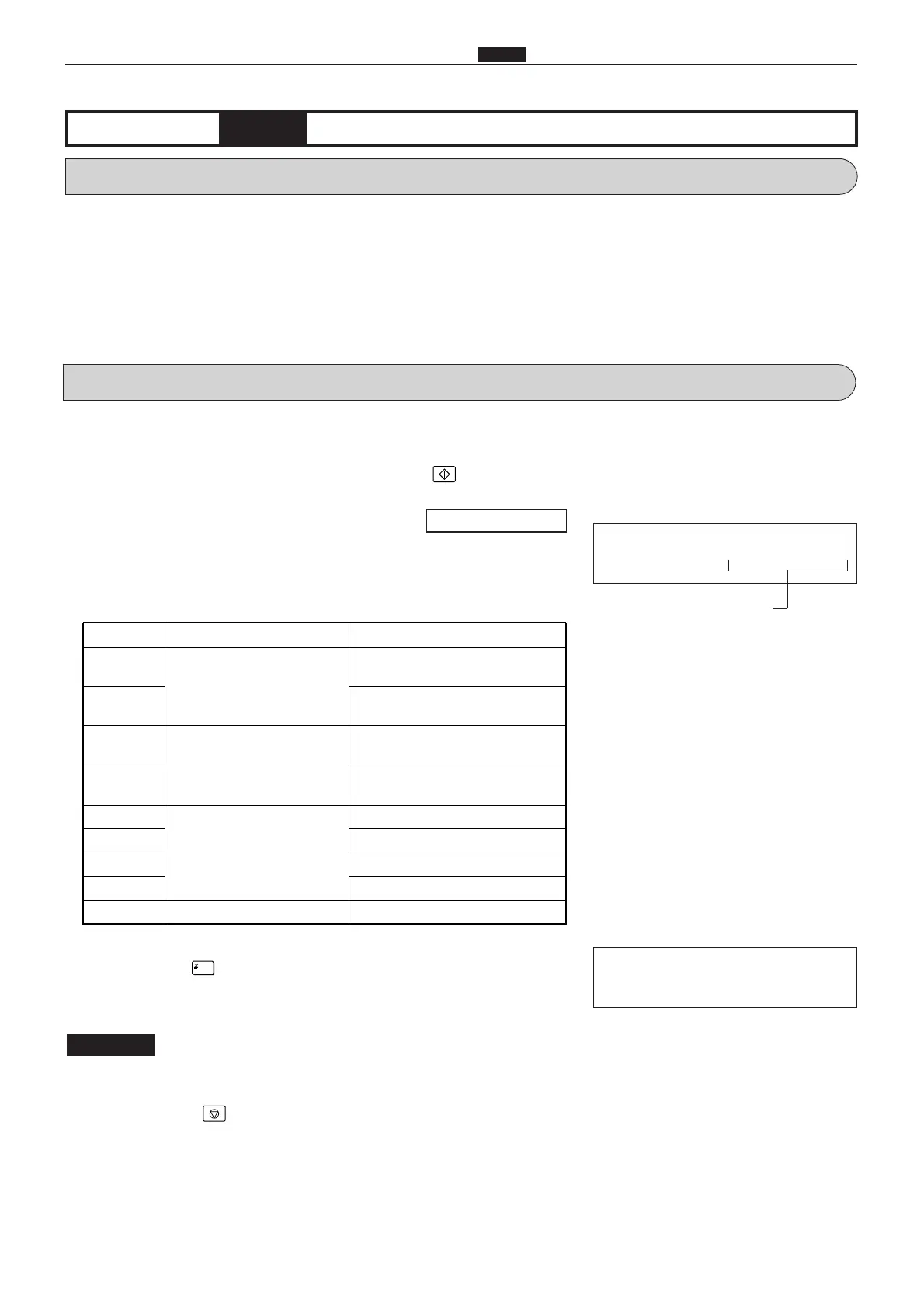
Display Item Setting
00**
Paper selecting specifica-
tions(A/B size)
A3/B4/A4/B5/A5 (B4/A4/B5/A5)*
01**
A3/B4/A4/special/A5
(B4/A4/special/A5)*
10**
Paper selecting specifica-
tions (inch)
LDG/LGL/LTR/STMT/MAX
(10
9
14/LGL/LTR/STMT/MINI)*
11**
LDG/LGL/LTR/special/MAX
(10
9
14/LGL/LTR1/Special/MINI)*
**00
Paper selecting with the
power ON
A3/LDG (B4/10
9
14)
**01
B4/LGL
**10
A4/LTR
**11
B5/STMT/special
0000
Initial value
- L -
****
Correction amount display
During memorization:
(1) Scanner leading edge sensing position adjustment
q
Access HELP mode H-42, and press the PRINT key.
For the basic procedure for accessing HELP modes.
w
Use the [0] and [1] numeric keys to enter a 4-place binary value for
the desired correction amount. See the table below for 4-place
binary values and the corresponding correction amounts.
r
Press the STOP key. The HELP mode selection display will
reappear.
a To exit the HELP mode : Turn the power switch OFF.
a To access another HELP mode : Enter the desired mode number
using the numeric keys.
*( ):DP-33E/S, DP-31E/S
e
Press the [=] key. The correction amount will be memorized
in the battery PCB unit's EEPROM. During memorization, "-L-"
will be displayed.
Do not turn off the power before the "-L-" display has disappeared.
IMPORTANT
\See page 291










 To Next Page