2. Replacement and adjustment of parts
26710
5/6
26710
Laser unit
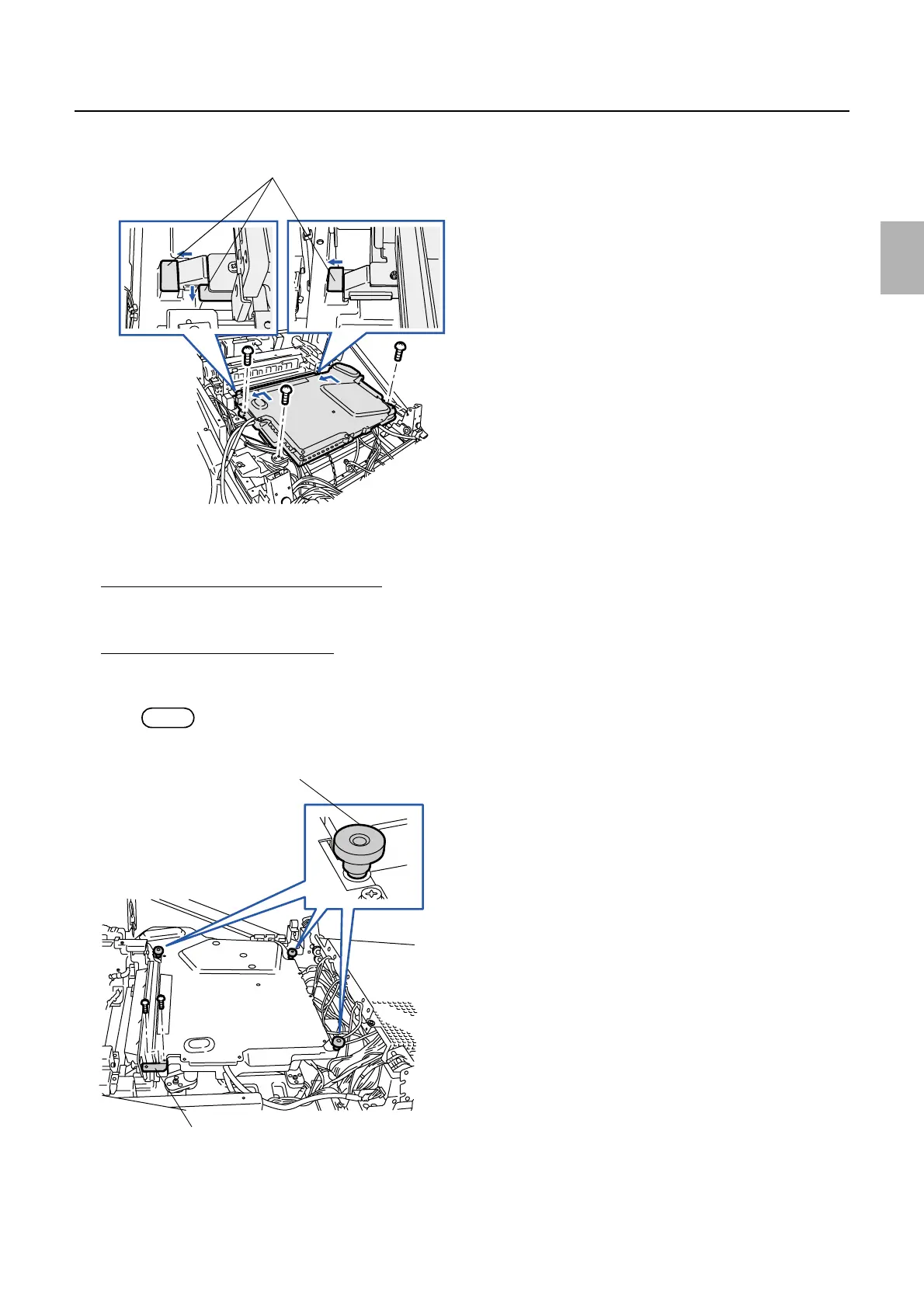
2. Attach the laser unit pushing the unit in the direction of the arrow (contact face). (four screws)
!
!!
! Adjustment after reattaching and setup
When the original laser unit is reattached
1. Perform the daily setup.
When a new laser unit is attached
1. Attach three vibration-proof mounts and a vibration-proof angle bracket to the new laser unit. (two
screws)
NOTE
• No position adjustment is required for the vibration-proof mounts and vibration-proof angle bracket.
Contact faces
G068519
Vibration-proof mounts
Vibration-proof angle bracket
G072356
Distributed by: minilablaser.com



 To Next Page