2/5
2. Replacement and adjustment of parts
27460
27460
Colorimeter Section
NOTE
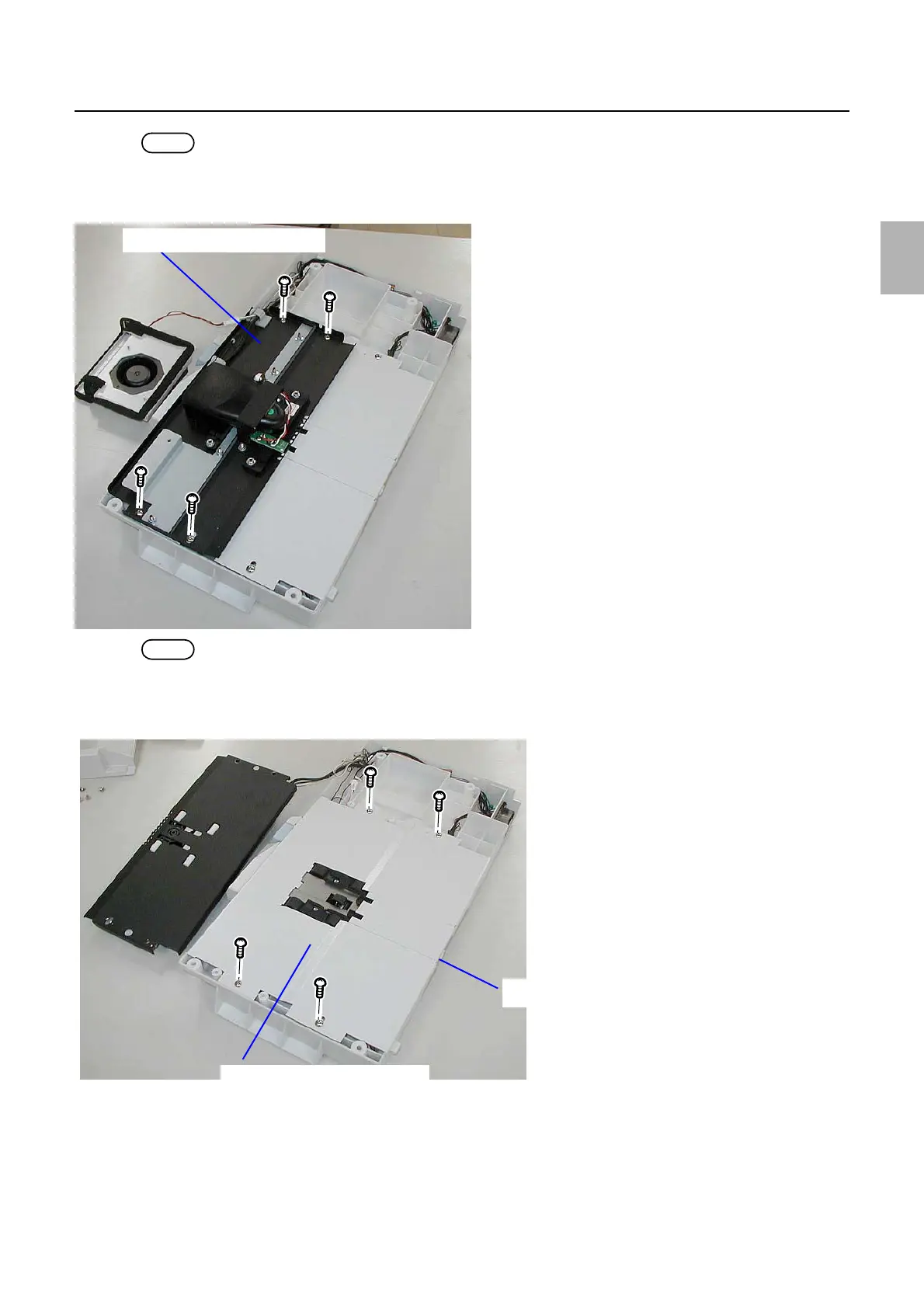
• If necessary, disconnect the connectors of the Colorimeter Cooling Fan.
3. Remove the colorimeter unit top.
(four screws)
NOTE
• If necessary, disconnect the connectors of the colorimeter and paper sensor.
4. Remove the plate bottom.
(four screws and one knob screw)
5. Disconnect the connector(s).
J/P802, 804 (Relay connector)
J/P551 (paper advance motor), J/P552 (calibration plate advance motor)
Colorimeter unit top
G085252
Lower plate
Knob screw
G085250
Distributed by: minilablaser.com



 To Next Page