2. Replacement and adjustment of parts
27460
3/5
27460
Colorimeter Section
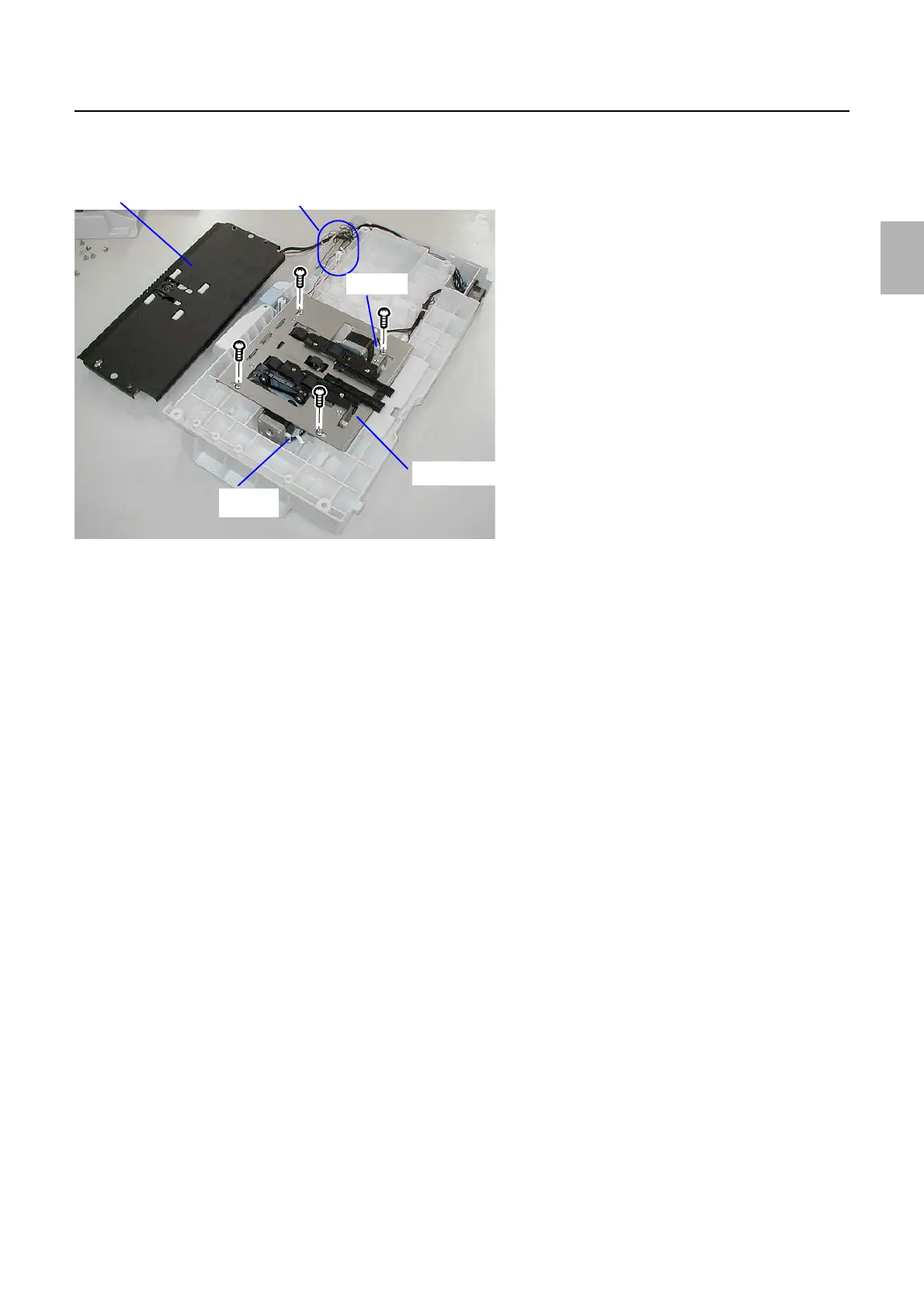
6. Remove the advance unit from the colorimeter unit bottom.
(four screws)
!
!!
! Precautions when installing colorimeter unit
1. There is no need to adjust the colorimeter unit position.
!
!!
! Adjustment after replacing the colorimeter unit
1. Follow the procedures in Replacing the calibration plate.
☞Replacing the calibration plate
2. Adjusts the colorimeter unit.
☞35100
!
!!
! Replacing the colorimeter
1. Remove the colorimeter unit cover.
(four screws)
J/P552
Colorimeter unit bottom
J/P802, 804
J/P551
Colorimeter unit top
G085251
Distributed by: minilablaser.com



 To Next Page