3. Mode
32513
3/4
32513
Setup
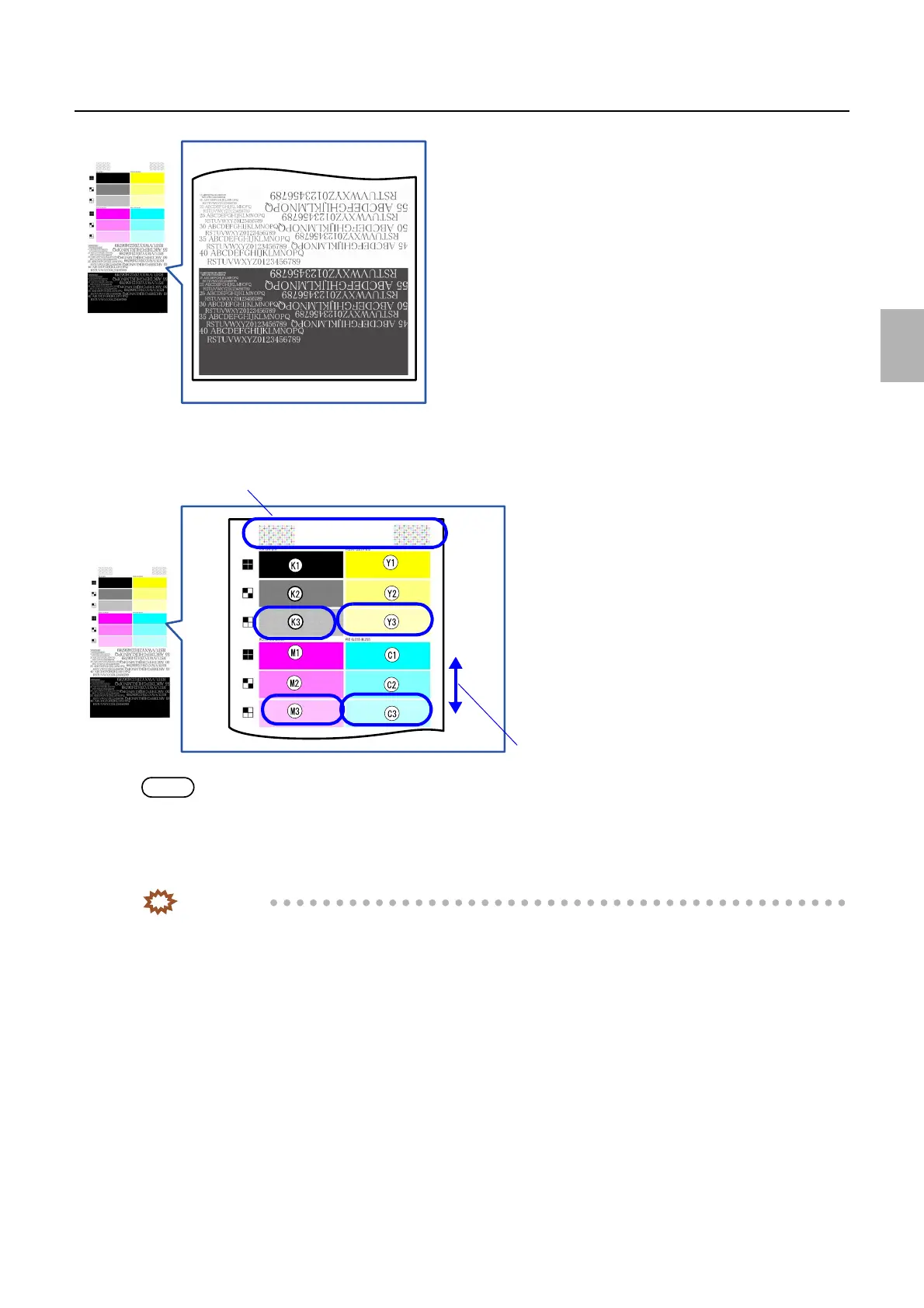
• If the letters are broken (all color density is high), check if the dots are broken on Y3, M3 and C3 in the figure.
• Another method is to confirm that the color of K3 did not change.
NOTE
• Checking Y3, M3 and C3 are easier than checking K3.
• There is another method that compare the thickness of dots of each color using the pattern of dot position disorder check.
5. Check if the color of white letters/black letters are not changed.
If the letter colors are not changed, go to Step 6.
IMPORTANT
• The cause of the color change of letters is that the density balance of each color is lost and either color is high
density.
G084961
Density of dots
Low
High
Pattern of dot position disorder check
G084960
Distributed by: minilablaser.com



 To Next Page