3. Mode
32514
3/3
32514
Setup
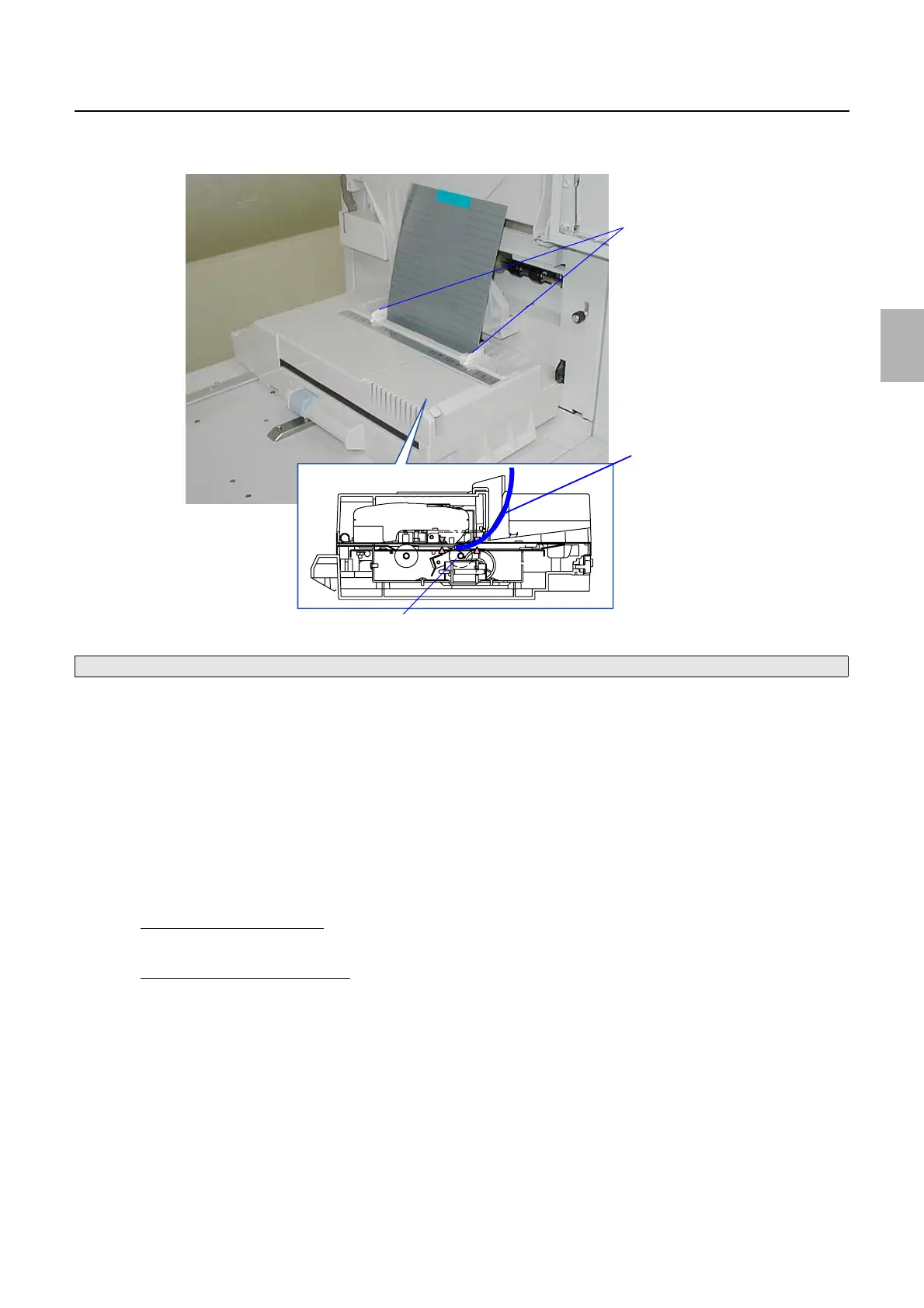
10. Adjust the paper guide to the 216 mm width, and insert the test print straight until it reaches roller 1 of
the colorimeter.
11. Click Execute.
Measurement of the test print is started.
12. After measuring the test print, Register the correction values. is shown.
• Press the OK key to access the Paper Type Selection display in Brightness of the Edge.
• Press the Cancel key to stop the Brightness of the Edge operation.
13. On the Paper Type Selection display in Brightness of the Edge, perform Daily Setup for each paper
type to use.
14. Print an image with the same level as that of the (gray) print shipped with this system, then confirm the
print quality.
If it is in the tolerance level
• End
If it is out of the tolerance level
• Perform Edge Brightness Correction Data Initialization.
• Repeat Brightness of the Edge again.
15. Back up the data.
• Insert the test print straight against the colorimeter.
Test paper
Roller 1
Paper guide
G085306
Distributed by: minilablaser.com



 To Next Page