3/3
5. Operation sequence
56610
56610
Colorimeter unit operation
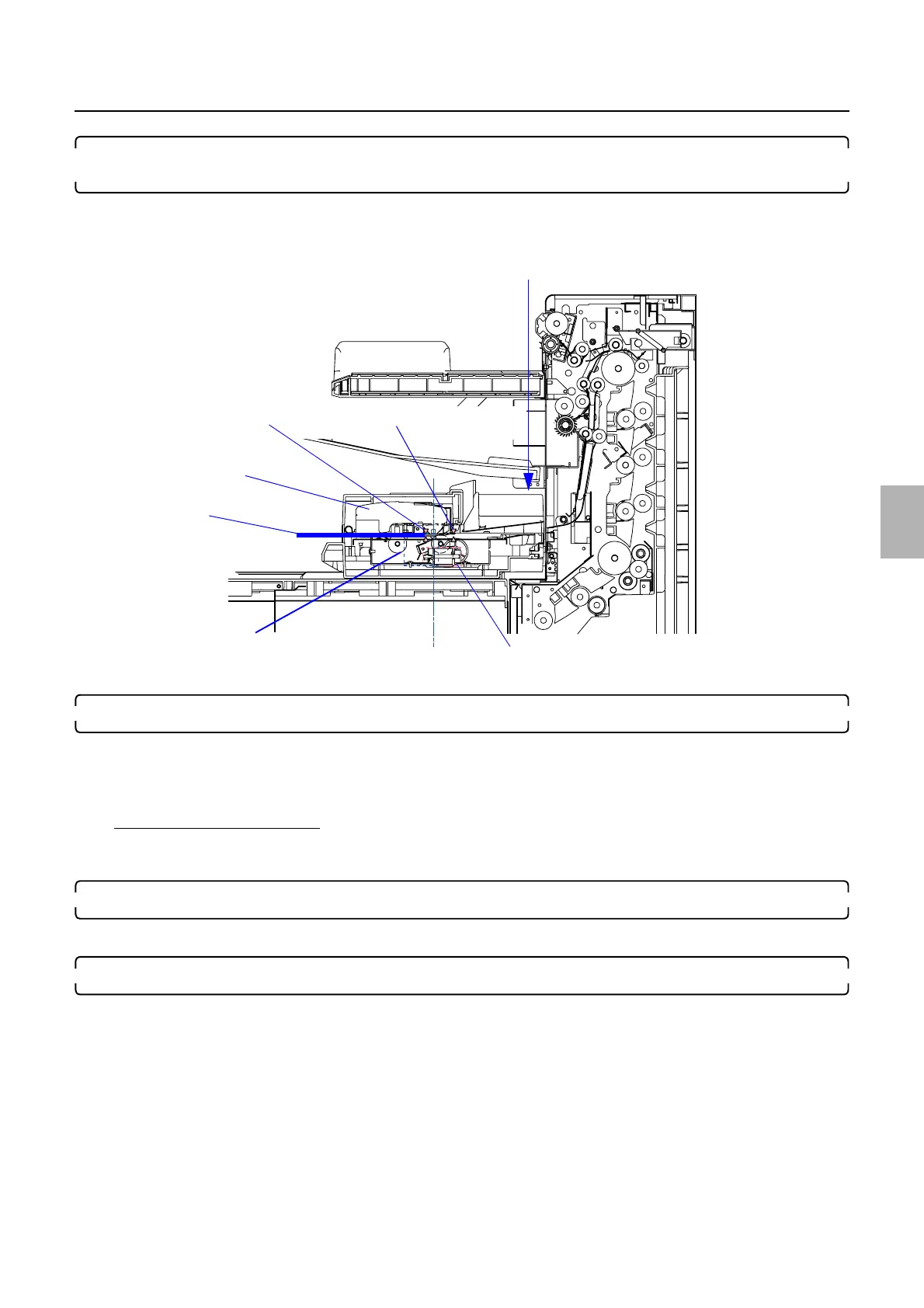
8. When the density measurement of each step is completed, releases the pressure of the measurement
position and ejects the paper.
• Pressure solenoid: ON
• Paper advance motor: ON (forward)
9. After detected the paper rear end by paper sensor 2, advances a specified length of paper and stop.
• Paper sensor 1: DARK to LIGHT to DARK
• Paper sensor 2: DARK to LIGHT
• Paper advance motor: ON (forward)/OFF
If paper sensor 2 turns LIGHT
• ☞No. 06551-00003
Paper has jammed in the Colorimeter Unit.
10. Applies pressure at the measuring position without paper.
• Pressure solenoid: OFF
11. After judged the result, registers the correction value.
Colorimeter
Paper advance motor
Pressure solenoid
Paper sensor 2
Paper sensor 1
Measuring
Remeasurement inlet
Paper
G085219
Distributed by: minilablaser.com



 To Next Page