Description of PCB (printer section)
1/7
6. Electrical parts
66006
66006
Replacing the printer I/F main PCB (QSS-3701/3702/3703/3704/3705)
IMPORTANT
• If you use the subnet mask 255. 255. 255. 224, specify an IP Address from those between 192 . 168 . 1 . 1 and 192 . 168
. 1 . 30. If an IP Address 192 . 168 . 1 .31 or higher is entered, the network is not connected normally.
!
!!
! Explanation
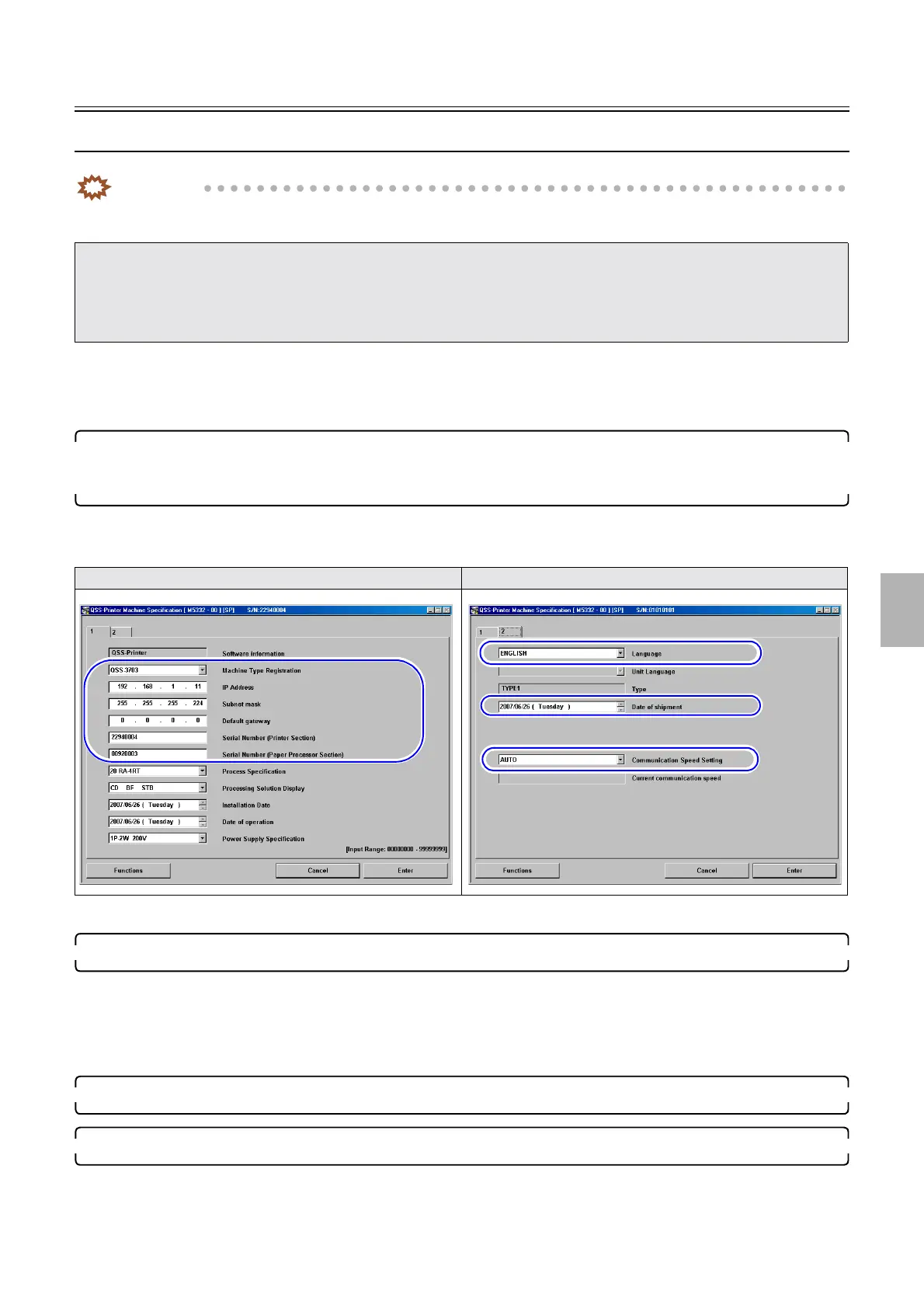
When replacing the printer I/F main PCB, the setting is required in the following procedure.
1. Before replacing the PCB, write down Machine Type Registration, Language, IP Address, Subnet
mask, Default gateway, Serial Number (Printer/Processor), Date of shipment and
Communication Speed Setting on the Machine Specification display.
Bringing up the display
Maintenance: 2260 → Extension → Maintenance → Machine Specification
•
☞35800
2. Before replacing the I/F main PCB, get the printer backup data.
☞35400
• Get all of the printer backup data.
Bringing up the display
Maintenance: 2260 → Extension → Maintenance → Reading and Writing Data
3. Quit the printer maintenance application, and turn off the PC power supply and printer power supply.
4. Replace the printer I/F main PCB.
• If the following error occurs after the printer I/F main PCB is replaced and the power supply of the printer is turned on with the EZ
Controller started, quit the EZ Controller and turn off the power supply of the PC and the printer for about 30 seconds, then follow
the procedure for replacing the printer I/F main PCB.
• ☞No. 06909 CPU was reset. Abort the process.
•
☞No. 06901 ARCNET communication error.
Machine Specification (1) Machine Specification (2)
Distributed by: minilablaser.com



 To Next Page