3/3
6. Electrical parts
66005
66005
Description of PCB (printer section)
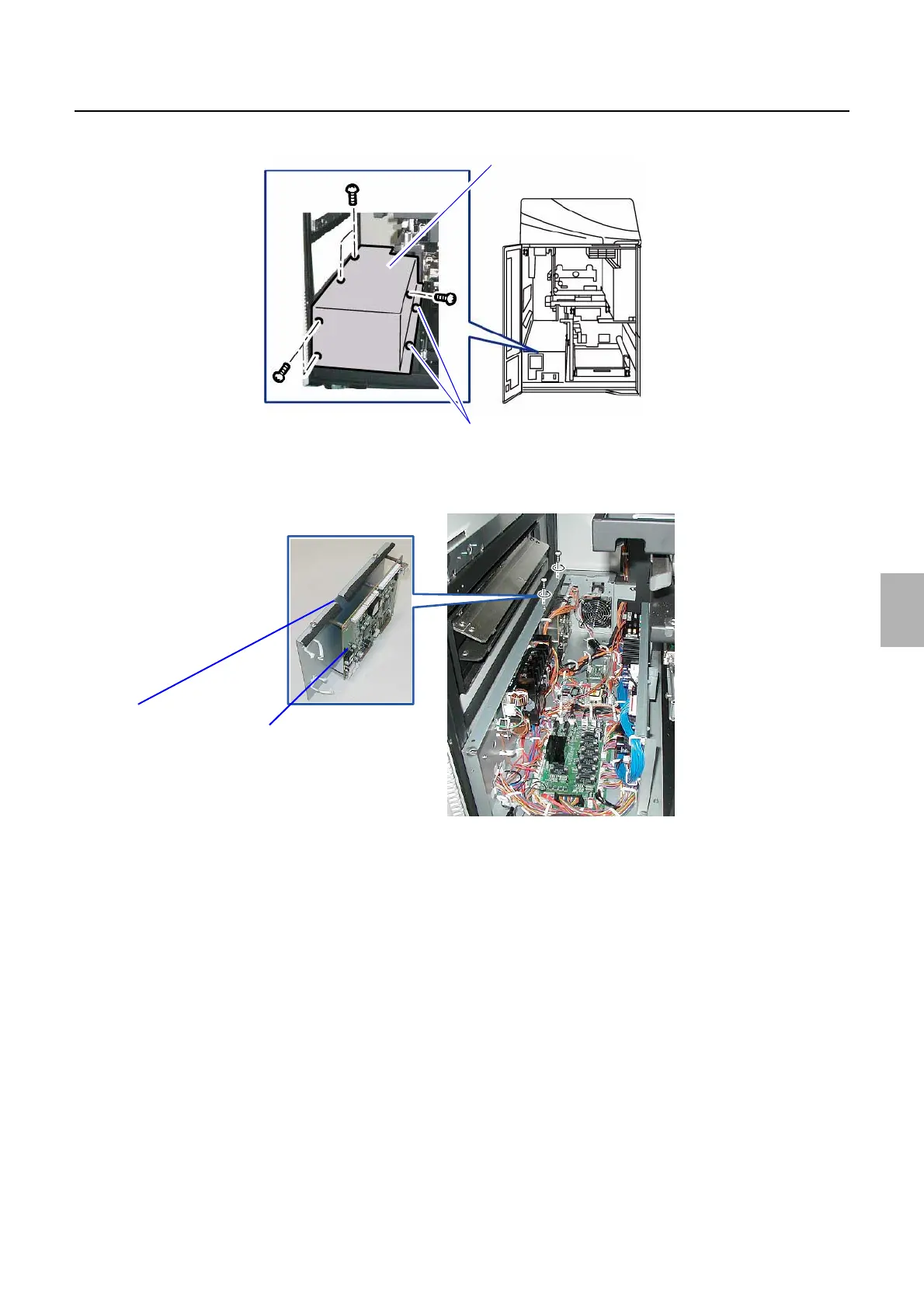
2. Remove printer control box 2 cover. (Loosen two screws out of seven screws.)
3. Remove all the connectors connected to the Printer I/F Main PCB.
4. Remove the Printer I/F Main PCB with the PCB attaching plate. (Loosen two screws.)
Printer control box 2 cover
Loosen these screws.
G089688
Printer I/F Main PCB
PCB attaching plate
G085430
Distributed by: minilablaser.com



 To Next Page