6. Electrical parts
66006
5/7
66006
Description of PCB (printer section)
13. Read the printer backup data that has been obtained before replacing the printer I/F main PCB in
Step 2.
☞35400
Bringing up the display
Maintenance: 2260 → Extension → Maintenance → Reading and Writing Data
IMPORTANT
• If the printer backup data could not be obtained before replacing the printer I/F main PCB in Step 2, load the
data to the printer using one of the following methods.
• Load the EZ Controller backup data, that was automatically saved on the HDD right before the system enters the
program timer mode at the Close Down Checks, in Step 18.
• Destination: C:\Noritsukoki\DailyBkData\BkData_YYYYMMDD\BkData (information file for the saved
data), BkData_YYYYMMDD.LZH (saved data)
Bringing up the display
Click F on the Controller Main Display. → Management Tool → System management → Data management
→ Reading and Writing Data
• Load the latest printer backup data obtained before replacing the printer I/F main PCB.
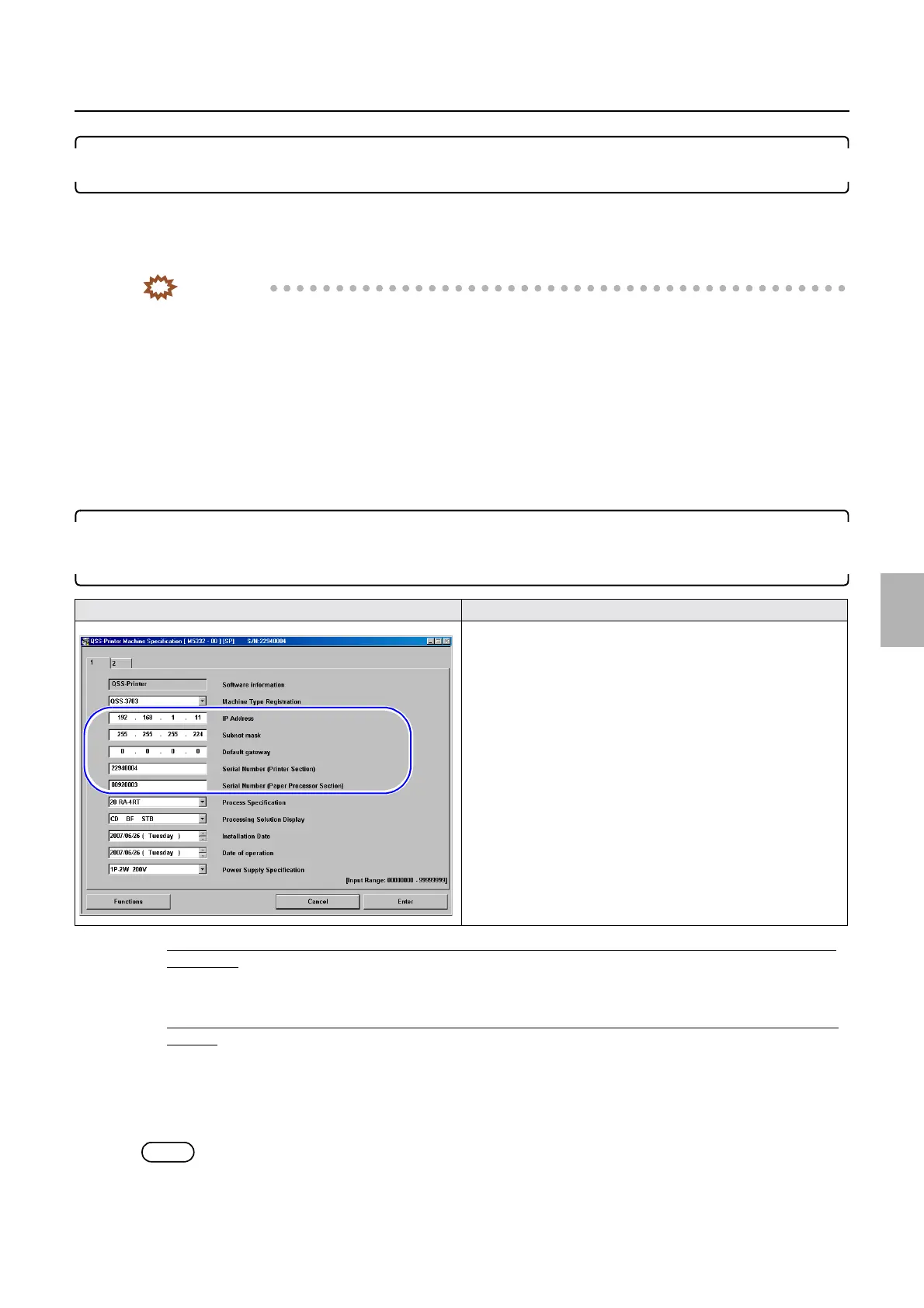
14. Configure the IP Address, Subnet mask, Default gateway and Serial Number (Printer/Processor)
settings on the Machine Specification display that were noted before replacing the printer I/F main
PCB in Step 1.
• If the settings of IP Address : 192 . 168 . 1 . 11, Subnet mask : 255 . 255 . 255 . 224, Default gateway : 0 . 0 . 0 . 0 are
not changed:
1. Set the Serial Number (Printer/Processor) on the Machine Specification display.
• If the settings of IP Address : 192 . 168 . 1 . 11, Subnet mask : 255 . 255 . 255 . 224, Default gateway : 0 . 0 . 0 . 0 are
changed:
1. Configure the IP Address, Subnet mask, Default gateway and Serial Number (Printer/Processor) on the
Machine Specification display.
Bringing up the display
Maintenance: 2260 → Extension → Maintenance → Machine Specification
NOTE
• It may take about one minute to complete the registration of Machine Specification.
Machine Specification (1)
Distributed by: minilablaser.com



 To Next Page