A320 Neo Instructor Operating Station
Instructor User Guide
AIRCRAFT Tab
13 Oct 2017
Page 82
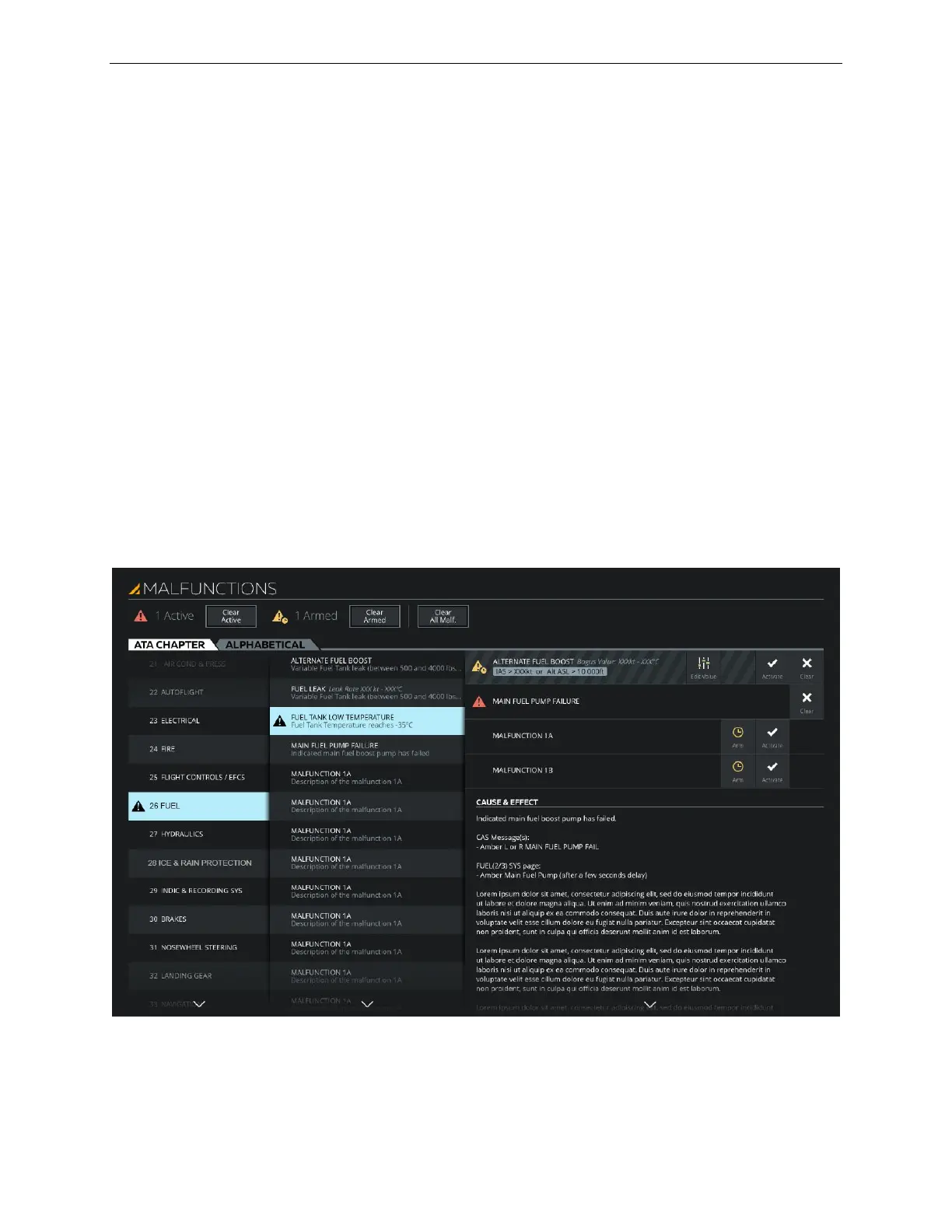
8.12 MALFUNCTIONS Sliding Panel
The MALFUNCTIONS sliding panel allows the instructor to preselect and activate
malfunctions into the simulation. There can be two types of malfunctions: Active or
Armed. An Active malfunction is indicated with a red flag and an Armed malfunction
to be triggered in accordance with selected criteria is indicated with a yellow flag.
Active and Armed malfunctions are displayed on the:
• Control Board MALFUNCTIONS section
• Control Board Footer
• Map Workspace Header
• MALFUNCTIONS sliding panel
Malfunctions can be removed from the simulation by tapping:
• The Control Board Clear button to clear single malfunction
• The Clear All Malfunctions button on the Control Board Footer
• The Clear Active and Clear Armed buttons on the sliding panel
Figure 44 MALFUNCTIONS Sliding Panel



 To Next Page