Instructor User Guide
Map Workspace
Map Workspace
13 Oct 2017
Page 231
15.4.2.2 Storm
Tap the Storm button to display the STORM PROPERTIES sliding panel.
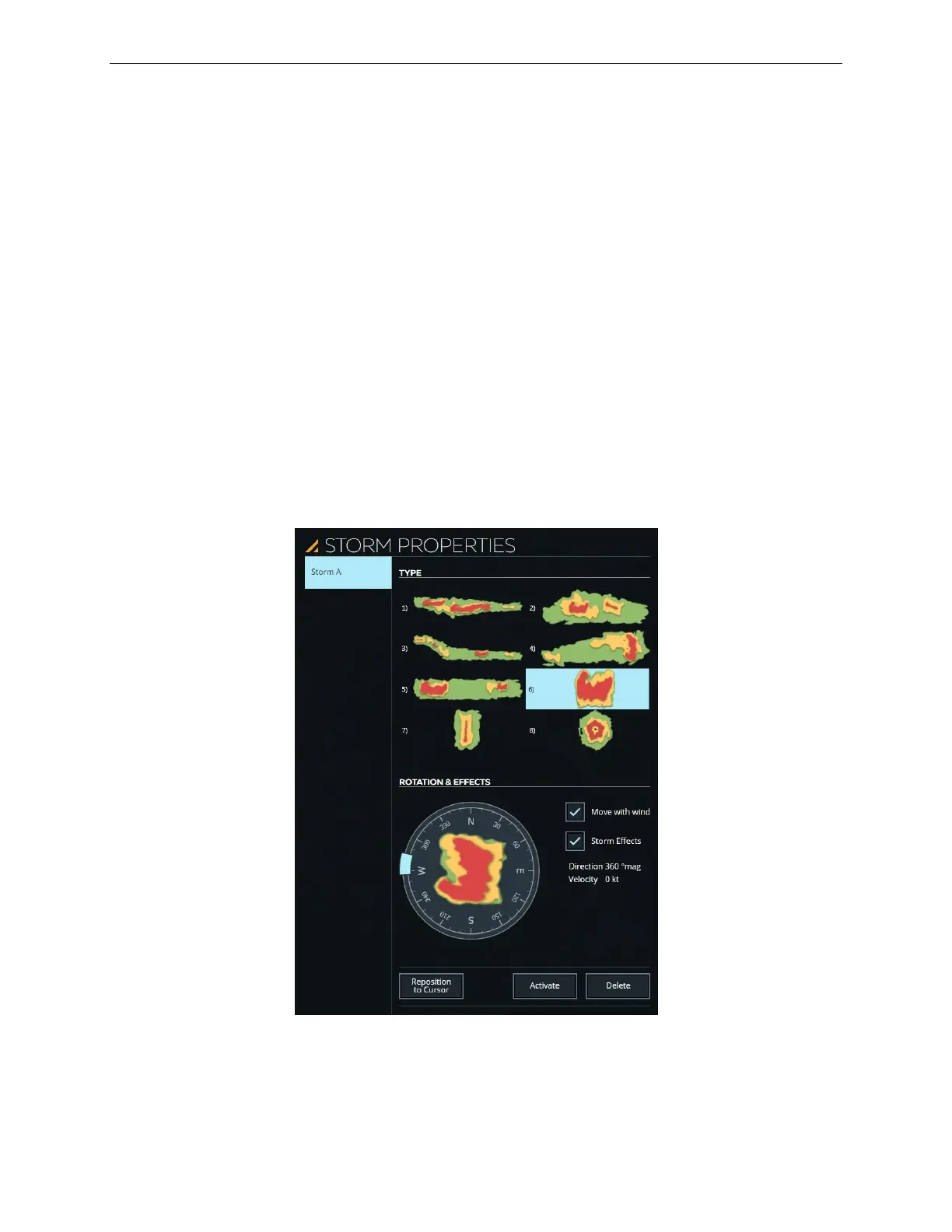
15.4.2.3 STORM PROPERTIES Sliding Panel
The STORM PROPERTIES Sliding Panel allows the instructor to:
• Add several types of storms on the map environment
• Rotate the selected storm
• Add various effects to the selected storm
This sliding panel includes the following sections:
• List of storms
• TYPE
• ROTATION & EFFECTS
Figure 140 STORM PROPERTIES Sliding Panel



 To Next Page