A320 Neo Instructor Operating Station
Instructor User Guide
REFERENCE AIRPORT Tab
13 Oct 2017
Page 112
9.2.2.4.2 Runway Lights
The system automatically sets the runway lights at their optimal intensity for the time
of day and weather conditions. The user can however override that value.
This button displays the default lighting. Tap this dropdown button to expand
selection, then select to set default lighting on more than one runway.
An "*" indicates that the lights for a particular runway have different intensities.
(Min = 0, Max = 5)
9.2.2.4.3 Advanced Lighting
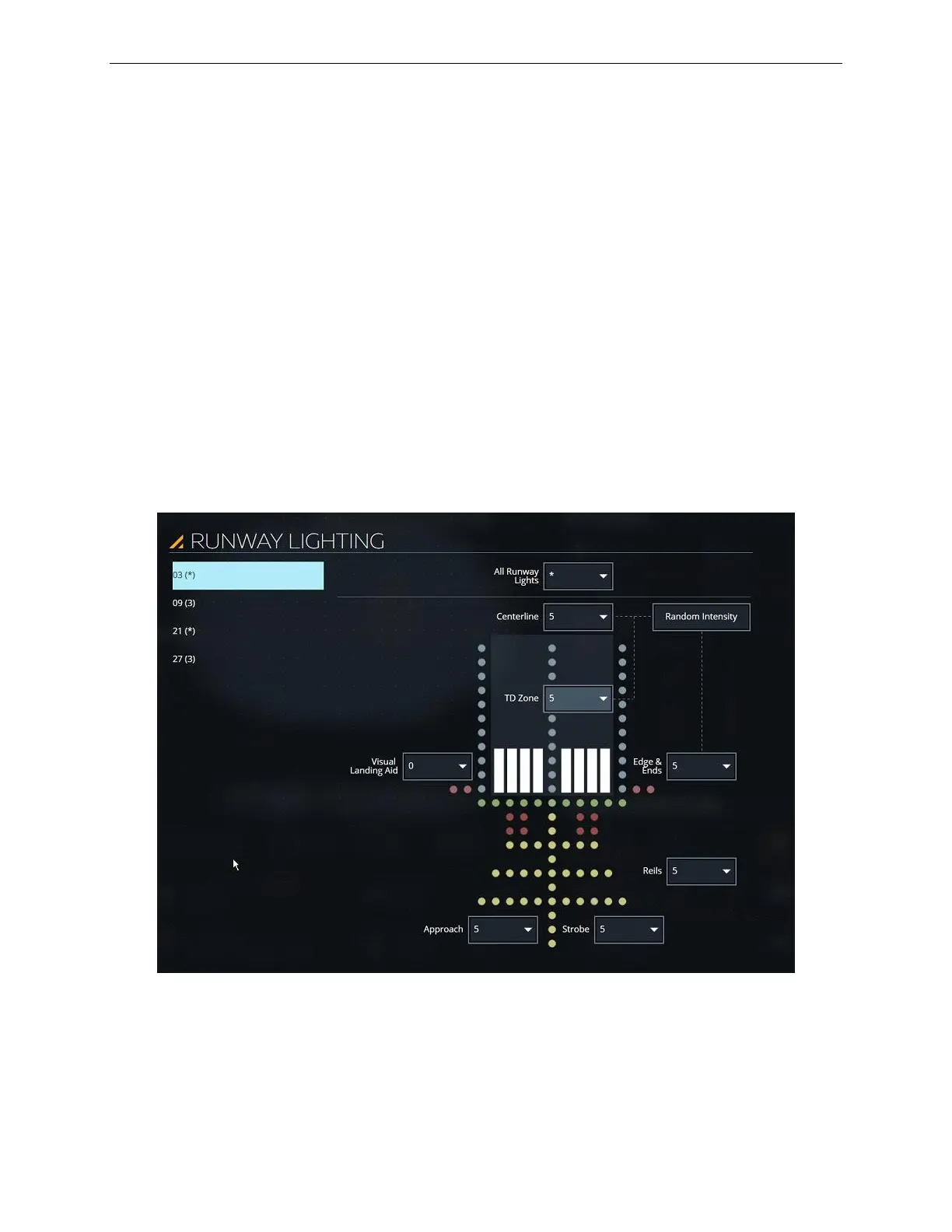
Tap this expandable button to display the RUNWAY LIGHTING sliding panel.
9.2.2.4.4 RUNWAY LIGHTING Sliding Panel
The RUNWAY LIGHTING sliding panel offers all the necessary controls to alter the
intensity of various runway sections and type of lighting.
Figure 57 RUNWAY LIGHTING Sliding Panel (Typical)



 To Next Page