A320 Neo Instructor Operating Station
Instructor User Guide
Advanced
13 Oct 2017
Page 242
16.3.1.1 Multiple Weather Airport Conditions
There are two different modes that determine when multiple weather airport
conditions will be copied to the ambient weather conditions.
16.3.1.1.1 First Mode
The first mode uses distance to airport. The specific airport conditions are copied into
ambient weather conditions when the aircraft is within 50 NM from that airport.
If en route conditions are defined, then they will be copied into ambient weather
conditions when the aircraft is flying outside the 50 NM radius of any of the 5 defined
airports.
Therefore, if any airport for which no weather conditions are defined, becomes the
reference airport, the en route weather conditions will apply to the ambient weather
conditions at that airport.
16.3.1.1.2 Second Mode
The second mode uses the reference airport that is specified in the AIRPORT &
REPOSITION Sliding Panel.
When the reference airport matches a multiple weather airport, the specific airport
conditions are copied into ambient weather conditions.
If en route conditions are defined, then they will be copied into ambient weather
conditions when the reference airport on the reposition page does not match a
multiple weather airport.
16.3.1.2 Adding a Region
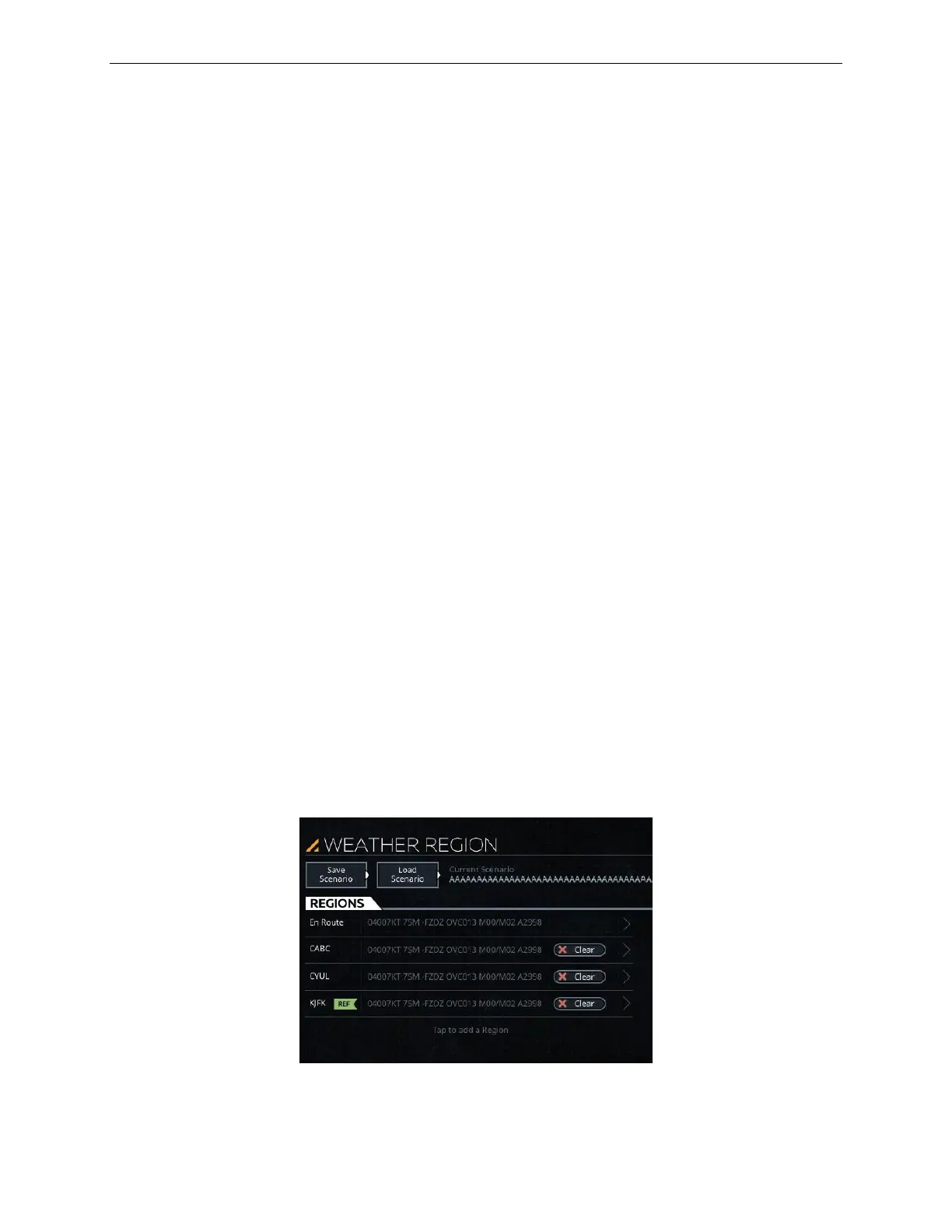
Tap on the WEATHER REGION page and follow the onscreen instructions to add a
region.
Figure 149 Advanced – Adding a Region



 To Next Page