A320 Neo Instructor Operating Station
Instructor User Guide
Advanced
13 Oct 2017
Page 288
16.7.1.2.1 Select Scenario
Tap on this expandable button to display the UPRT SCENARIOS page.
16.7.1.2.2 Record/Reset
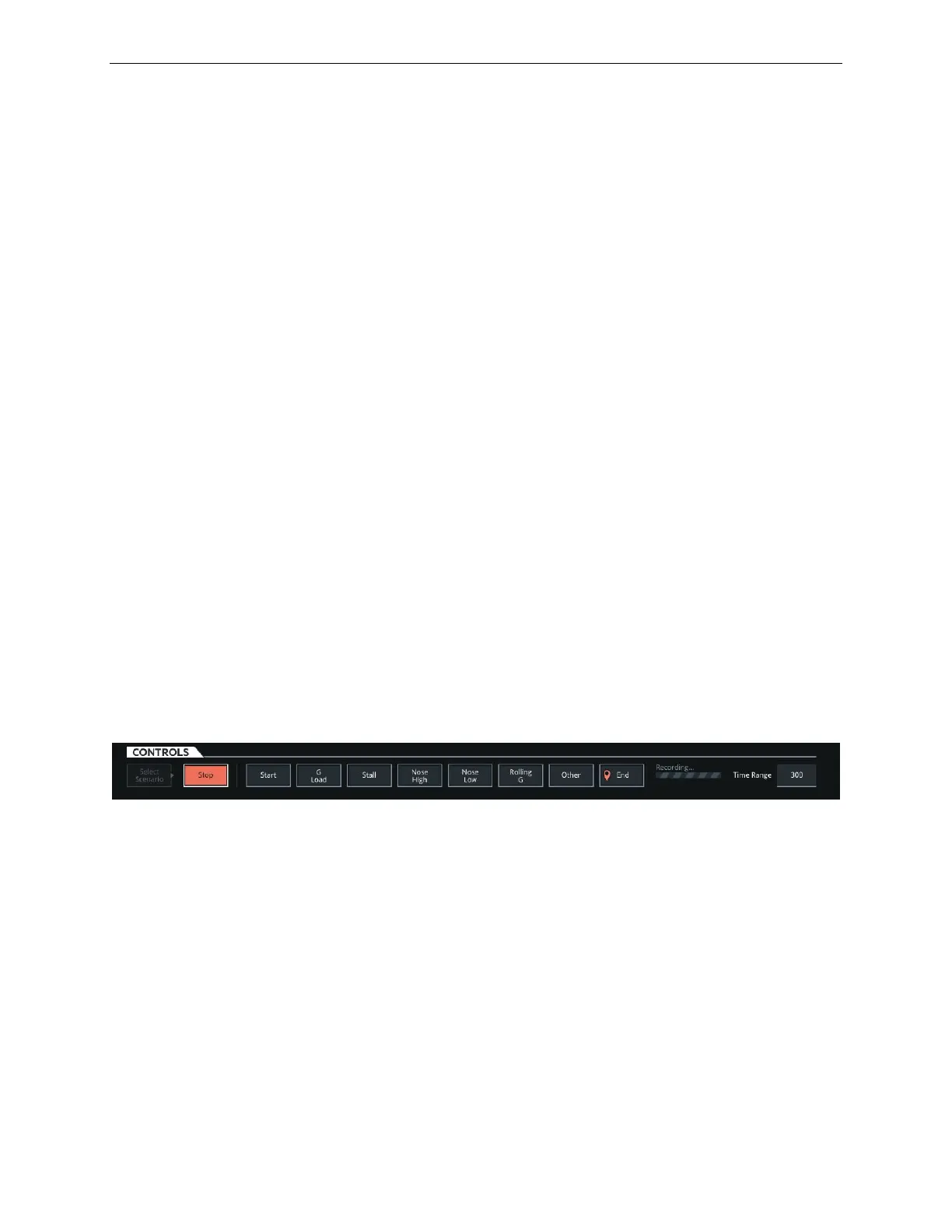
Tap the Record/Reset button to enter the recording mode. In this mode, the selected
upset scenario is being recorded.
Once the recording mode is initiated, it can be stopped manually by tapping on the
Stop button or automatically after the maximum record time expires, which is five
minutes or 300 seconds. The maximum length of a scenario is five minutes or 300
seconds.
During a scenario recording, the instructor can insert markers in the recording. Some
of the markers include:
• Start
• G Load
• Stall
• Nose High
• Nose Low
• Rolling G
• Other
• End
These are intended to facilitate in-cockpit debriefing with the flight crew.
Figure 178 Recording Markers
16.7.1.2.3 Time Range
Tap input text field to specify the maximum number of dots (data points) that will be
plotted on the graphs during the length of the recording.
Time Range basically allows the instructor to specify the maximum number of dots,
that will be displayed on the plot graphs based on elapsed time. This can served as a
mean to de-clutter the plots.



 To Next Page