Instructor User Guide
REFERENCE AIRPORT Tab
REFERENCE AIRPORT Tab
13 Oct 2017
Page 115
9.2.2.4.5 Localizer
From the Normal state, tap this toggle fail button to trigger a failure of the reference
runway localizer transmitter.
From the Activated state, tap this toggle fail button to clear the failure and return to
the Normal state.
9.2.2.4.6 Glideslope
From the Normal state, tap this toggle fail button to trigger a failure of the reference
runway glideslope transmitter.
From the Activated state, tap this toggle fail button to clear the failure and return to
the Normal state.
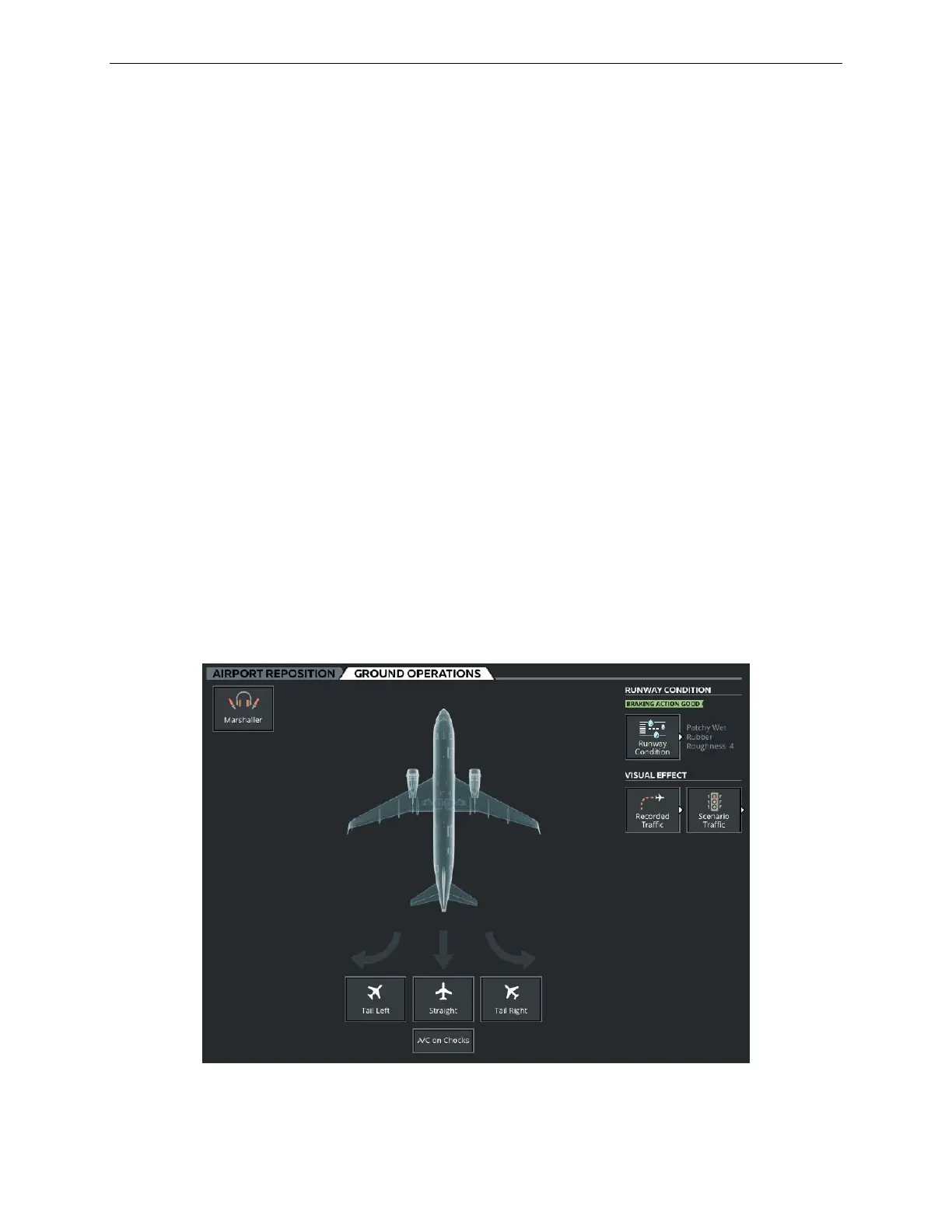
9.2.3 GROUND OPERATIONS Tab
The GROUND OPERATIONS tab allows the instructor to:
• Carry out various ground operations such as aircraft push back
• Change the runway condition by adding various amounts of water, snow, ice or
sand
• Affect the aircraft braking action.
• Add traffic scenarios to the training session
Figure 59 Ground Operations Tab



 To Next Page