A320 Neo Instructor Operating Station
Instructor User Guide
REFERENCE AIRPORT Tab
13 Oct 2017
Page 114
9.2.2.4.4.5 TD Zone
Tap this dropdown button to expand selection, then select the Touch Down (TD) zone
lighting intensity (Min = 0, Max = 5).
9.2.2.4.4.6 Visual Landing Aid (VLA)
Tap this dropdown button to expand selection, then select the VLA lighting
brightness intensity (Min = 0, Max = 5).
9.2.2.4.4.7 Edge & Ends
Tap this dropdown button to expand selection, then select the runway Edge and Ends
lighting intensity (Min = 0, Max = 5).
9.2.2.4.4.8 Reils
Tap this dropdown button to expand selection, then select the Reils brightness
intensity (Min = 0, Max = 5).
9.2.2.4.4.9 Approach
Tap this dropdown button to expand selection, then select the approach lighting
intensity for the active reference runway (Min = 0, Max = 5).
9.2.2.4.4.10 Strobe
Tap this dropdown button to expand selection, then select the strobe lighting intensity
(Min = 0, Max = 5).
9.2.2.4.4.11 All RW Default Lighting
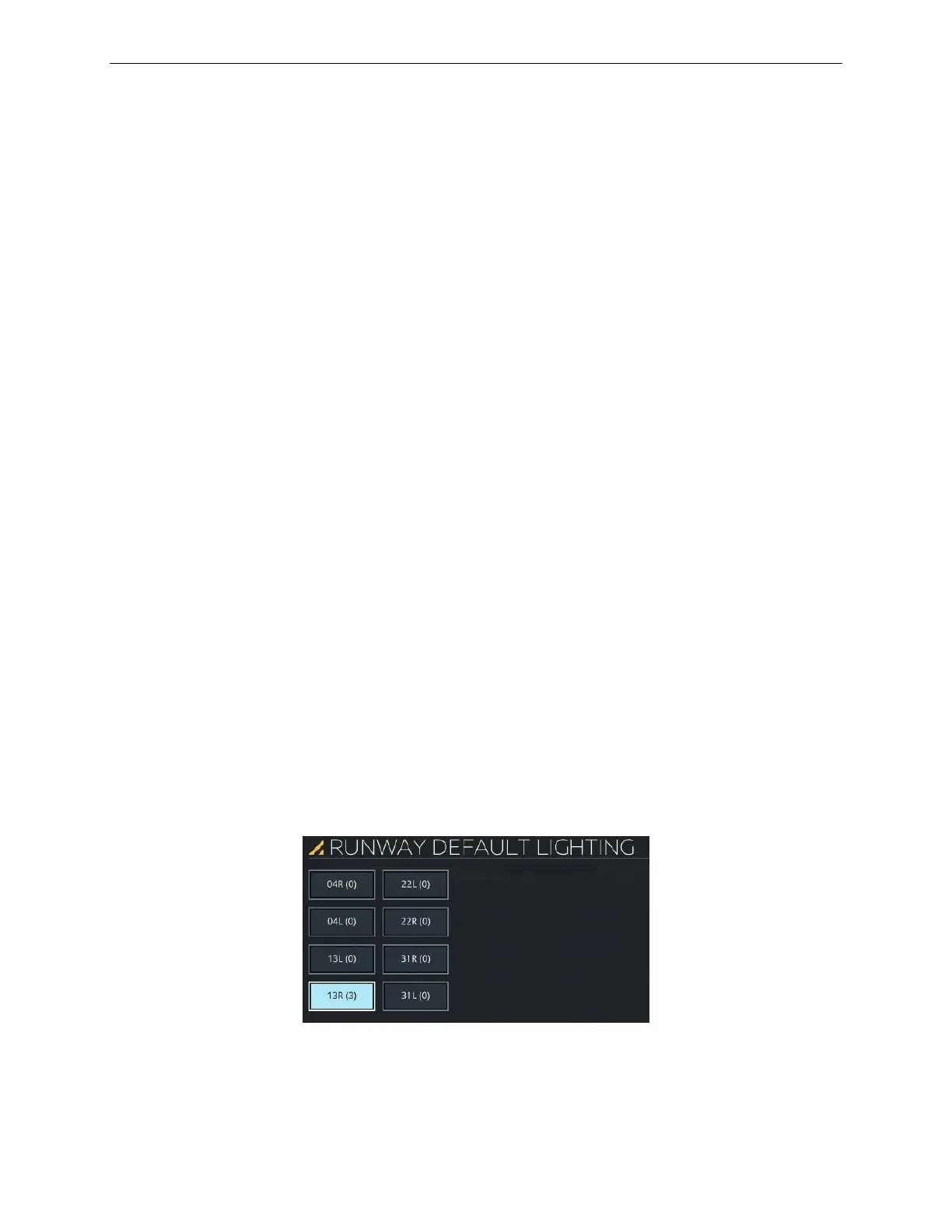
Tap on this expandable button to display the RUNWAY DEFAULT LIGHTING
sliding panel.
9.2.2.4.4.12 RUNWAY DEFAULT LIGHTING Sliding Panel
This sliding panel allows the instructor to choose the reference airport runway default
lighting.
Figure 58 RUNWAY DEFAULT LIGHTING Sliding Panel



 To Next Page