Instructor User Guide
Advanced
Advanced
13 Oct 2017
Page 245
16.3.5.1 Stop Bar
From the Normal state, tap this toggle button to illuminate the Stop Bar lights.
From the Activated state, tap this toggle button to extinguish the Stop Bar lights.
16.3.5.2 Taxi
Tap this dropdown button to expand selection, then select the taxi lights intensity.
(Min = 0, Max = 5).
16.3.5.3 City
Tap this dropdown button to expand selection, then select the city lights intensity.
(Min = 0, Max = 5).
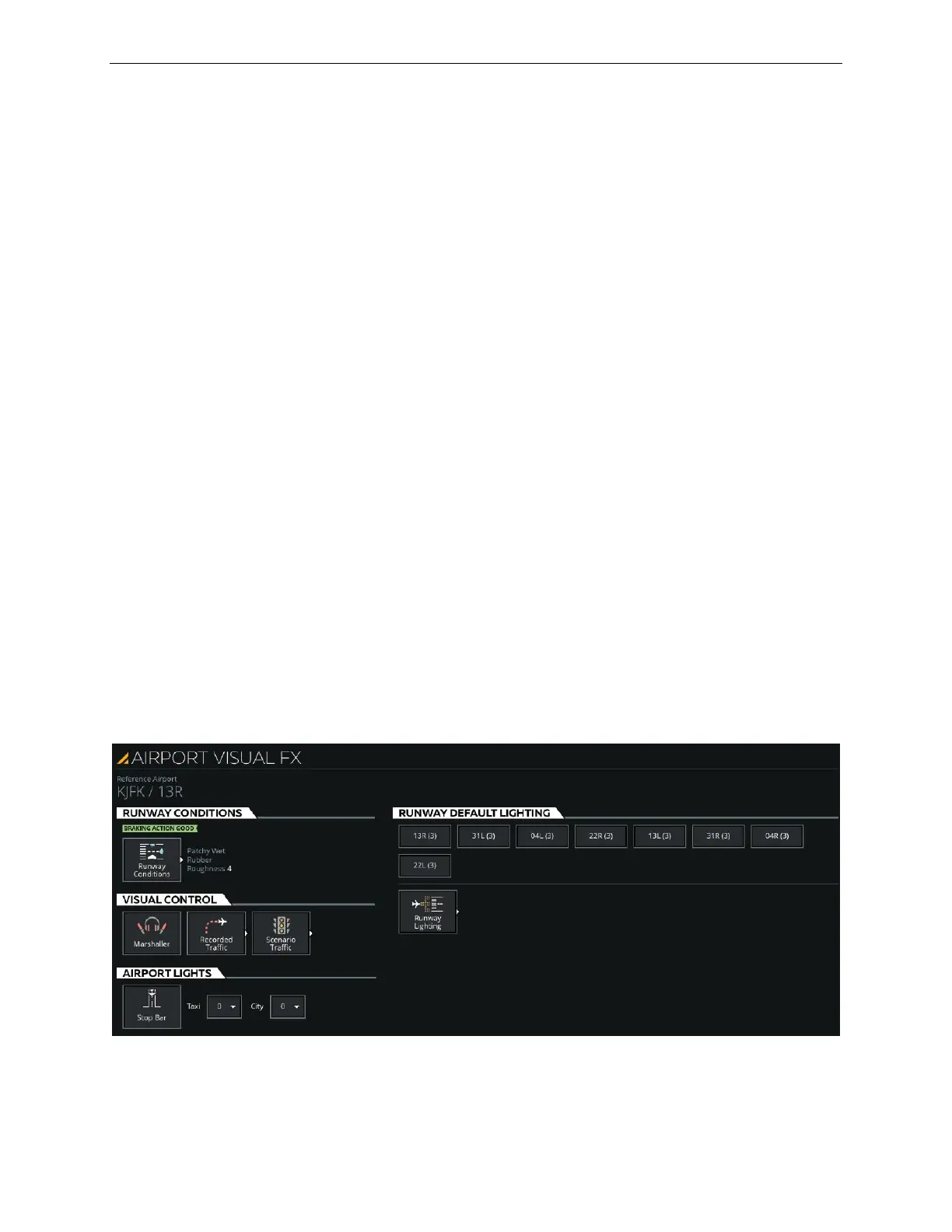
16.3.6 Airport Visual FX Page
The AIRPORT VISUAL FX Page allows the instructor to:
• Modify runway conditions and lighting
• Modify airport lights
• Add pre-recorded traffic effects to the visual scene
This page includes four tabs:
• RUNWAY CONDITIONS
• VISUAL CONTROL
• AIRPORT LIGHTS
• RUNWAY DEFAULT LIGHTING
Figure 152 AIRPORT VISUAL FX



 To Next Page