A320 Neo Instructor Operating Station
Instructor User Guide
REFERENCE AIRPORT Tab
13 Oct 2017
Page 100
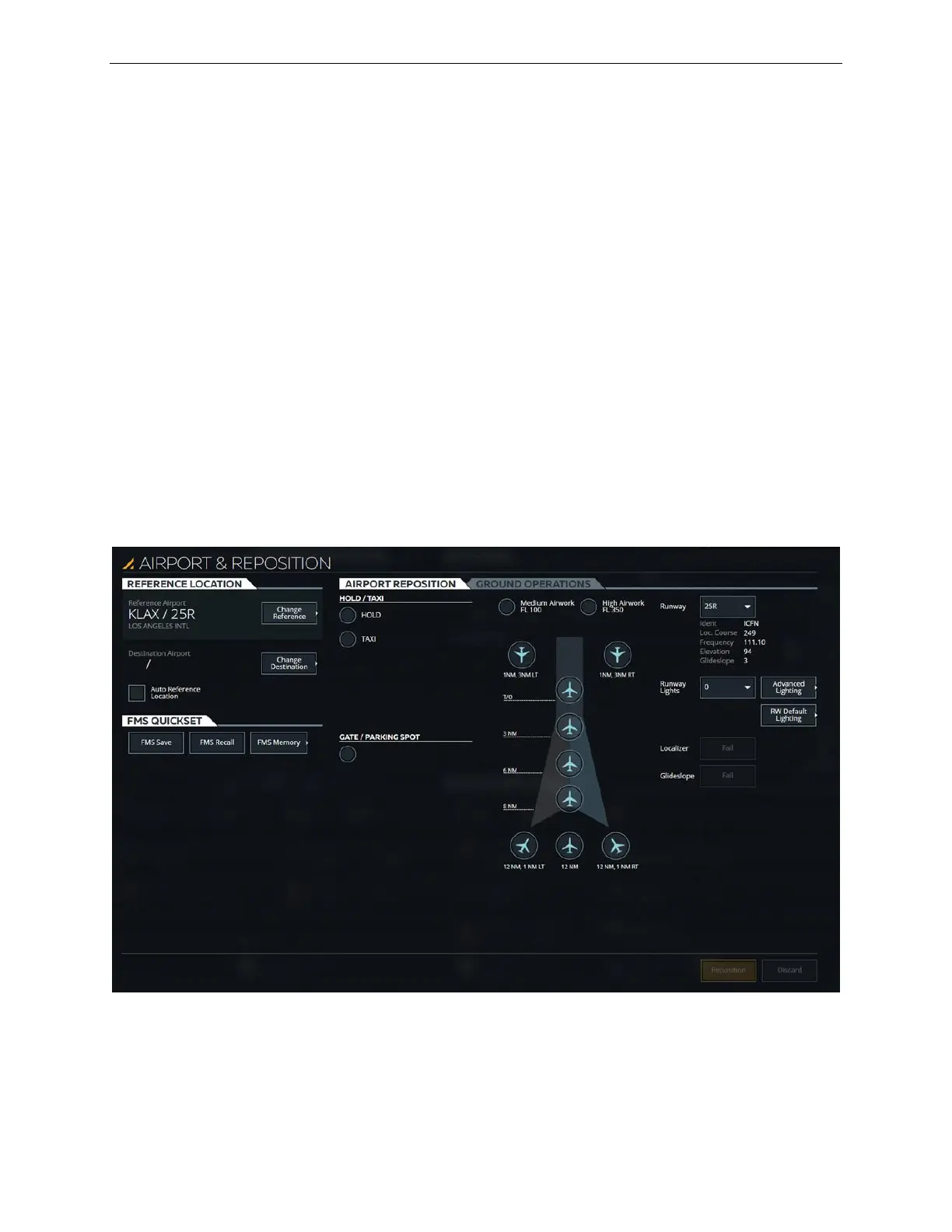
9.2 AIRPORT & REPOSITION Sliding Panel
The AIRPORT & REPOSITION sliding panel allows the instructor to:
• View and select a reference airport and runway
• View and select a destination airport and runway
• Reposition the aircraft to preset positions
• Perform various types of ground operations
• Adjust the intensity of runway lighting
This sliding panel includes the following tabs:
• REFERENCE LOCATION
• AIRPORT REPOSITION
• GROUND OPERATIONS
• FMS QUICKSET
Figure 53 AIRPORT & REPOSITION Sliding Panel



 To Next Page