A320 Neo Instructor Operating Station
Instructor User Guide
REFERENCE AIRPORT Tab
13 Oct 2017
Page 126
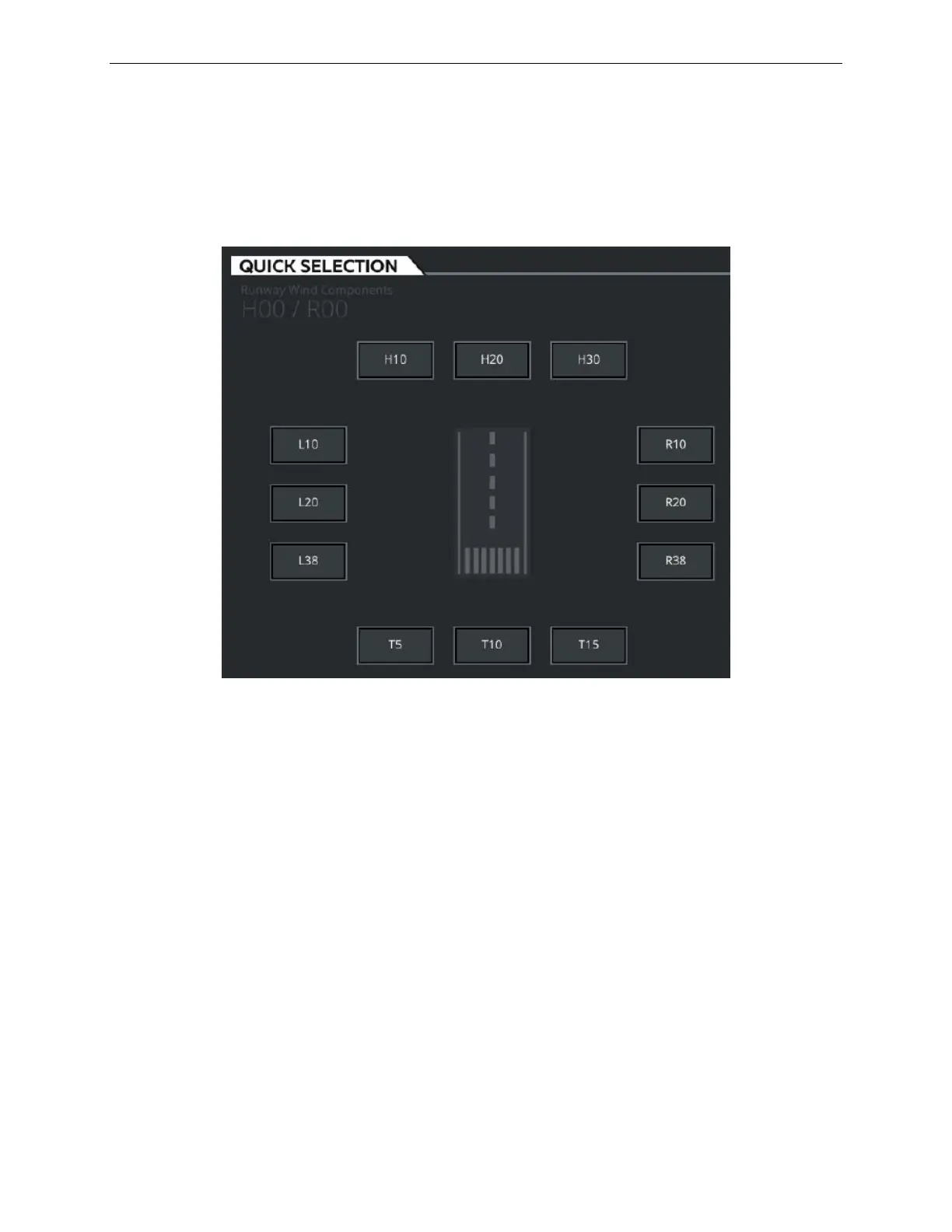
9.5.1 QUICK SELECTION Tab
The QUICK SELECTION tab allows the instructor to quickly select a runway surface
head wind, tail wind or crosswind condition by simply selecting either one of the
available pre-set buttons.
Figure 67 QUICK SELECTION Tab
9.5.1.1 H10
Tap this button to set a runway surface head wind of 10 knots or 5.14 m/s (displayed
as 5). The entire wind profile will be offset by the change in the airfield wind.
9.5.1.2 H20
Tap this button to set a runway surface head wind of 20 knots or 10.29 m/s (displayed
as 10). The entire wind profile will be offset by the change in the airfield wind.
9.5.1.3 H30
Tap this button to set a runway surface head wind of 30 knots or 15.43 m/s (displayed
as 15). The entire wind profile will be offset by the change in the airfield wind.



 To Next Page