Instructor User Guide
Map Workspace
Map Workspace
13 Oct 2017
Page 233
15.4.2.3.2 List of Storms
This section includes a list of storms active or not in the simulation. An active storm
is indicated by a red ACTIVE flag.
Once selected, the user can then modify the storm properties.
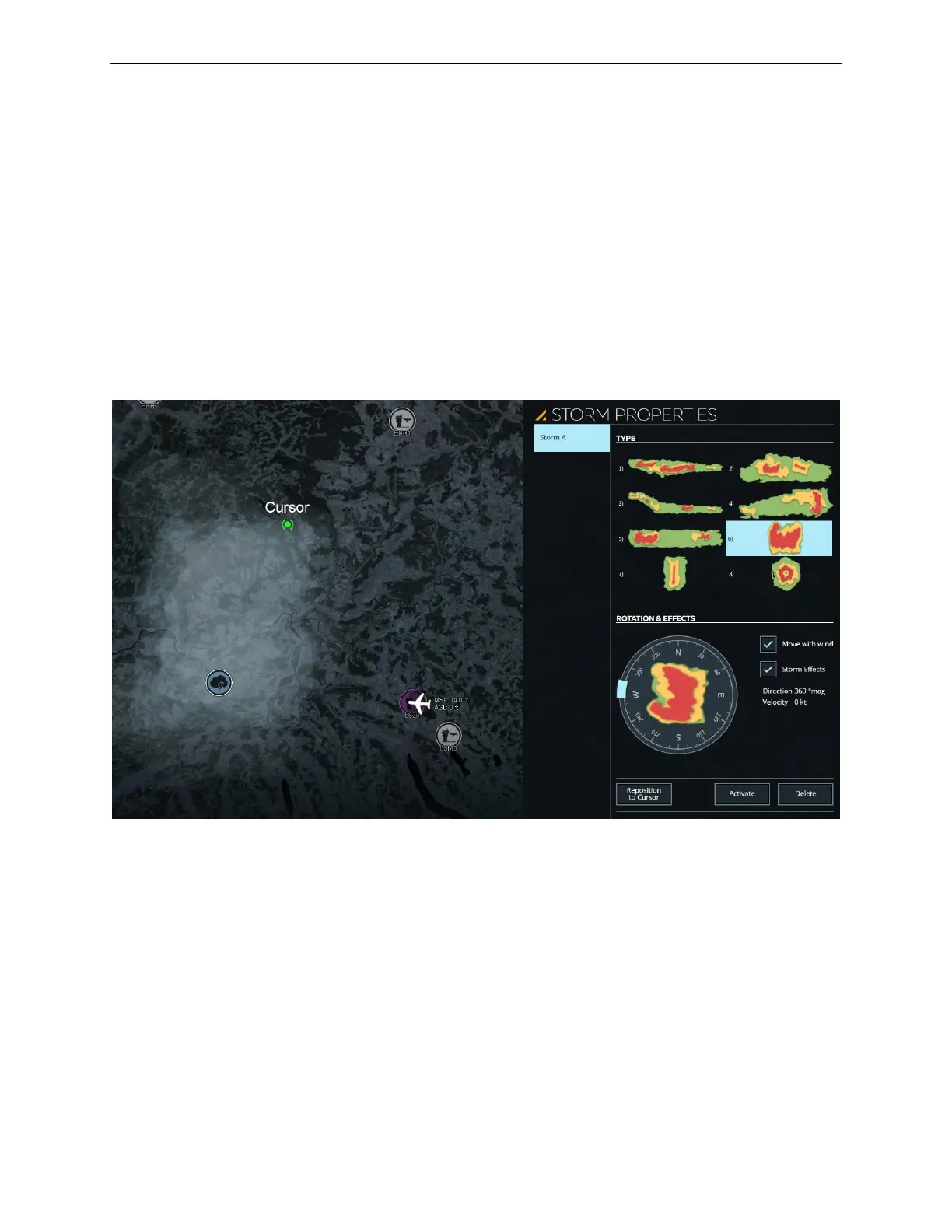
15.4.2.3.3 TYPE Section
This section displays all available storms that can be inserted into the simulation.
When a storm is selected, it is highlighted in light blue and shown in light gray on the
map environment but it is not activated in the simulation just yet.
Figure 141 STORM PROPERTIES –Storm Selected



 To Next Page