Instructor User Guide
Advanced
Advanced
13 Oct 2017
Page 241
16.3.1 WEATHER REGION
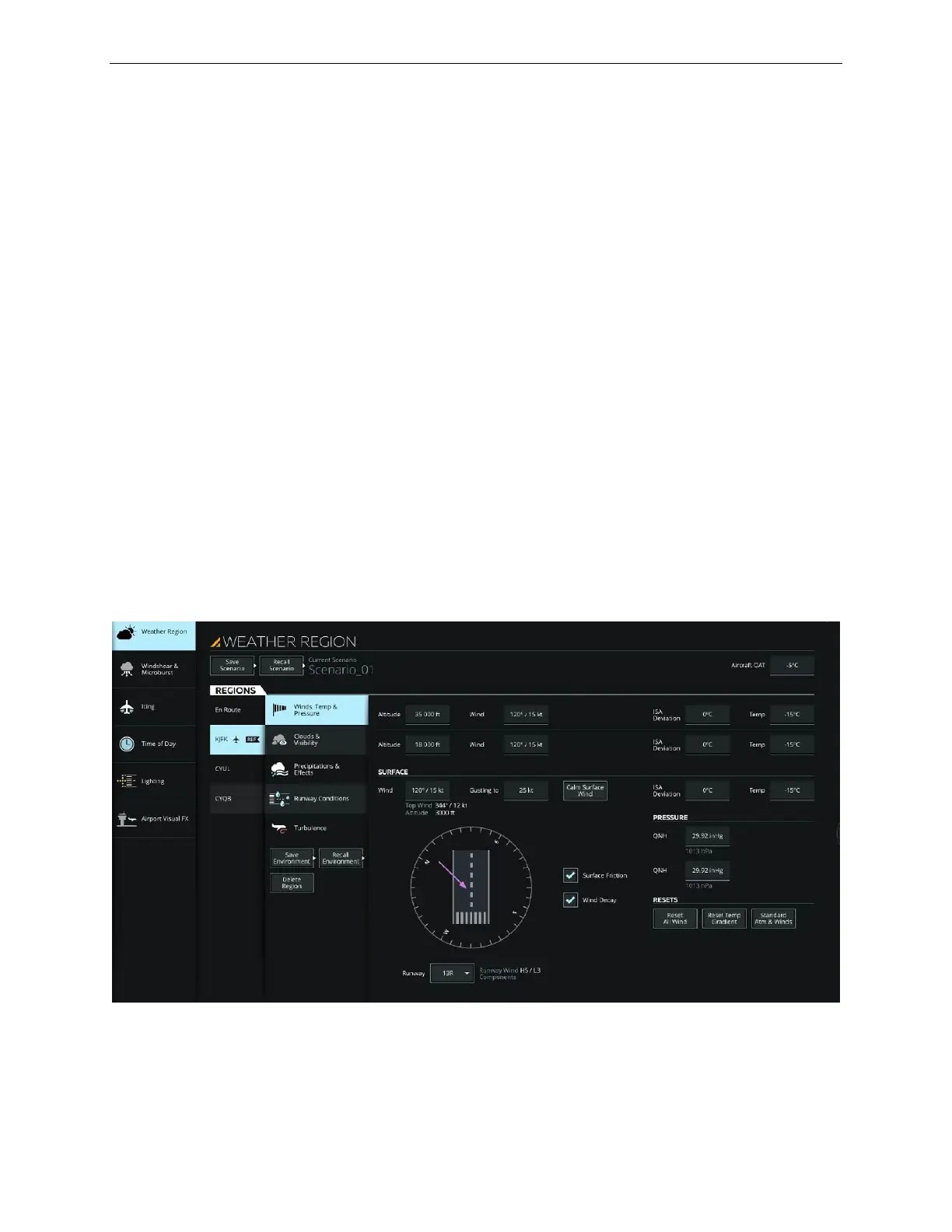
WEATHER REGION provides all necessary controls to alter environmental
conditions for up to five different airports and en route weather conditions.
For a specific region, the instructor can alter the current region parameters listed
below:
• Winds, temperature and pressure
• Clouds and visibility conditions
• Precipitation
• Runway conditions
• Turbulence
WEATHER REGION offers the possibility of:
• Saving the current region weather parameters into a Scenario
• Recalling previously saved region weather scenarios
• Adding a Region
• Deleting Scenarios
Figure 148 Advanced – Weather Region (Typical)



 To Next Page