Instructor User Guide
CURRENT CONDITIONS Tab
CURRENT CONDITIONS Tab
13 Oct 2017
Page 35
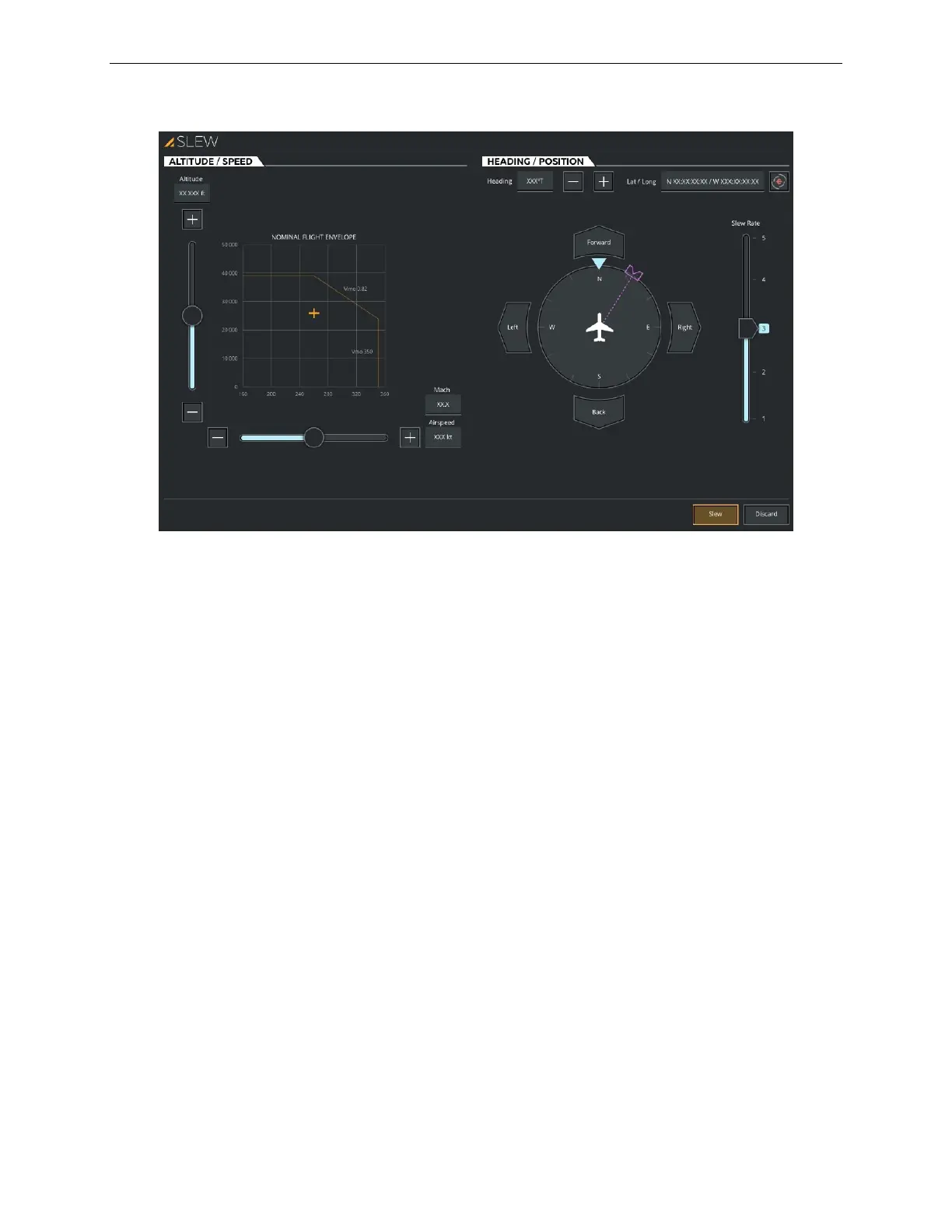
Figure 19 Aircraft SLEW Sliding Panel
7.3.1 ALTITUDE / SPEED Tab
This tab includes the necessary controls to modify the altitude and airspeed of the
aircraft.
7.3.1.1 Altitude
Tap this input text field to display a keypad that will allow you to enter a new altitude
(meters/feet).
Modifying the altitude can be done either through the altitude input text field or with
the Altitude slider. (Dynamic Min/Max).
7.3.1.2 Altitude Slider
Swipe the Altitude slider up (+) or down (-) to increase or decrease the aircraft
altitude (Dynamic Min/Max).
The + button slews the aircraft upwards at a fixed rate and the – button slews the
aircraft downwards at a fixed rate.
7.3.1.3 Airspeed
Tap this input text field to display a keypad that will allow you to enter a new
Indicated Airspeed (IAS) in knots.



 To Next Page