A320 Neo Instructor Operating Station
Instructor User Guide
Advanced
13 Oct 2017
Page 262
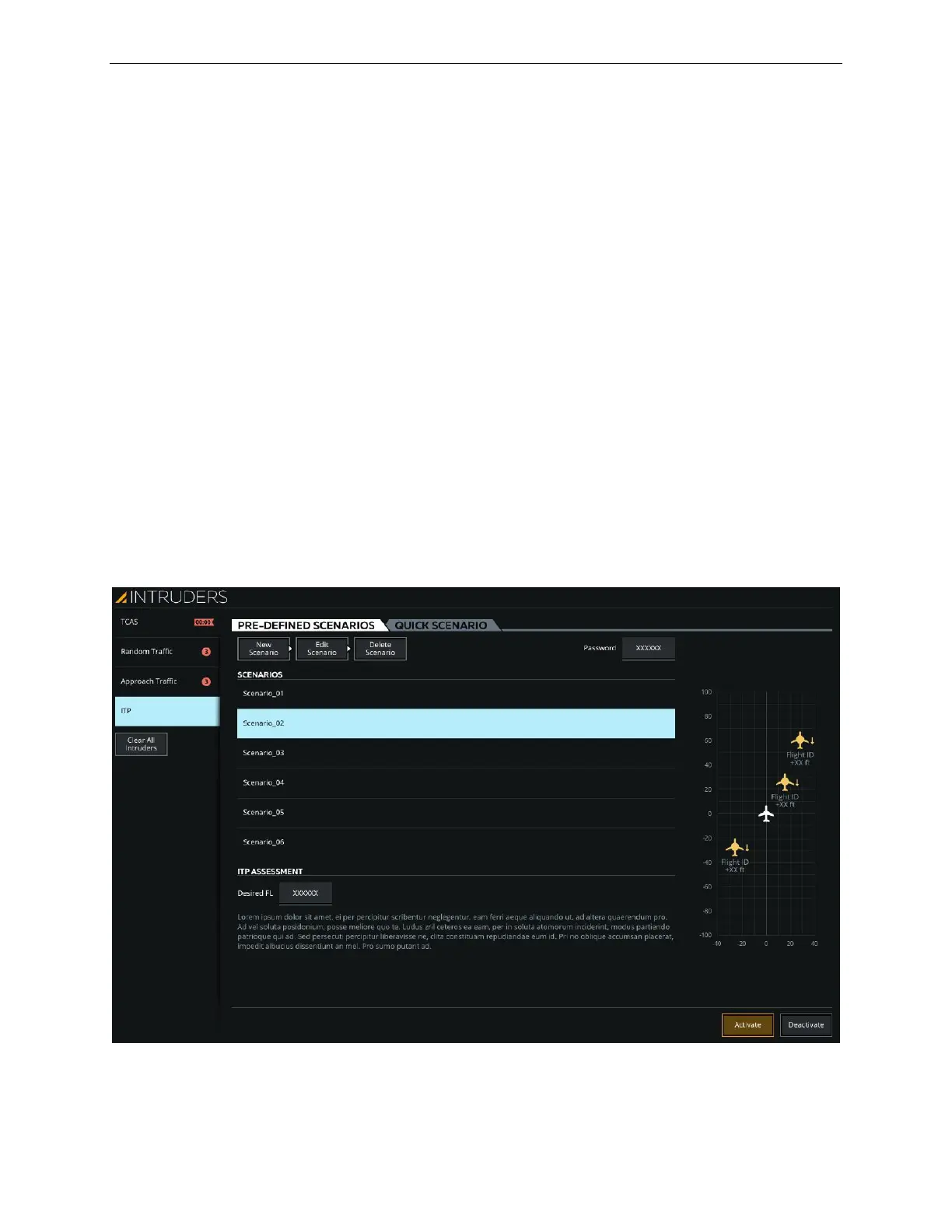
16.4.1.4.1 PRE-DEFINED SCENARIOS Tab
This tab includes the necessary controls to allow the instructor to:
• Manage a list of pre-defined ITP scenarios
• Create a new ITP scenario
• Edit and delete an ITP scenario
16.4.1.4.1.1 SCENARIOS Section
This section provides a listing of available ITP scenarios. Typically, CAE offers 12
scenarios. The name of each scenario is self-explanatory.
16.4.1.4.1.2 ITP ASSESSMENT Section
Given the selected ITP scenario, this section allows the instructor to evaluate whether
the ITP opportunity is possible (or not) at the Desired Flight Level (FL), prior to
activating the selected scenario into the training session.
The instructor selects an ITP scenario, enters the desired Flight Level and observes
the message in the ITP Assessment section to decide whether or not to activate the
scenario.
Figure 158 ITP Page



 To Next Page