190-01263-01 Rev. A
Garmin G2000 Pilot’s Guide for the Cessna T240
187
Flight ManageMent
SYSteM
OVeRVieW
Flight
inStRUMentS
eiS
aUDiO Panel
& CnS
Flight
ManageMent
haZaRD
aVOiDanCe
aFCS
aDDitiOnal
FeatUReS
aPPenDiCeS inDeX
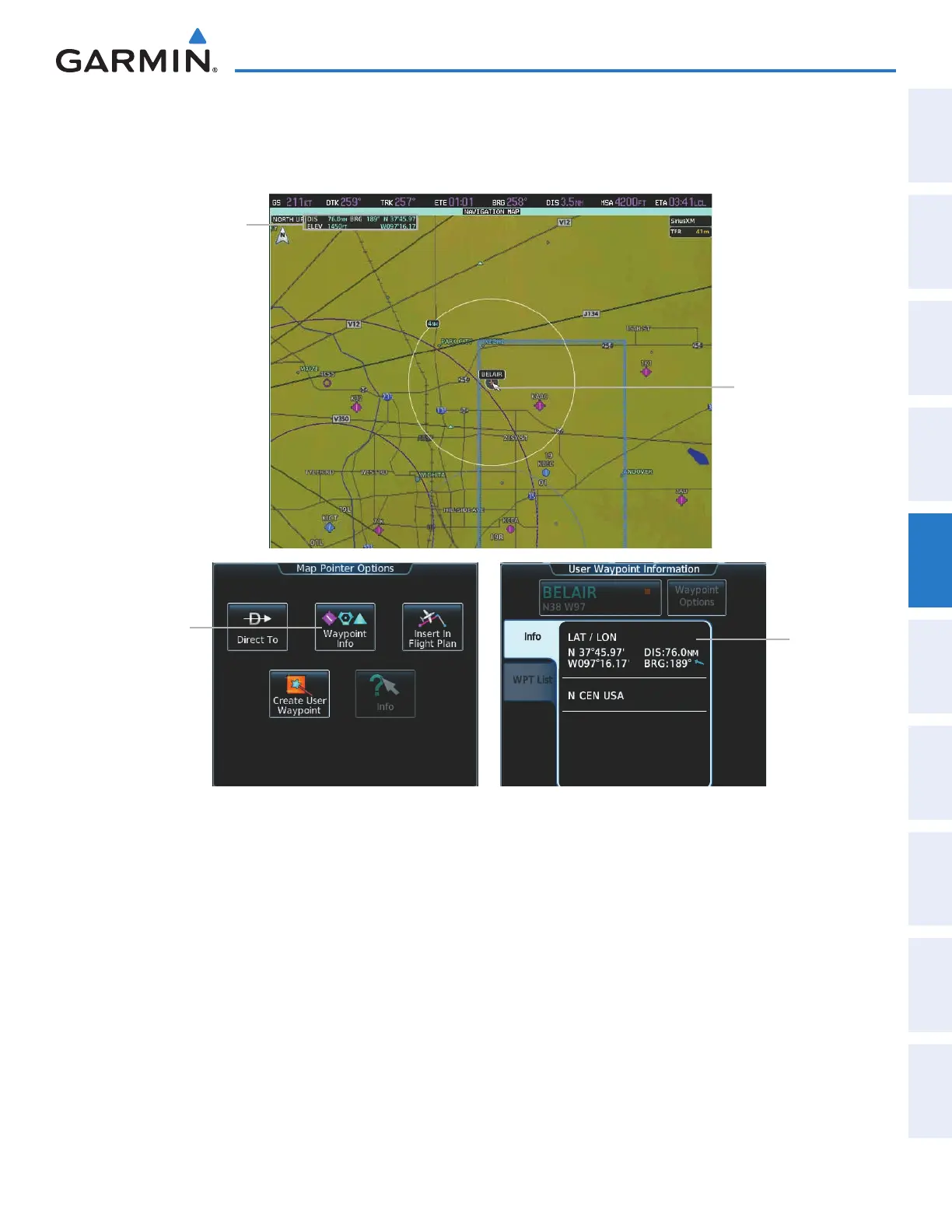
When the Map Pointer is placed on a User Waypoint, the name of the User Waypoint is highlighted (even if
the name was not originally displayed on the map). When a User Waypoint is highlighted on the map display,
pertinent information is available by pressing the Waypoint Info Button on the Touchscreen Controller.
User
Waypoint
Information
Waypoint
Info
Button
Figure 5-12 Navigation Map - Map Pointer on User Waypoint
Map Pointer
on User
Waypoint
Map Pointer
Information
This manual downloaded from http://www.manualowl.com



 To Next Page