Garmin G2000 Pilot’s Guide for the Cessna T240
190-01263-01 Rev. A226
Flight ManageMent
SYSteM
OVeRVieW
Flight
inStRUMentS
eiS
aUDiO Panel
& CnS
Flight
ManageMent
haZaRD
aVOiDanCe
aFCS
aDDitiOnal
FeatUReS
aPPenDiCeSinDeX
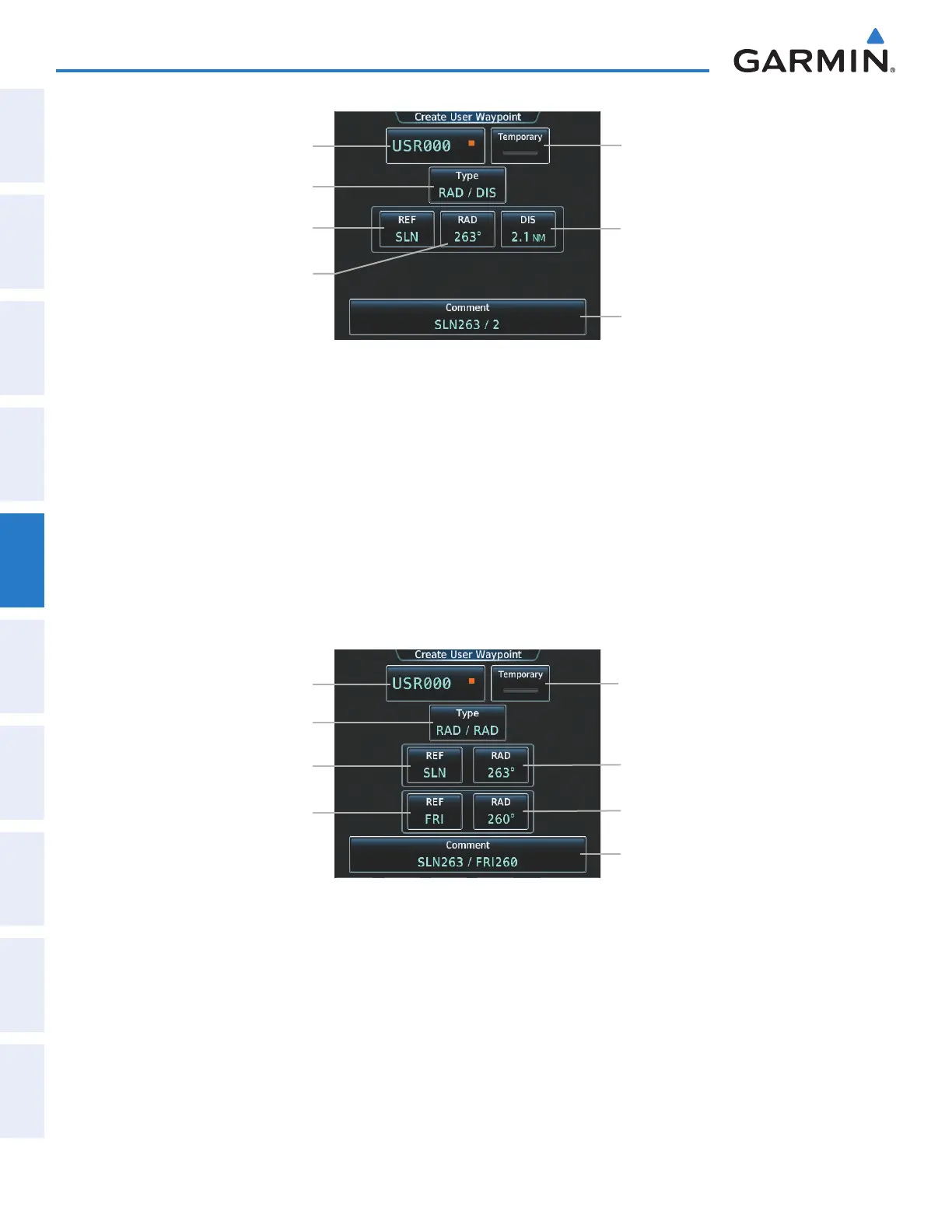
Figure 5-64 Create User Waypoint Screen (defined by bearing/distance from a waypoint)
User Waypoint Name Button
REF Button
Comment Button
Temporary Button
DIS Button
Type Button
RAD Button
Or:
a) Touch the Type Button to display the User Waypoint Type Window.
b) Touch the RAD/RAD Button to select the bearings from two waypoints type.
c) Touch a REF Button to display the keypad.
d) Use the keypad and the Enter Button, or the Find function, to select the waypoint.
e) Touch the corresponding RAD Button to display the keypad.
f) Use the keypad and the Enter Button to select the radial.
g) Repeat steps c – f for the other reference waypoint and radial.
Figure 5-65 Create User Waypoint Screen (defined by radials from two waypoints)
User Waypoint Name Button
REF Button 1
Comment Button
Temporary Button
RAD Button 1
Type Button
REF Button 2
RAD Button 2
Or:
a) Touch the Type Button to display the User Waypoint Type Window.
b) Touch the LAT/LON Button to select the latitude/longitude type.
c) Touch the LAT/LON Button to display the keypad.
d) Use the keypad and the Enter Button to select the latitude and longitude.
This manual downloaded from http://www.manualowl.com



 To Next Page