190-01263-01 Rev. A
Garmin G2000 Pilot’s Guide for the Cessna T240
299
Flight ManageMent
SYSteM
OVeRVieW
Flight
inStRUMentS
eiS
aUDiO Panel
& CnS
Flight
ManageMent
haZaRD
aVOiDanCe
aFCS
aDDitiOnal
FeatUReS
aPPenDiCeS inDeX
ACTIVATING AN APPROACH
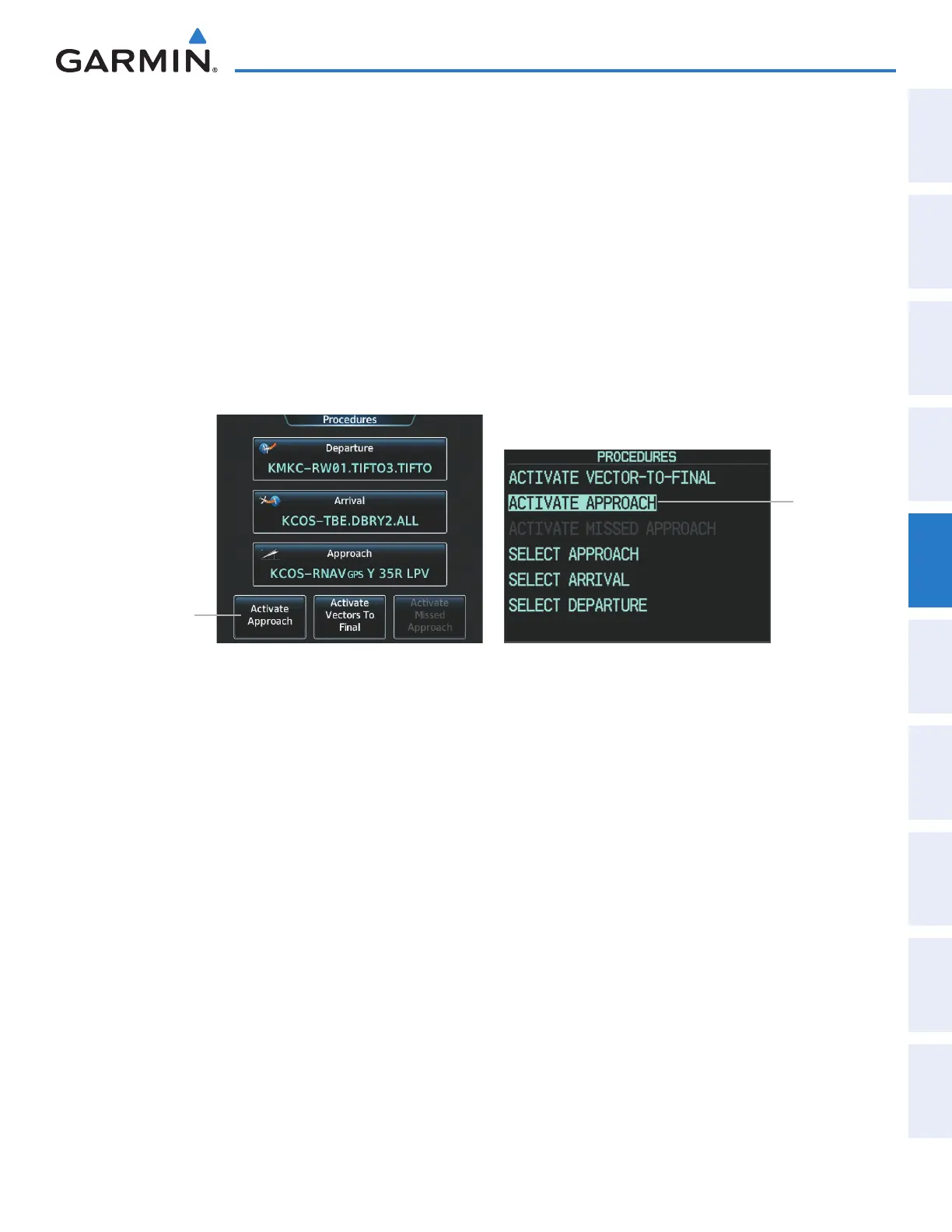
A previously loaded approach can be activated from the Procedures Screen.
Activating a previously loaded approach using the Touchscreen Controller:
1) From Home, touch PROC
2) Touch the Activate Approach Button to activate the approach.
Activating a previously loaded approach using the GDU Controller:
1) Press the PROC Key. The Procedures Window is displayed.
2) Highlight ‘ACTIVATE APPROACH’.
3) Press the ENT Key or the small PFD Knob. The approach is activated.
Figure 5-149 Activating an Approach on the Touchscreen Controller and on the PFD
ACTIVATE
APPROACH
Selected
Activate
Approach
Button
Touchscreen Controller - Procedures Screen PFD - Procedures Window
In many cases, it may be easiest to “load” the full approach while still some distance away, enroute to the
destination airport. Later, if vectored to final, select ‘Activate Vector-To-Final’, which makes the inbound
course to the FAF waypoint active.
Activating a previously loaded approach with vectors to final using the Touchscreen Controller:
1) From Home, touch PROC
2) Touch the Activate Vectors To Final Button to activate vectors to final.
Activating a previously loaded approach using the GDU Controller:
1) Press the PROC Key. The Procedures Window is displayed.
2) Highlight ‘ACTIVATE VECTOR-TO-FINAL’.
3) Press the ENT Key or the small PFD Knob. Vector to final is activated.
This manual downloaded from http://www.manualowl.com



 To Next Page