Garmin G2000 Pilot’s Guide for the Cessna T240
190-01263-01 Rev. A300
Flight ManageMent
SYSteM
OVeRVieW
Flight
inStRUMentS
eiS
aUDiO Panel
& CnS
Flight
ManageMent
haZaRD
aVOiDanCe
aFCS
aDDitiOnal
FeatUReS
aPPenDiCeSinDeX
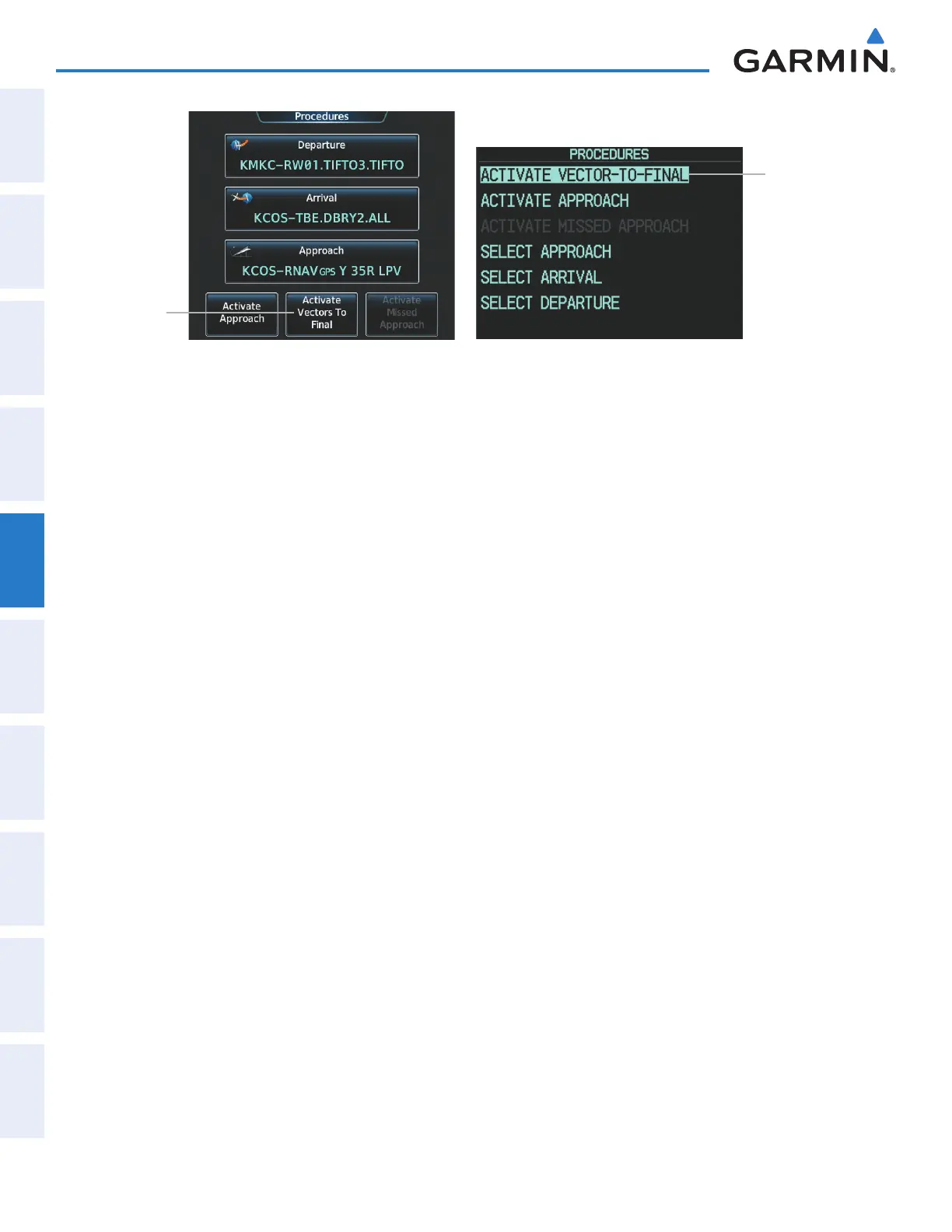
Figure 5-150 Activating Vectors to Final on the Touchscreen Controller and on the PFD
ACTIVATE
VECTOR-
TO-FINAL
Selected
Activate
Vectors To
Final Button
Touchscreen Controller - Procedures Screen PFD - Procedures Window
REMOVING AN APPROACH FROM THE ACTIVE FLIGHT PLAN
When plans change while flying IFR, approaches can be easily removed from the Active Flight Plan.
Removing an approach from the active flight plan using the Touchscreen Controller:
1) From Home, touch PROC
2) Touch the Approach Button to display the Arrival Selection Screen.
3) Touch the Remove Button. A ‘Remove approach?’ window is displayed.
4) Touch the Yes Button. The approach is removed from the active flight plan. To cancel the request, touch the
No Button.
Removing an approach from the active flight plan using the GDU Controller:
1) Press the FPL Key to display the Active Flight Plan Window on the PFD.
2) Press the PFD Knob, and turn to highlight the approach header in the active flight plan.
3) Press the CLR Key. A confirmation window is displayed listing the approach procedure.
4) With ‘OK’ highlighted, press the ENT Key or the small PFD Knob. To cancel the removal request, highlight
‘CANCEL’ and press the ENT Key or the smal PFD Knob.
MISSED APPROACH
Activating a missed approach in the active flight plan:
1) From Home, touch PROC
2) Touch the Activate Missed Approach Button to activate the missed approach. The aircraft automatically
sequences to the MAHP.
Or:
1) Press the PROC Key on the GDU Controller. The Procedures Window is displayed on the PFD.
2) Highlight ‘ACTIVATE MISSED APPROACH’.
3) Press the ENT Key or the small PFD Knob to activate the missed approach. The aircraft automatically sequences
to the MAHP.
This manual downloaded from http://www.manualowl.com



 To Next Page