190-01263-01 Rev. A
Garmin G2000 Pilot’s Guide for the Cessna T240
309
Flight ManageMent
SYSteM
OVeRVieW
Flight
inStRUMentS
eiS
aUDiO Panel
& CnS
Flight
ManageMent
haZaRD
aVOiDanCe
aFCS
aDDitiOnal
FeatUReS
aPPenDiCeS inDeX
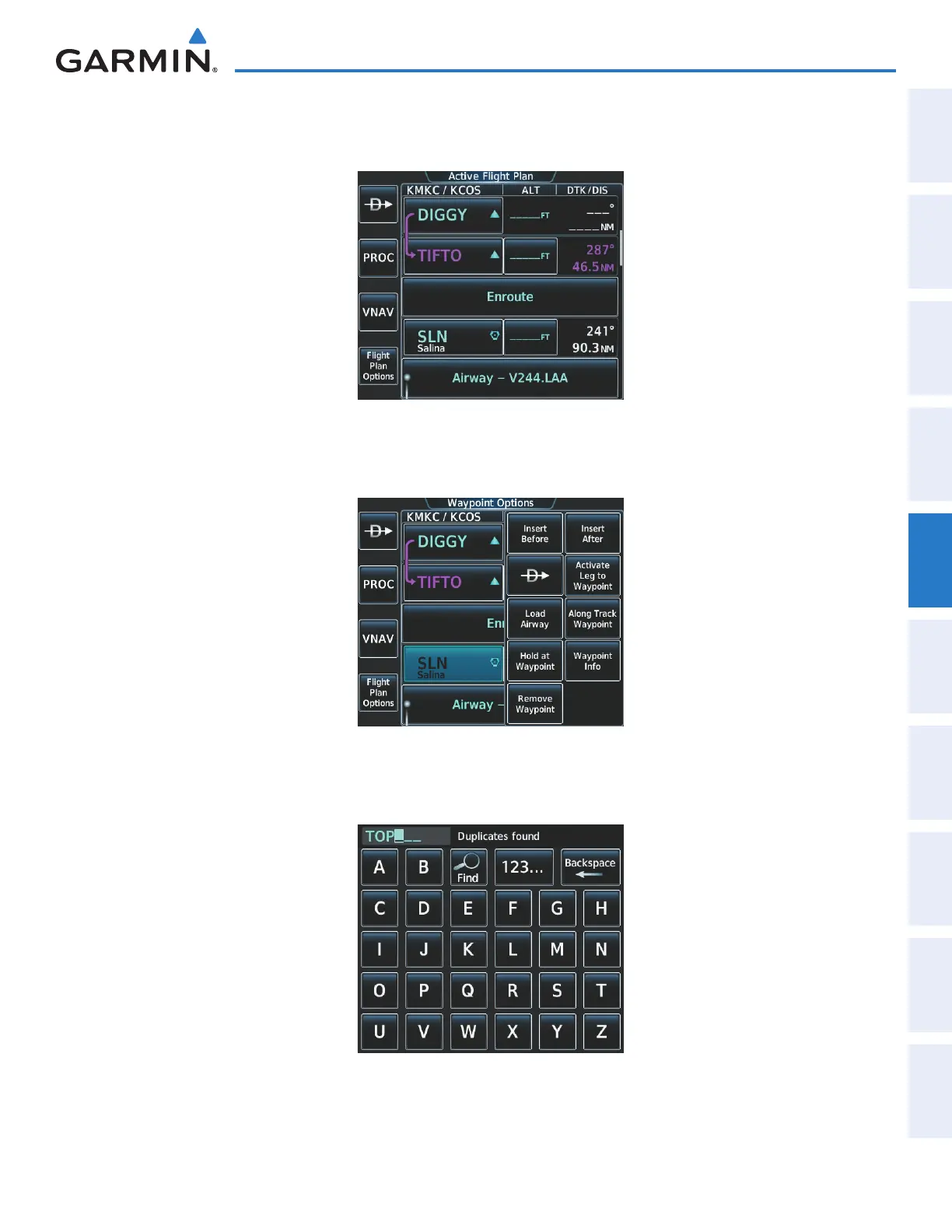
b) The desired entry point for V4 (TOP) must be entered. Touch the desired waypoint selection button (SLN) shown
in Figure 5-159 to display the Waypoint Options Window.
Figure 5-159 Selecting the Insertion Point
c) Touch the Insert Before Button shown in Figure 5-160 to display the keypad.
Figure 5-160 Entering V4 Entry Point
d) Use the keypad to select the desired entry point for V4, Topeka VOR (TOP), as shown in Figure 5-161.
Figure 5-161 Selecting V4 Entry Point
This manual downloaded from http://www.manualowl.com



 To Next Page