190-01263-01 Rev. A
Garmin G2000 Pilot’s Guide for the Cessna T240
19
SyStem Overview
SyStem
Overview
FLiGHt
iNStrUmeNtS
eiS
AUDiO PANeL
& CNS
FLiGHt
mANAGemeNt
HAZArD
AvOiDANCe
AFCS
ADDitiONAL
FeAtUreS
APPeNDiCeS iNDeX
SYSTEM
OVERVIEW
FLIGHT
INSTRUMENTS
EIS AUDIO & CNS
FLIGHT
MANAGEMENT
HAZARD
AVOIDANCE
AFCS
ADDITIONAL
FEATURES
APPENDICES INDEX
BUTTON TYPES
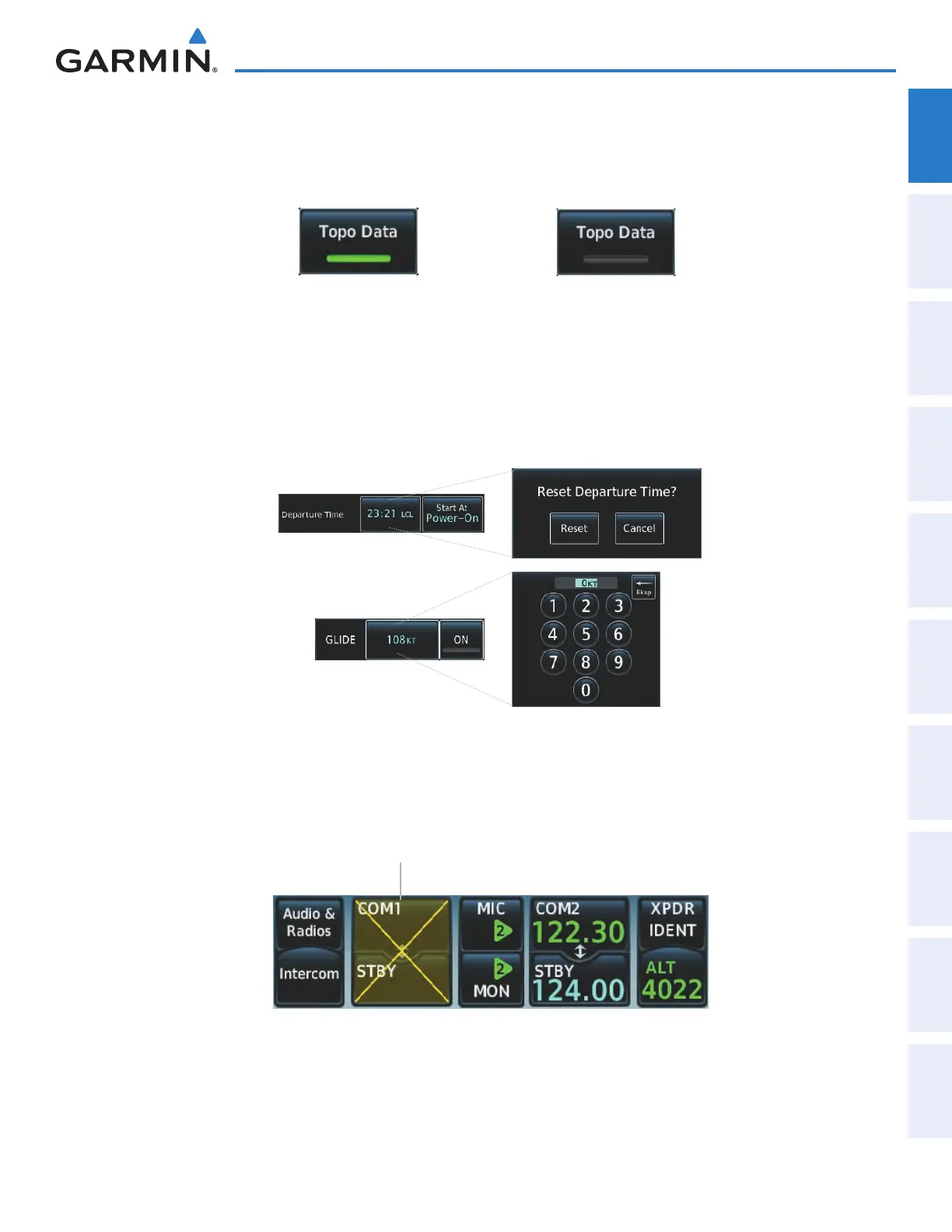
Annunciator Buttons operate in an on/off state. An ‘on’ or enabled button displays a green annunciator; an
‘off’ or disabled button displays a gray annunciator. Touch the annunciator button to change its state.
On or Enabled Off or Disabled
Figure 1-19 Touchscreen Controller Annunciator Buttons
Datafield Buttons can be modified based on information the pilot can enter or change, and often contain
light blue text. Touching a datafield button will either display a pop-up window from which a selection
can be made, or display a keypad to supply the data. See the Data Entry discussion in this section for more
information.
Figure 1-20 Touchscreen Controller Datafield Buttons
If a system failure causes a button’s function to be unavailable, a yellow ‘X’ appears over the affected button.
These buttons will not respond when touched.
Button Functions Not Available
Due to LRU Failure
Figure 1-21 Failed Buttons on Touchscreen Controller
This manual downloaded from http://www.manualowl.com



 To Next Page