190-01263-01 Rev. A
Garmin G2000 Pilot’s Guide for the Cessna T240
381
Hazard avoidance
SYSTeM
overvieW
FLiGHT
inSTrUMenTS
eiS aUdio & cnS
FLiGHT
ManaGeMenT
Hazard
avoidance
aFcS
addiTionaL
FeaTUreS
aPPendiceS indeX
The following may cause abnormalities in displayed radar images:
• Ground clutter
• Strobes and spurious radar data
• Sun strobes (when the radar antenna points directly at the sun)
• Interference from buildings or mountains, which may cause shadows
• Metallic dust from military aircraft, which can cause alterations in radar scans
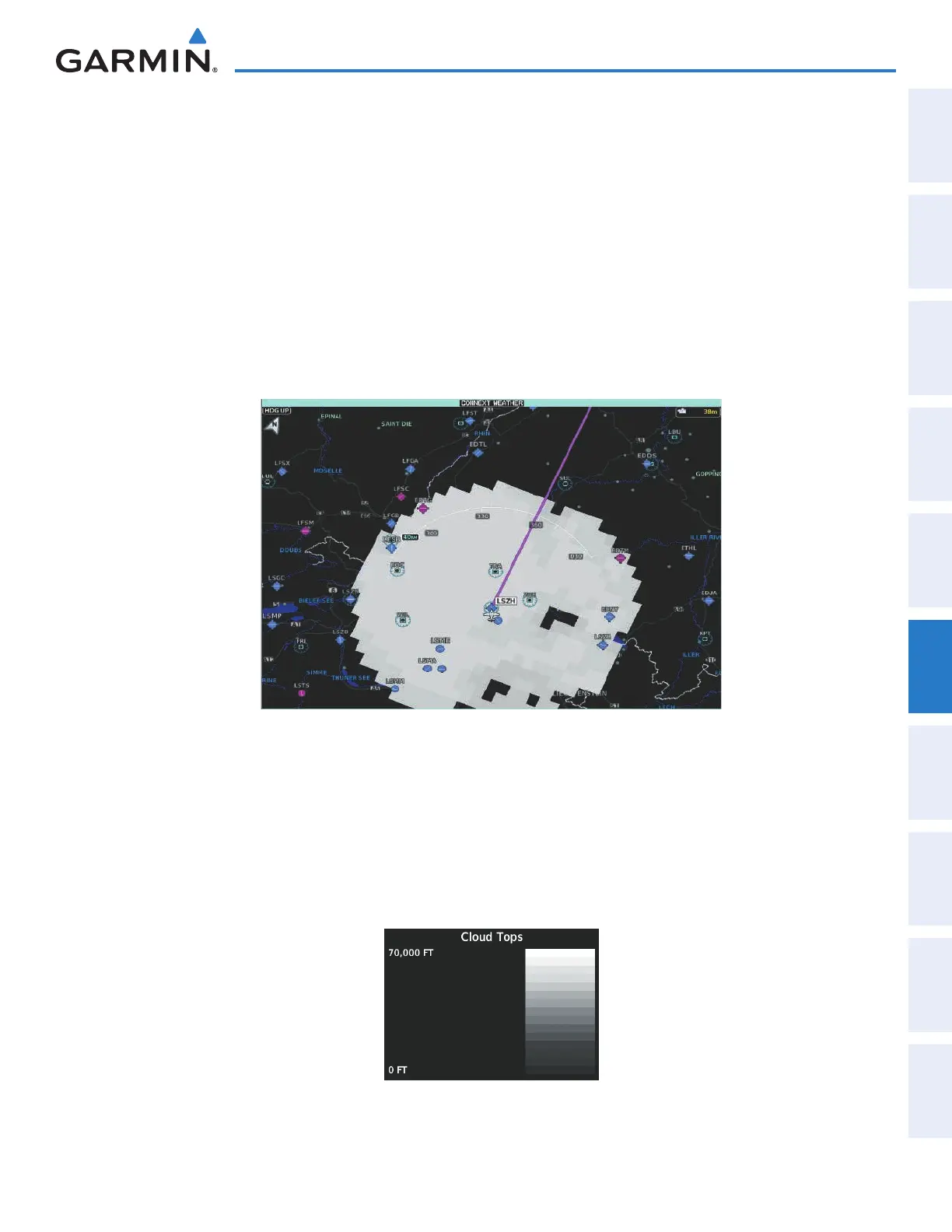
CLOUD TOPS
Cloud Tops data (Figure 6-57) depicts cloud top temperatures from satellite imagery. Brighter cloud top
colors indicate cooler temperatures occurring at higher altitudes.
Figure 6-57 Cloud Tops Enabled on the Connext Weather Pane
Displaying Cloud Tops information (Connext Weather Pane):
1) From Home, touch Weather > Weather Selection > Connext Weather > Connext Settings.
2) Touch the Cloud Tops Button in the Overlays Window.
To display the Cloud Tops legend (Figure 6-58), touch the Legend Button on the Connext Weather Settings
Settings Screen when the Cloud Tops weather product is enabled for display.
Figure 6-58 Cloud Tops Legend
This manual downloaded from http://www.manualowl.com



 To Next Page