Garmin G2000 Pilot’s Guide for the Cessna T240
190-01263-01 Rev. A
382
Hazard avoidance
SYSTeM
overvieW
FLiGHT
inSTrUMenTS
eiS
aUdio & cnS
FLiGHT
ManaGeMenT
Hazard
avoidance
aFcS
addiTionaL
FeaTUreS
aPPendiceSindeX
CONNEXT LIGHTNING
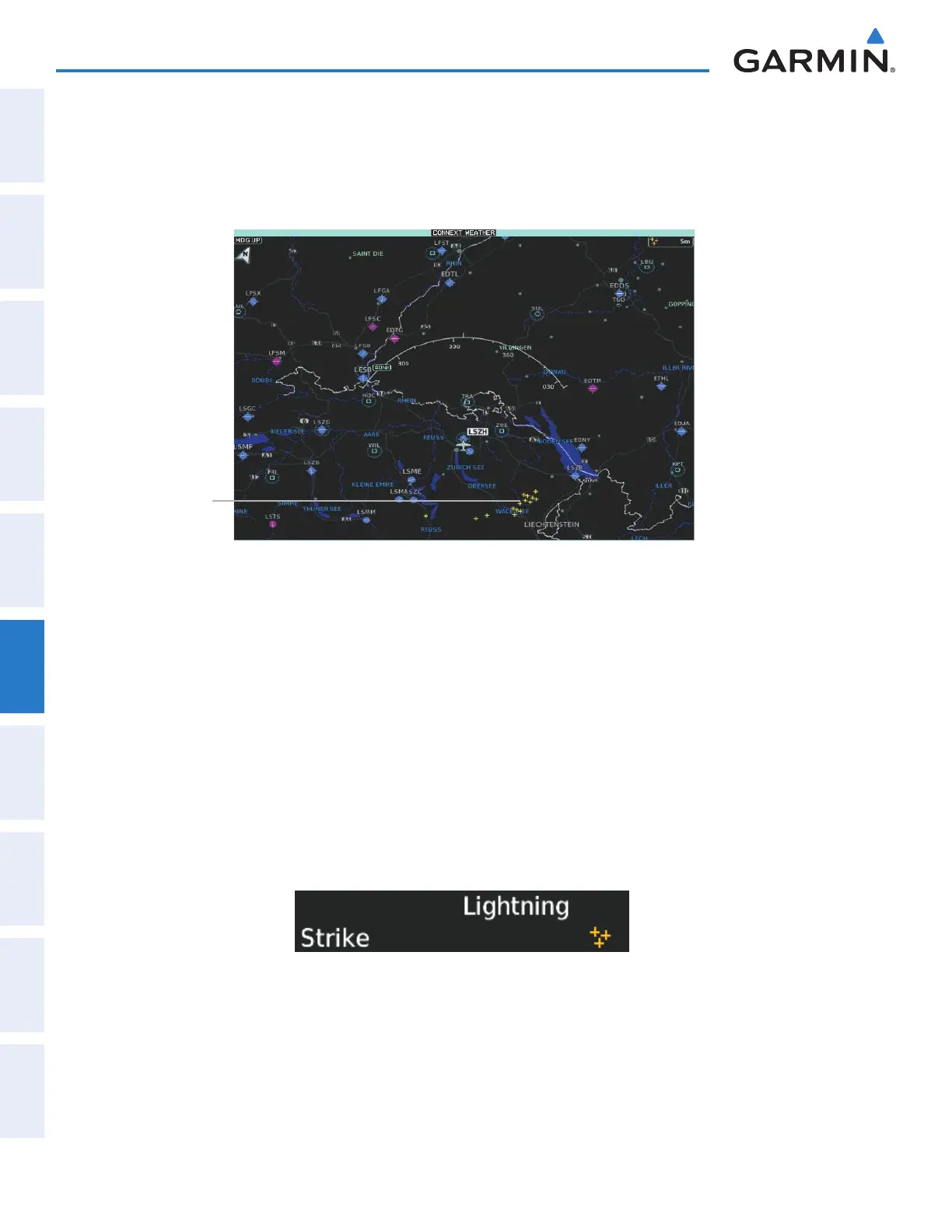
The Connext Lightning weather product (Figure 6-59) shows the approximate location of cloud-to-ground
lightning strikes. A strike icon represents a strike that has occurred within a two-kilometer region. Neither
cloud-to-cloud nor the exact location of the lightning strike is displayed.
Figure 6-59 Lightning Enabled on the Connext Weather Pane
Lightning Strikes
Displaying Connext Lightning information (Connext Weather Pane):
1) From Home, touch Weather > Weather Selection > Connext Weather > Connext Settings.
2) Touch the Lightning Button in the Overlays window.
Displaying Connext Lightning information (Navigation Map Displays):
1) From Home, touch Map > Map Settings.
2) If necessary, touch the Sensor tab.
2) Scroll as needed in the Overlays window and touch the Connext Lightning Button.
To display the Lightning legend on the Touchscreen Controller (Figure 6-60), touch the
Legend
Button on
the Connext Weather Settings Screen when the Connext Lightning weather product is enabled for display.
Figure 6-60 Connext Lightning Legend
This manual downloaded from http://www.manualowl.com



 To Next Page