190-01263-01 Rev. A
Garmin G2000 Pilot’s Guide for the Cessna T240
513
AdditionAl FeAtures
sYsteM
oVerVieW
FliGHt
instruMents
eis
Audio PAnel
& Cns
FliGHt
MAnAGeMent
HAZArd
AVoidAnCe
AFCs
AdditionAl
FeAtures
APPendiCes indeX
ADJUSTING VOLUME
Entertainment audio volume is shown in the Volume field (Figure 8-42) as a percentage of full volume.
Volume can be muted manually, or muting may be initiated automatically when other audio, such as radio,
intercom, or aural alerts, is present.
Adjusting the volume:
1) From the Home Screen, touch Services > Music > Volume.
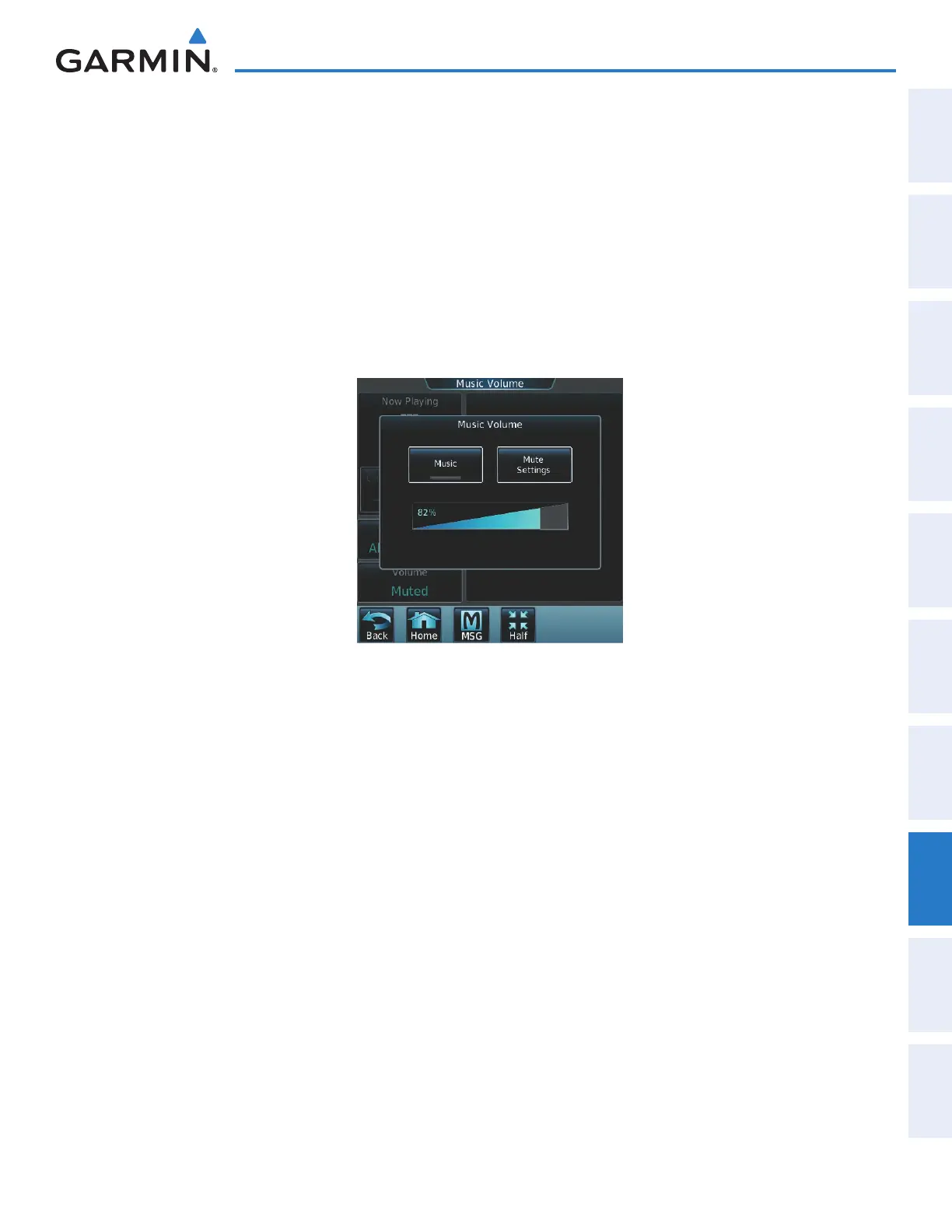
2) The volume adjustment slider is displayed as shown in Figure 8-44.
3) Touch and drag the slider to the right or left to adjust the volume. Drag to the right increases volume. Drag to
the left to decrease the volume.
Figure 8-44 Adjusting Volume
Muting or unmuting the volume:
1) From the Home Screen, touch Services > Music > Volume.
2) Touch the Music Annunciator Button to mute or unmute the volume. Muted volume is indicated by a gray
annunciator. Unmuted volume is indicated by a green annunciator.
3) Touch the Back Button to return to the Music Screen. When the volume is muted, ‘Muted’ is displayed in the
Volume field.
This manual downloaded from http://www.manualowl.com



 To Next Page