HIWIN MIKROSYSTEM CORP. 5-37
◆ Function
Use I/O signal from controller to switch between operation modes.
◆ Description
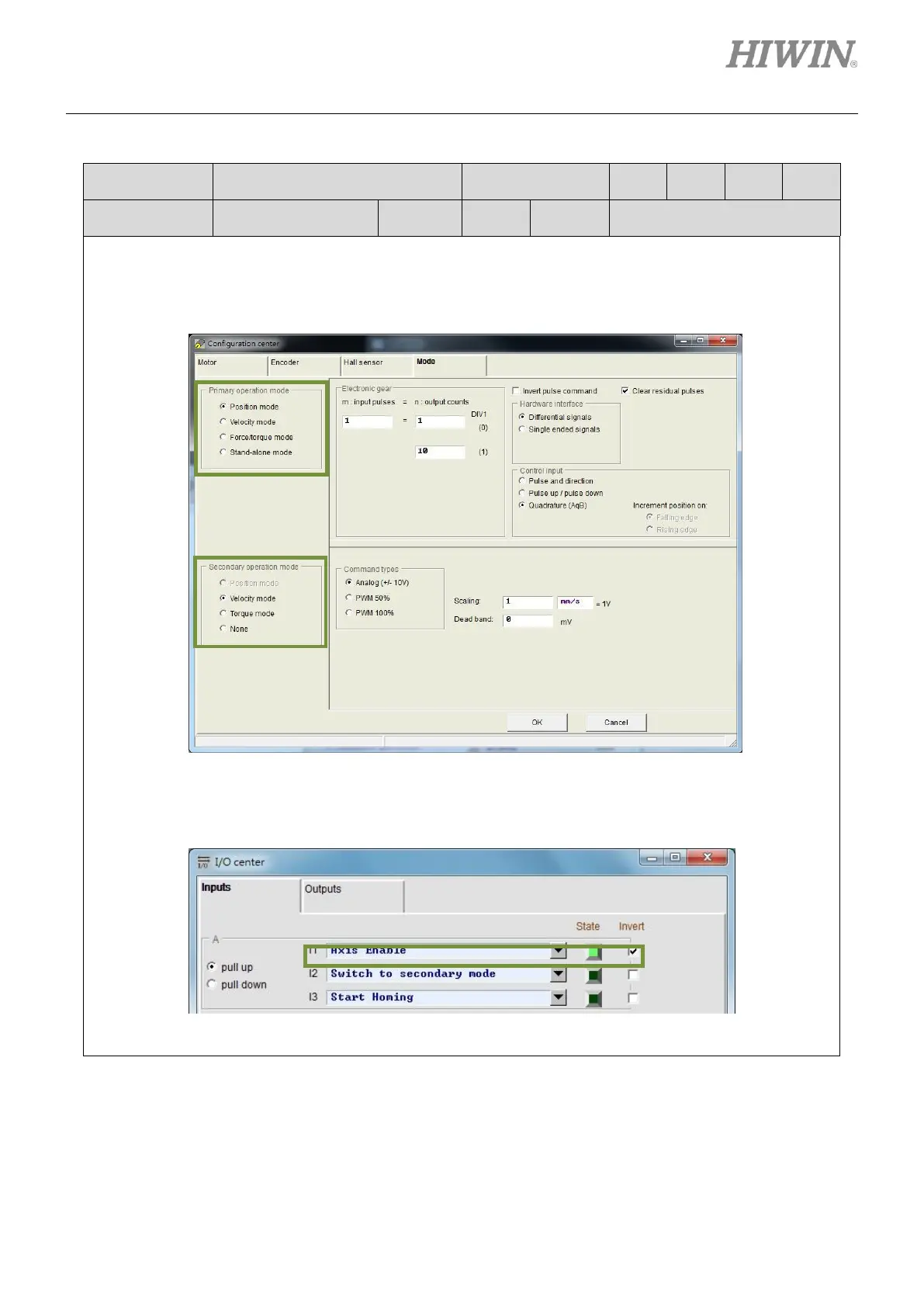
Set primary operation mode and secondary operation mode in Mode tab in Configuration center.
Set one input for switching to secondary operation mode in I/O center. In the figure below, I2 is set for
switching to secondary operation mode. When the input signal is OFF, the mode set in Primary
operation mode is used. When the input signal is ON, the mode set in Secondary operation mode is
used. If None is selected for Secondary operation mode, stand-alone mode is used.



 To Next Page