Servo Drive Configuration D1 Servo Drive User Manual
5-38 HIWIN MIKROSYSTEM CORP.
Electronic gear select (DIV1)
Applicable
Operation Mode
◆ Function
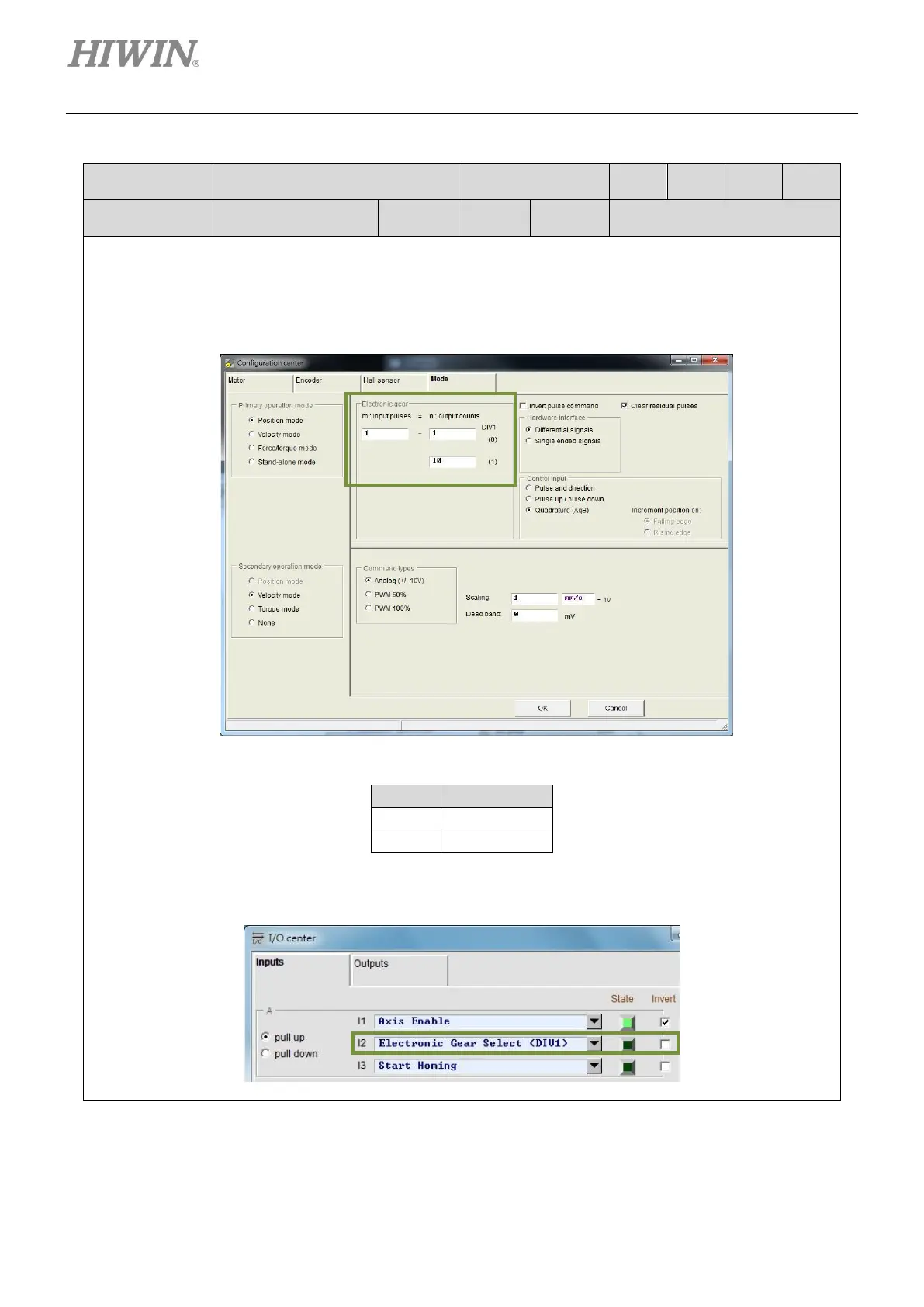
This input function is used to switch between two electronic gear ratios.
◆ Description
Select Position mode in Mode tab in Configuration center. Two electronic gear ratios can be set,
please refer to below.
Select the required electronic gear ratio by the state of D1V1.
Set one input to Electronic Gear Select (DIV1) in I/O center. In the figure below, I2 is set to Electronic
Gear Select (DIV1). When the input signal is OFF, the first electronic gear ratio is used. When the input
signal is ON, the second electronic gear ratio is used.



 To Next Page